feishu-auth
The feishu-auth plugin supports Feishu OAuth 2.0 authentication as a mechanism for clients to authenticate themselves before accessing upstream resources.
Once enabled, the plugin implements the OAuth 2.0 authorization code flow, where users are redirected to Feishu for authentication and then redirected back with an authorization code. The plugin exchanges this code for an access token, retrieves user information, and maintains a session for subsequent requests.
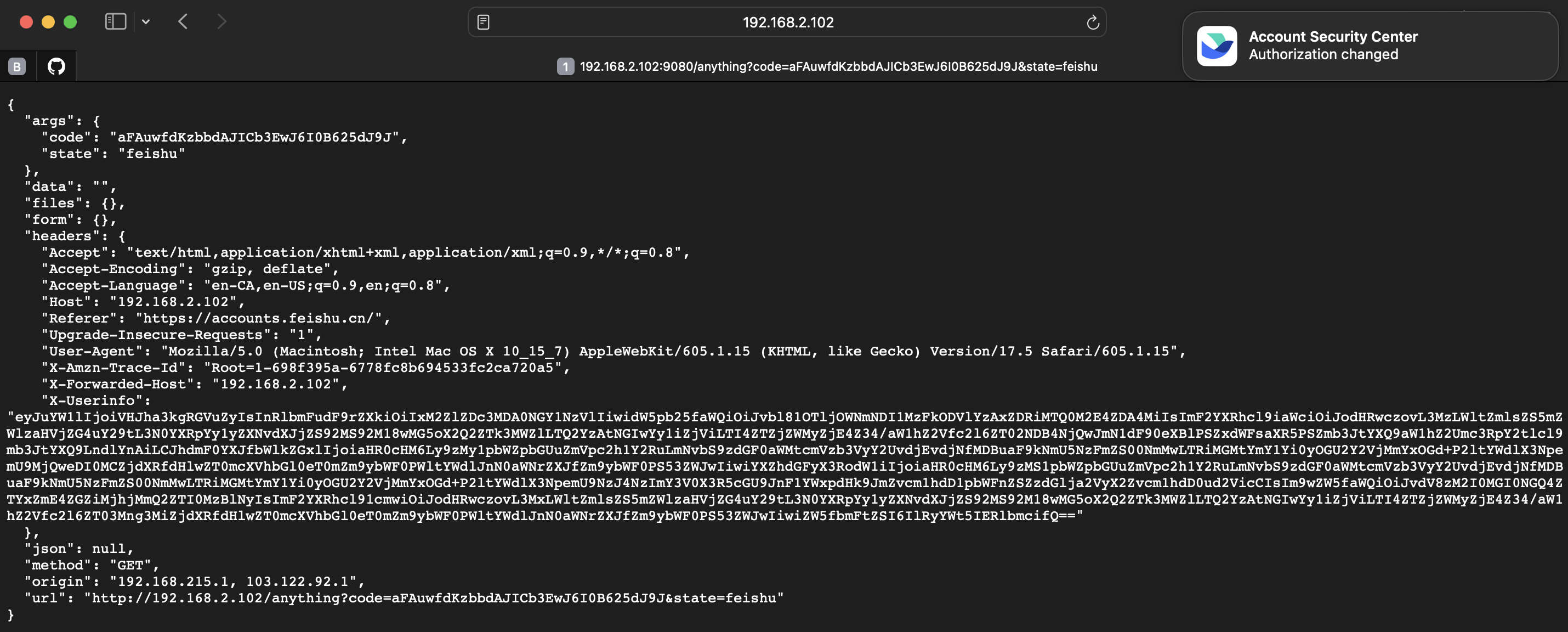
When a consumer is successfully authenticated, the plugin adds the X-Userinfo header containing base64-encoded user information to the request, before proxying it to the upstream service. The upstream service will be able to differentiate between users and implement additional logic as needed.
Example
Before proceeding, ensure that you have created a Feishu application and obtained the needed credentials.
-
Create a Feishu application.
- Go to the Feishu Open Platform.
- Create a new application in the developer console.
- Configure it as a web application for OAuth 2.0.
-
In the created application:
- Visit Credentials & Basic Info and note down your app ID and app secret.
- Visit Security Settings and set the redirect URI that matches your
auth_redirect_uriconfiguration, for example,http://192.168.2.102:9080/anything. - Visit Permissions and Scopes and add the necessary permissions for user information access, for example,
contact:user.base:readonly.
For more information, see custom app development process and browser web access guide.
Configure Feishu Authentication on a Route
The following example demonstrates how to implement Feishu authentication on a route.
Create a route and configure the feishu-auth plugin as such:
curl "http://127.0.0.1:9180/apisix/admin/routes" -X PUT \
  -H "X-API-KEY: ${ADMIN_API_KEY}" \
  -d '{
    "id": "feishu-auth-route",
    "uri": "/anything",
    "plugins": {
      "feishu-auth": {
        "app_id": "cli_1234567890abcdef",
        "app_secret": "replace-with-your-app-secret-here",
        "secret": "strong-secret",
        "auth_redirect_uri": "http://192.168.2.102:9080/anything",
        "redirect_uri": "https://accounts.feishu.cn/open-apis/authen/v1/authorize?app_id=cli_xxxx&redirect_uri=http%3A%2F%2F192.168.2.102%3A9080%2Fanything&response_type=code&state=feishu"
      }
    },
    "upstream": {
      "type": "roundrobin",
      "nodes": {
        "httpbin.org:80": 1
      }
    }
  }'
❶ Replace with your app ID.
❷ Replace with your app secret.
❸ Replace with your secret, which should be a random string.
❹ Replace with your redirect URI registered with Feishu for OAuth callback.
❺ Update the URI query parameter values with your application information. See construct the authorization link for more information.
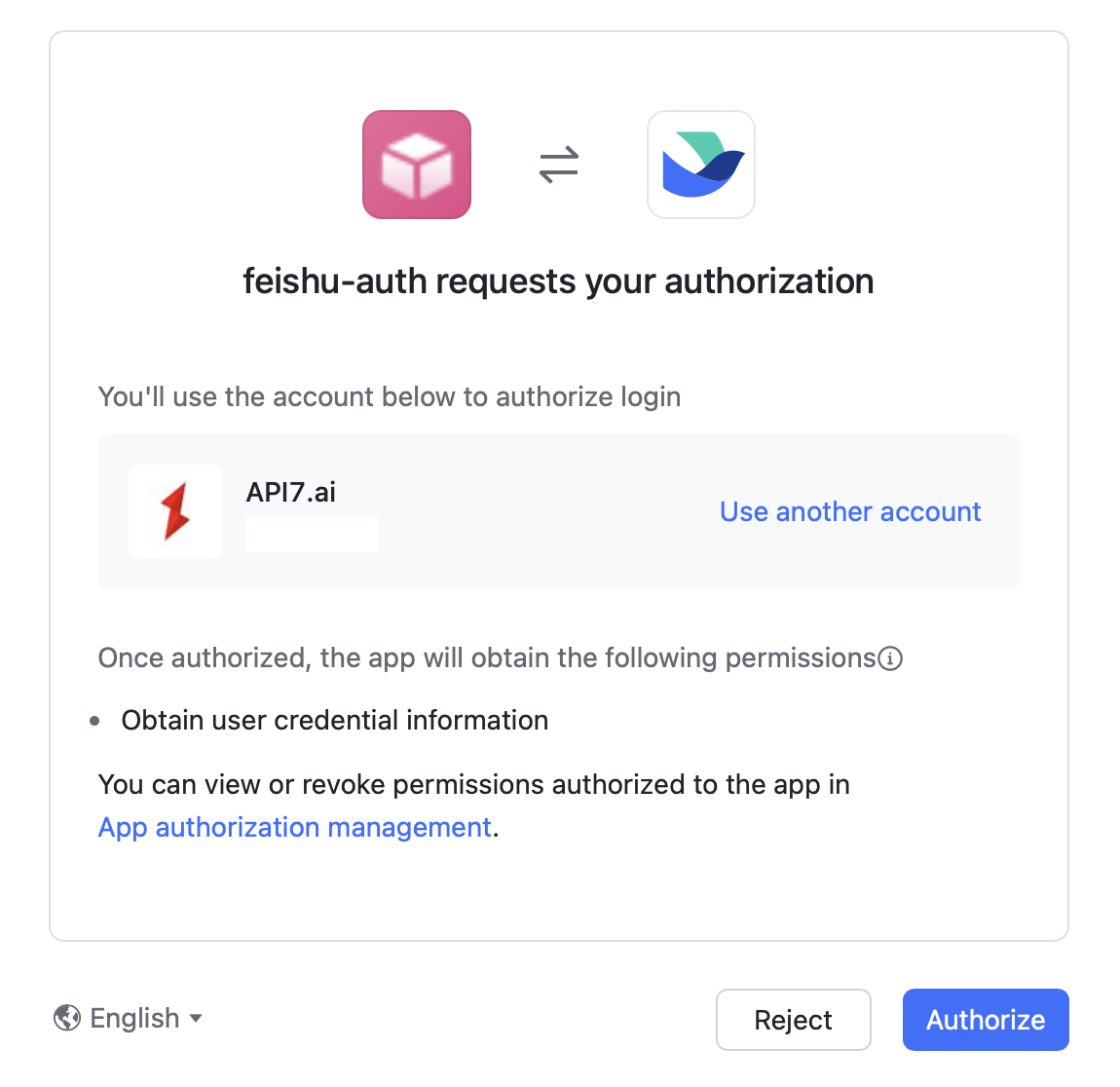
Visit the route (for example, http://192.168.2.102:9080/anything) in your browser. You should be redirected to the Feishu authorization page:
After successfully authenticating with Feishu, you should see response from the upstream service in browser: