Ingress Controller Documentation
The Ingress Controller translates Kubernetes resources such as Ingress, Gateway API, and APISIX custom resources into synchronized gateway configuration. This lets platform teams manage routing, upstreams, TLS, plugins, and other gateway behavior through declarative Kubernetes manifests. It is a good fit when the gateway runs in Kubernetes and routing and gateway policies should follow the same declarative workflow as the workloads they serve.
This documentation is intentionally shared by API7 Ingress Controller and APISIX Ingress Controller and refers to both as AIC. Some shared Kubernetes resource identifiers retain APISIX naming and are supported by both controllers. Unless a page identifies a product-specific difference, its resource workflows apply to both controllers.
This documentation covers API7 Ingress Controller 2.2.1 and APISIX Ingress Controller 2.2.0. Fields available in only one of these releases are identified where they appear.
Supported Resources
AIC supports the following Kubernetes resources:
- Gateway API 1.6 is a modern, extensible Kubernetes-native API for traffic management. The controllers support multiple listeners, HTTP, gRPC, TCP, UDP, and TLS routes, downstream mTLS, and richer traffic policies. See Ingress and Gateway API Support for field-level support.
- Ingress is the legacy Kubernetes-native API for basic HTTP/S routing to backend services. It does not support all advanced configurations available in Gateway API or APISIX CRDs.
- APISIX CRDs provide fine-grained control over routing, plugins, upstreams, and other gateway features.
L4RoutePolicyattaches stream plugins to Gateway API TCP, UDP, and TLS routes.
Resources supported by the installed controller can coexist within the same Kubernetes cluster. Confirm that the installed product release supports a resource or field before applying its manifest. Some features are available only through specific resource types, so avoid configuration conflicts when using multiple resources together.
The diagram below illustrates how the Ingress Controller combines standard Gateway API resources with custom resources to define routing, traffic policies, and gateway behavior within a Kubernetes environment:
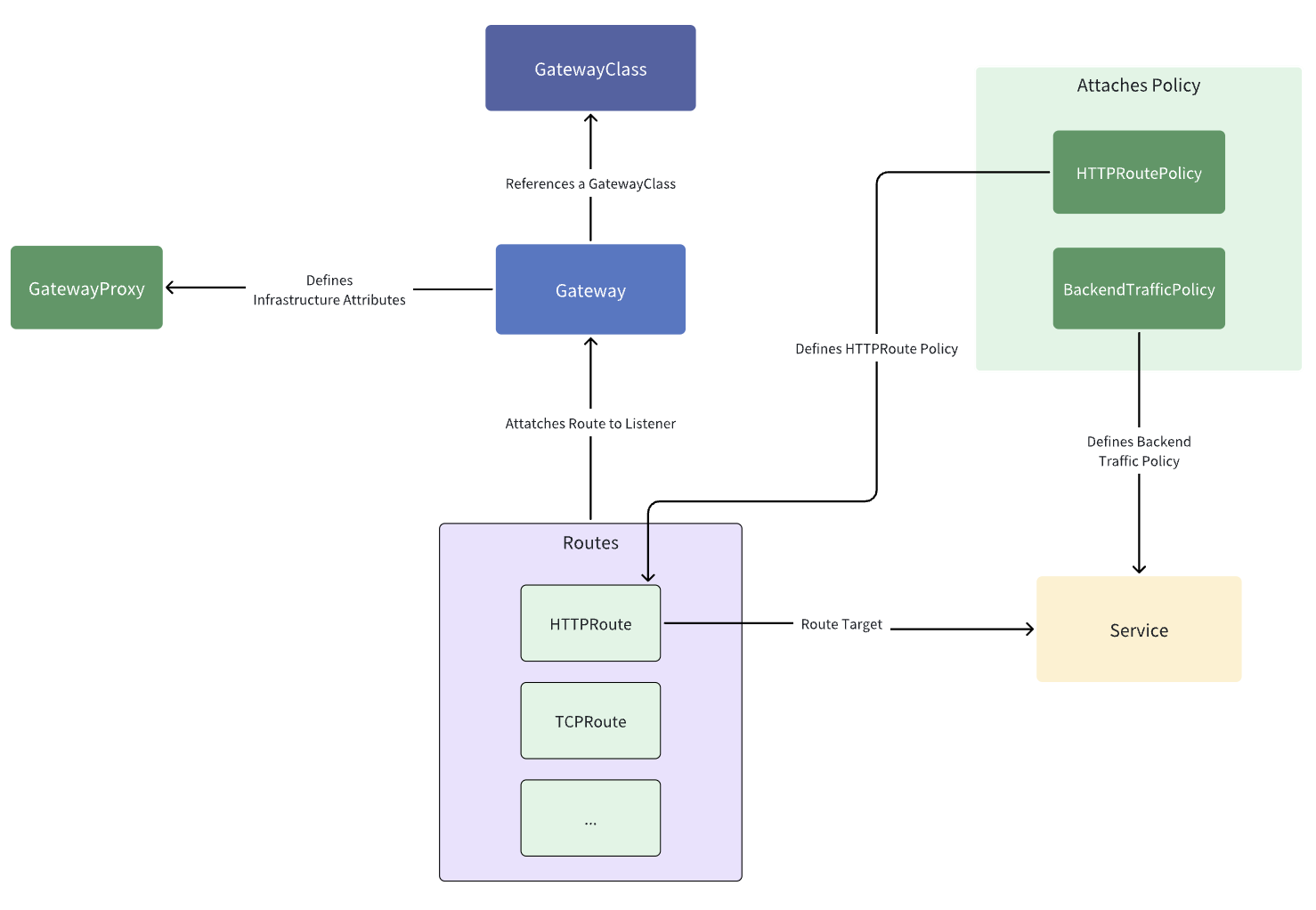
How AIC Processes Kubernetes Resources
AIC translates Ingress, Gateway API, and APISIX CRD resources into internal ADC YAML, then synchronizes that configuration to the gateway.
APISIX Ingress Controller vs API7 Ingress Controller
The controllers use aligned Kubernetes resource APIs and share many of the capabilities described in this documentation. This shared resource model lets teams reuse Gateway API, Ingress, and APISIX custom resource patterns across API7 Enterprise and APISIX deployments.
The installed controller release determines which resources and fields are available. Product-specific behavior and defaults, as well as deployment-specific values such as namespaces, upstream Services, and GatewayProxy connection settings, may differ. The deployment architectures also differ in how each controller connects to its respective gateway.
Deployment Architectures
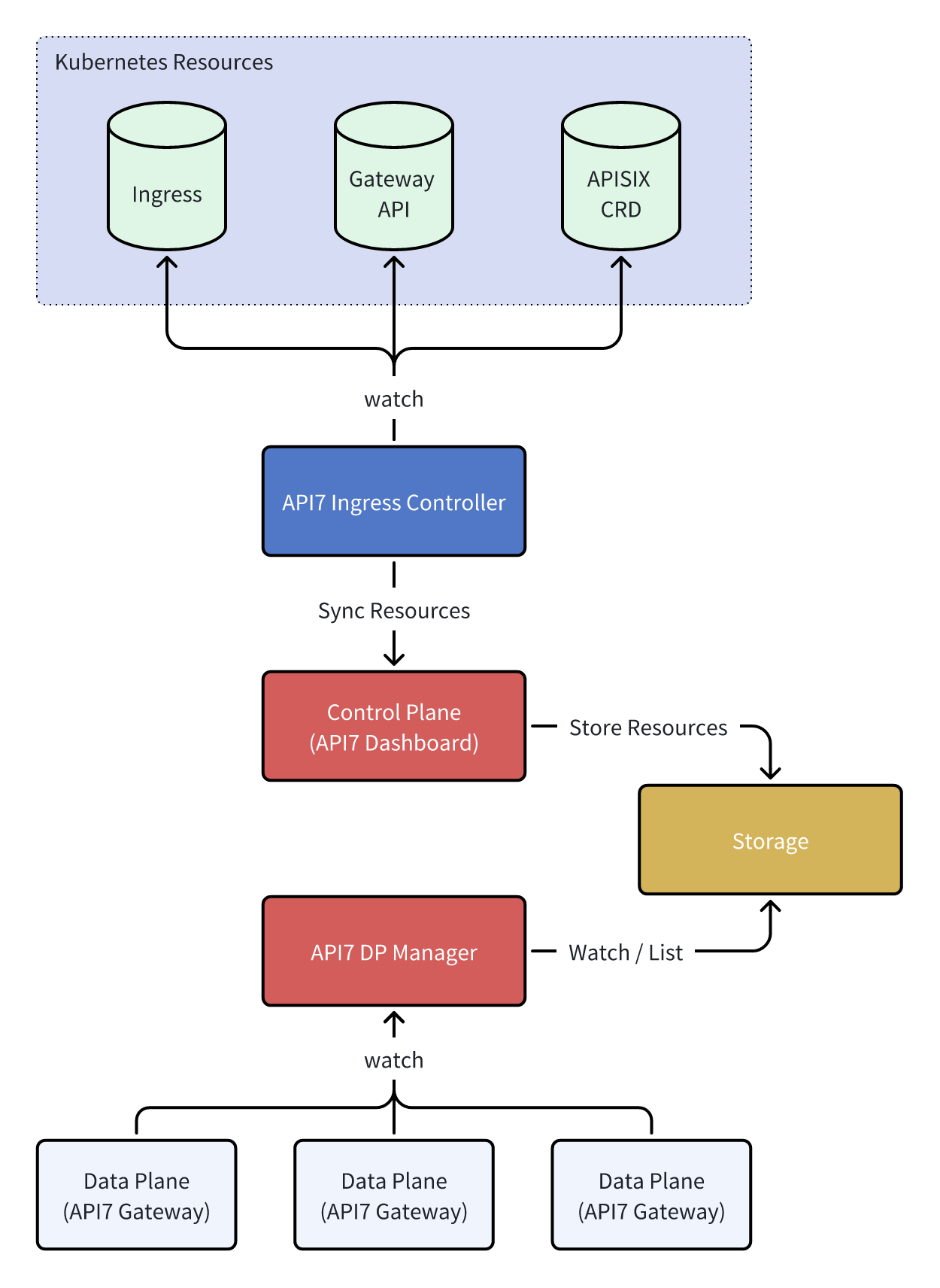
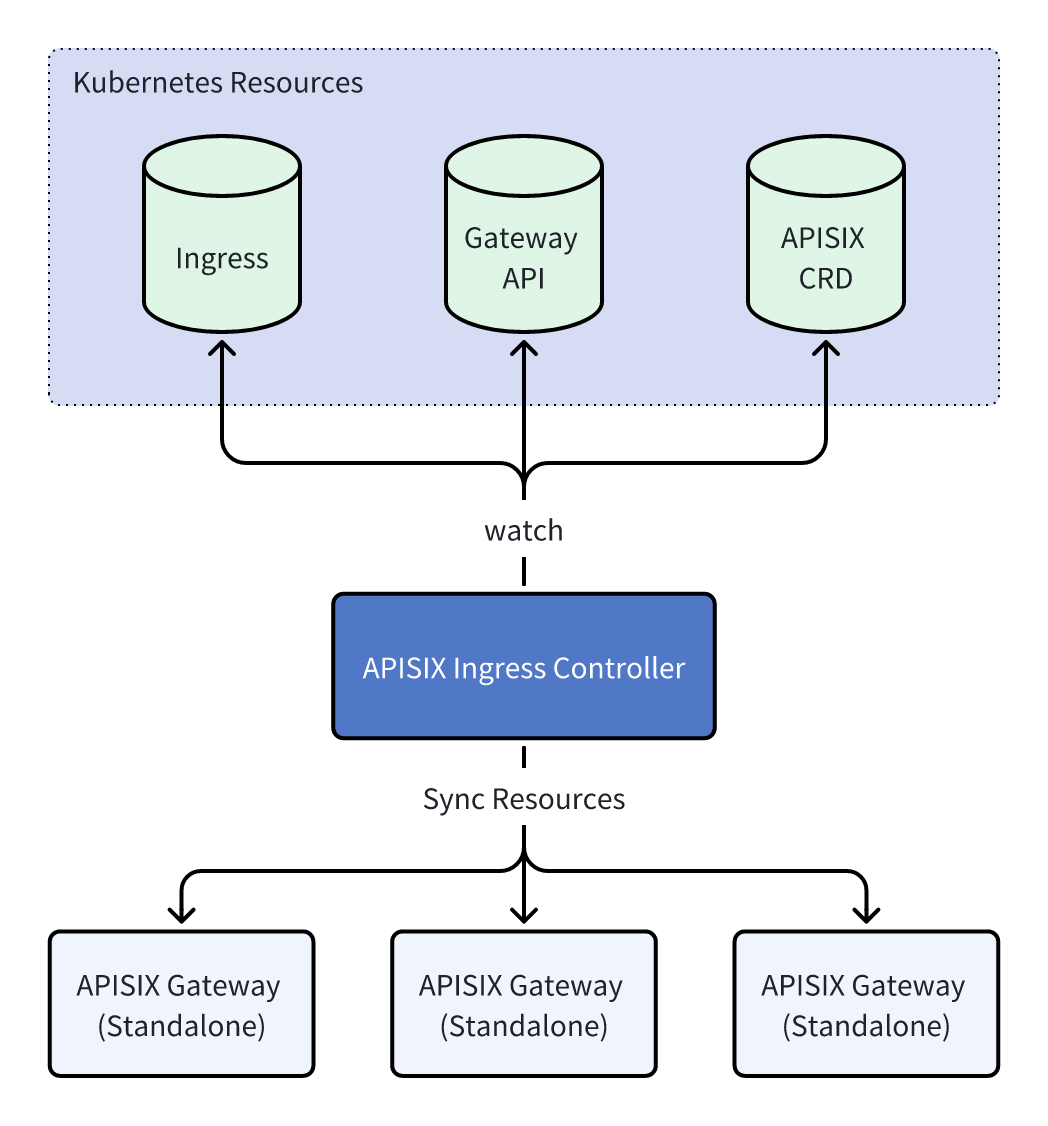
The architectural diagrams below use a single-controller topology to illustrate the different deployment modes of API7 and APISIX Ingress Controller.
API7 Ingress Controller
API7 Ingress Controller supports a single deployment mode, in which the controller communicates directly with the API7 Control Plane (API7 Dashboard).
APISIX Ingress Controller
APISIX Ingress Controller supports two deployment modes: standalone and traditional.
Standalone Mode
The standalone mode is recommended over the traditional mode (with etcd). It is designed to address the stability issues that can arise when running APISIX and etcd inside Kubernetes.
Traditional Mode
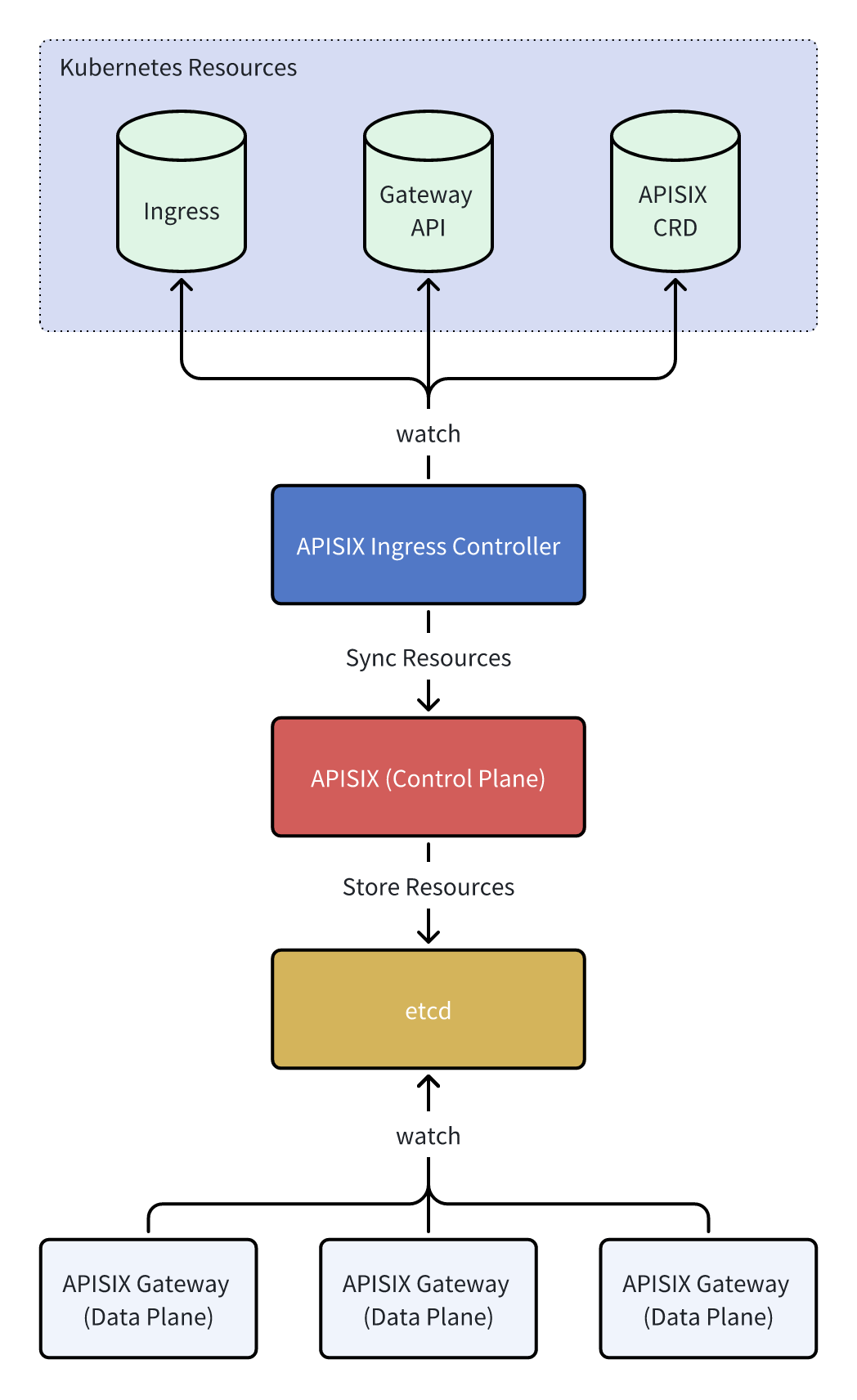
In the traditional deployment mode, APISIX uses etcd as its configuration center.