
Semantic Routing with Gemini Decision 1
Use Gemini Decision 1 to choose a semantic route by its name and description. This guide sends everyday translations to a fast chat model and complex database incidents to a model configured for troubleshooting.
To classify a request, AISIX sends the latest non-empty user text and the route names and descriptions to Google's Gemini Decisions API. It then chooses the route target. Send only text your data handling policy allows you to share with Google. The selected chat model handles the request. See the Gemini Decisions API documentation.
Prerequisites
- A Gemini Developer API key with access to Gemini Decision 1 and a gateway that can reach the Gemini Decisions API.
- Two chat-capable models in the same environment. This example uses
docs-translation-chatwithgemini-3.5-flash-liteanddocs-database-chatwithgemini-3.6-flash. You can also use model groups as targets. - A gateway running v1.12.0 or later. For AISIX Enterprise and AISIX Cloud, the control plane must also run v1.12.0 or later. Saving a Gemini Decision router returns HTTP
422DP_INCOMPATIBLEif the environment still has a gateway on an earlier supported release that recently sent a heartbeat.
Configure in the Dashboard
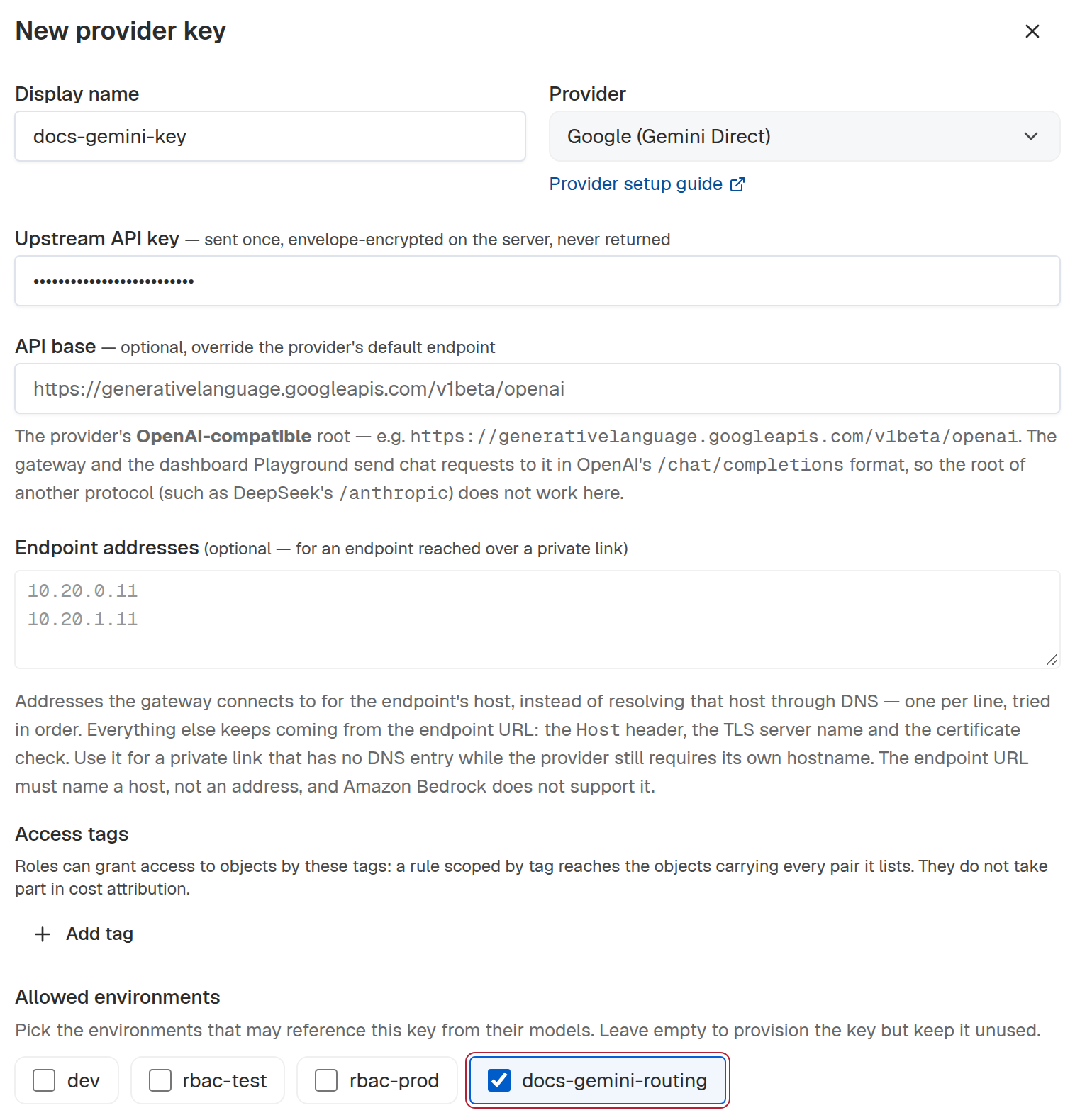
In AISIX Enterprise or AISIX Cloud, open Provider keys and select New provider key. Choose Google (Gemini Direct) (google), enter your key in Upstream API key, and select the router's environment under Allowed environments. Select Create provider key.
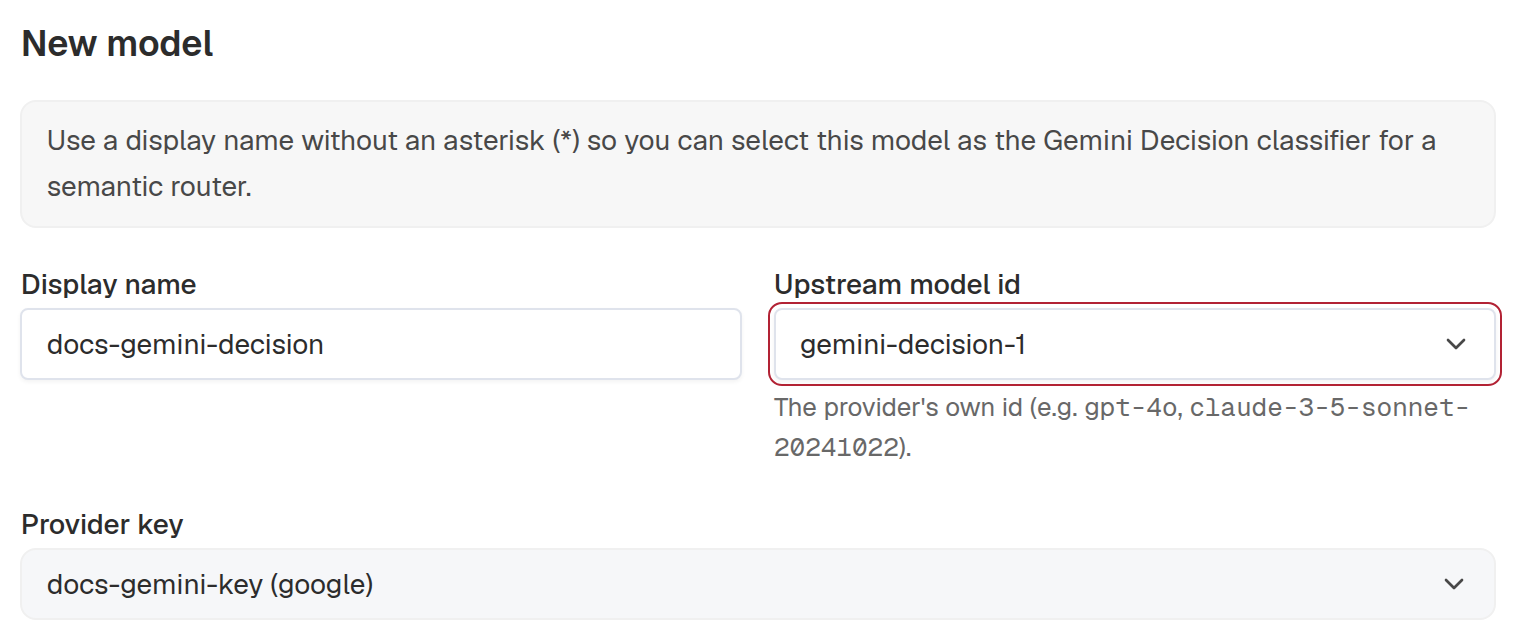
In that environment, open Models, select Create model, and choose Direct model. Enter docs-gemini-decision as the Display name, set Upstream model id to gemini-decision-1, and select your Google Provider key. Create the model with a display name that contains no wildcard.
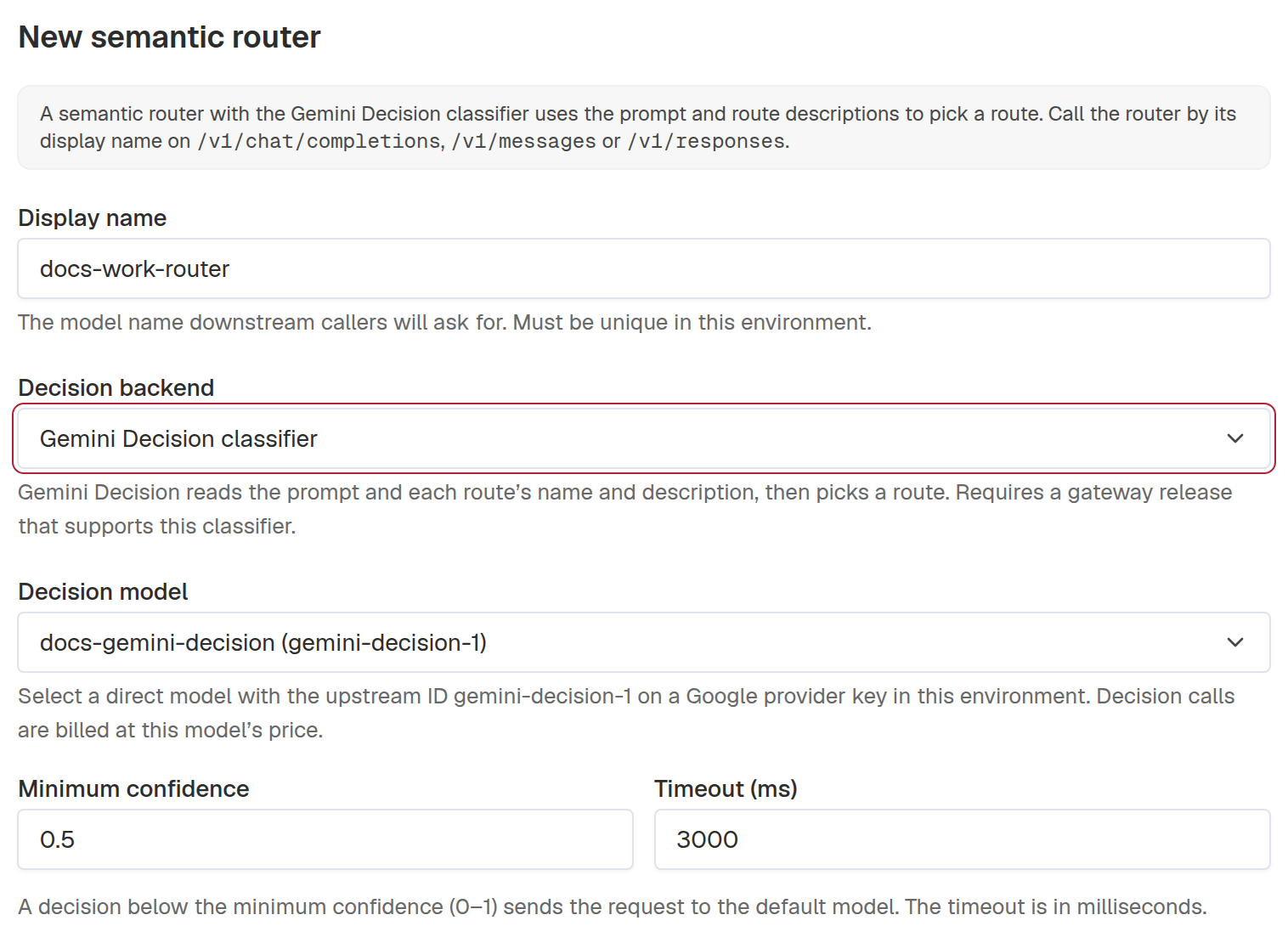
On Models, select Create model, then Semantic router. Set Display name to docs-work-router. Under Decision backend, choose Gemini Decision classifier and select docs-gemini-decision as the Decision model.
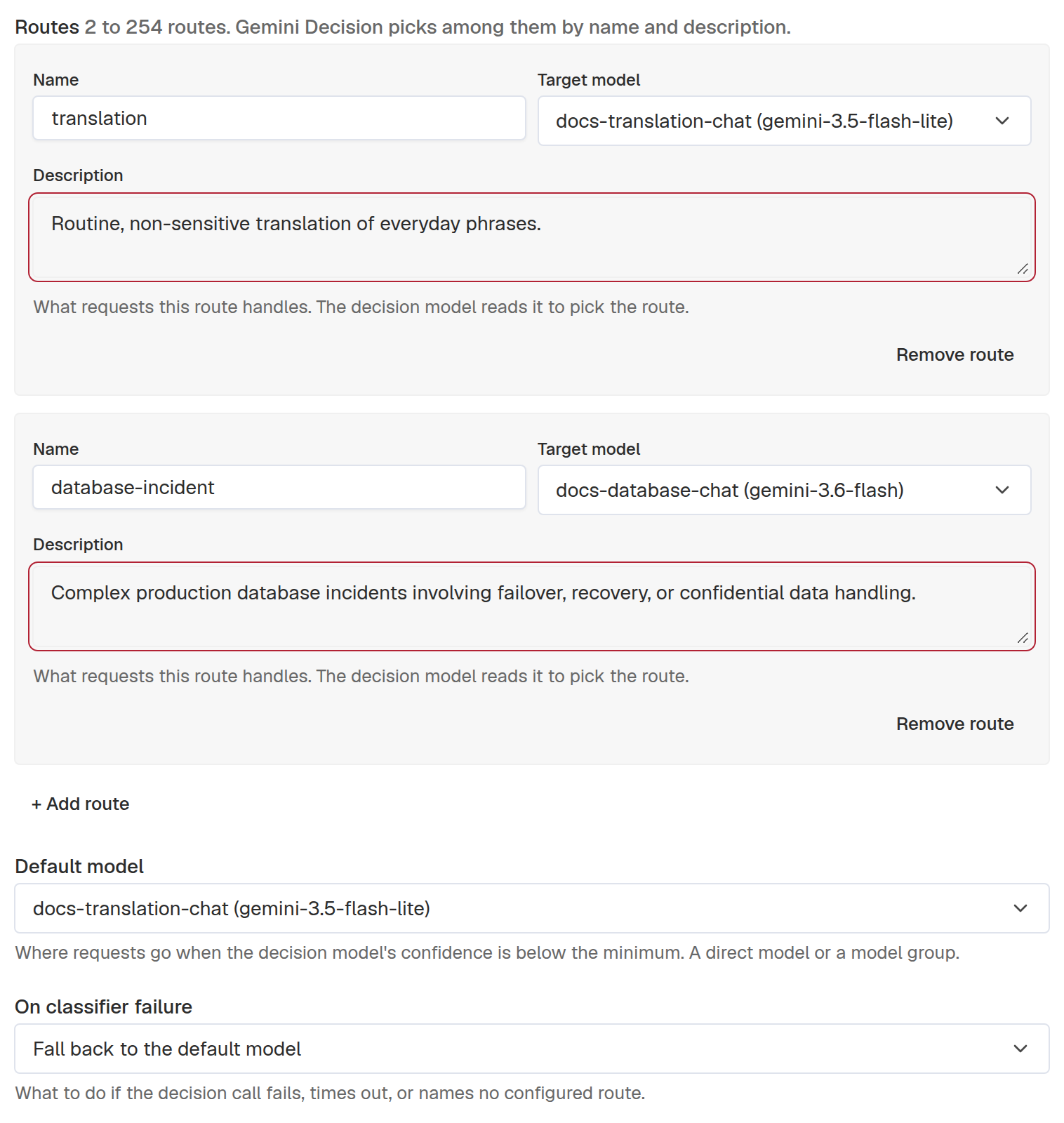
Add 2 to 254 routes, each with a unique Name, a Description, and a chat-capable Target model. Use descriptions that distinguish the requests each target should handle. For this example, add the following routes, set Default model to docs-translation-chat, and select Create semantic router.
| Name | Target Model | Description |
|---|---|---|
translation | docs-translation-chat | Routine, non-sensitive translation of everyday phrases. |
database-incident | docs-database-chat | Complex production database incidents involving failover, recovery, or confidential data handling. |
Grant a caller API key access to docs-work-router. If you use the AISIX Cloud Admin API, set semantic.classifier.type to gemini_decision and semantic.classifier.model_id to the UUID of the Gemini Decision direct model.
Configure in AISIX OSS
In your format 2 resources file, add a direct model with provider: google, model_name: gemini-decision-1, and a display name with no wildcard. Set its provider_key_id to the id of the Google provider key. Add the following entry to your existing models list, keeping its other entries. Generate a unique lowercase UUID for YOUR_ROUTER_ID and replace the other placeholders with the id values of your models. Validate the complete file before starting or reloading the gateway.
- id: YOUR_ROUTER_ID
  display_name: docs-work-router
  semantic:
    classifier:
      type: gemini_decision
      model_id: YOUR_DECISION_MODEL_ID
    default_id: YOUR_TRANSLATION_MODEL_ID
    routes:
      - name: translation
        target_id: YOUR_TRANSLATION_MODEL_ID
        description: Routine, non-sensitive translation of everyday phrases.
      - name: database-incident
        target_id: YOUR_DATABASE_MODEL_ID
        description: Complex production database incidents involving failover, recovery, or confidential data handling.
Grant a caller API key access to the router.
Defaults and Fallbacks
The provider key's apis.gemini.base takes precedence over api_base. When neither is set, the gateway calls https://generativelanguage.googleapis.com/v1beta/decisions.
The gateway uses the default model when confidence is below min_confidence (default 0.5) or there is no user text to classify. The classifier chooses only among the configured routes. To give requests that fit none of the other routes a specific destination, add a route for them.
If the call fails, exceeds timeout_ms (default 3000 milliseconds), or returns an unrecognized choice, classifier.on_failure applies. By default it uses the router's default model. Use On classifier failure in the dashboard to select another chat-capable target or return HTTP 503. See Semantic Routing Failures.
Verify Route Selection
Set the gateway origin without a trailing slash and a caller API key. Send these two synthetic prompts to the router alias.
export AISIX_PROXY="YOUR_AISIX_GATEWAY_URL"
export AISIX_API_KEY="YOUR_CALLER_API_KEY"

curl -sSi "$AISIX_PROXY/v1/chat/completions" \
  -H "Authorization: Bearer $AISIX_API_KEY" \
  -H "Content-Type: application/json" \
  --data-binary @- <<'JSON'
{
  "model": "docs-work-router",
  "messages": [{"role": "user", "content": "Translate the phrase 'Good morning, see you tomorrow' into French."}]
}
JSON

curl -sSi "$AISIX_PROXY/v1/chat/completions" \
  -H "Authorization: Bearer $AISIX_API_KEY" \
  -H "Content-Type: application/json" \
  --data-binary @- <<'JSON'
{
  "model": "docs-work-router",
  "messages": [{"role": "user", "content": "A production database lost its primary during failover. In one short sentence, what is the first step to recover safely without exposing confidential customer data?"}]
}
JSON
Use each response's x-aisix-request-id to find the request in the gateway access log. The first request should report semantic_route="translation" and the second semantic_route="database-incident". Check semantic_score for the decision confidence and upstream_model for the actual model. If the gateway has proxy.expose_debug_headers enabled, x-aisix-route in the response also shows the matched route.