
Response Caching
Response caching lets AISIX reuse an earlier non-streaming Chat Completions response when a later request has the same cache key. It is gateway-side response caching, not provider prompt caching or the control-plane configuration snapshot cache. For provider-side caching on Anthropic models, see Anthropic Prompt Caching. To also reuse responses for similar prompts, add Semantic Caching on top of a policy.
Start with a model-scoped in-memory policy and verify a miss followed by a hit. Add Redis only when gateway instances need to share entries, then tune the matching and sharing scopes for your traffic.
How Response Caching Works
AISIX caches exact non-streaming Chat Completions responses. Streaming responses and other proxy API families do not use this response-cache path. A response that carries generated images, from any upstream, is not stored because of its size.
Cache policies can apply to all eligible requests, one model alias, or one caller API key. Each policy stores responses in the gateway's in-process memory cache or in Redis when Redis is configured at startup.
Before AISIX can cache a response, the gateway must have the selected backend available and the request must match an enabled cache policy.
Cache Key Matching
AISIX creates the cache key from the normalized Chat Completions request that affects the upstream response. Two requests share a cache entry only when the model alias, message roles and normalized content, sampling settings, response length, and extra OpenAI-compatible request options match.
JSON object key order does not affect cache matching, including in nested objects. Array order does affect matching, so two requests with the same tool definitions in a different order use different cache entries.
When present, temperature and top_p are compared at 0.001 precision rather than by exact floating-point equality. Two explicit values in the same thousandth-wide bucket therefore use the same cache key when every other field matches. An omitted field remains distinct from an explicit value.
For a multi-target model, the cache key uses the alias the caller requested, not the target model that served the miss. The request ID and request headers are not part of the cache key.
Whether the caller API key partitions the cache is controlled by the policy's scope field. With the default scope: api_key, entries are private to the API key that stored them; scope: env shares entries across every caller in the environment. See Choose the Sharing Scope.
Choose a Cache Backend
Each cache policy chooses where matching responses are stored:
| Backend | Behavior |
|---|---|
| Memory | Default. Uses the in-process cache on the gateway instance that handled the miss. |
| Redis | Uses the shared Redis cache configured at gateway startup. |
Use memory for single-instance deployments or when node-local cache entries are acceptable. Use Redis when several gateway instances should share cached responses for the same policy. AISIX supports a single Redis endpoint, Redis Cluster, and Redis Sentinel.
Prerequisites
Before starting, prepare the following:
- A working model alias and caller API key that can send non-streaming Chat Completions requests.
curl.- For AISIX Enterprise or AISIX Cloud, prepare an environment with an attached gateway. For AISIX Enterprise, follow the AISIX Enterprise getting-started guide; to request AISIX Cloud access, contact API7.
- For Dashboard workflows, sign in with permission to manage cache policies.
- For Admin API workflows, install
jqand obtain a write-scoped token from an identity allowed to manage cache policies. The identity must also be able to read any model or caller API key referenced by a selector. - For AISIX OSS, prepare a gateway that loads a complete declarative
resources.yamlfile.
Configure an In-Memory Cache Policy
The following example creates a model-scoped policy with the default in-process memory backend. Choose either the control-plane or AISIX OSS configuration path, then use the shared verification procedure. If another enabled cache policy already matches the example requests, disable or delete it before continuing.
Export the gateway connection and resource values used by both paths:
# AISIX_PROXY has no trailing slash or endpoint path such as /v1.
# The local quickstarts use http://127.0.0.1:3000.
export AISIX_PROXY="YOUR_AISIX_GATEWAY_URL"
export AISIX_API_KEY="YOUR_CALLER_API_KEY"
export AISIX_MODEL="gpt-4o-mini"
export CACHE_PROMPT="cache-check-$(date +%s)"
- AISIX Enterprise or Cloud
- AISIX OSS
Create the policy in the environment serving the model.
- Dashboard
- Admin API
- Open the environment and select Cache policies, then New cache policy.
- Set Name to
default-chat-cacheand keep In-memory (per-DP) as the backend. - Set TTL (seconds) to
3600. In Applies to, entermodel:gpt-4o-mini. - Keep Per API key as the sharing scope so each caller has private cache entries.
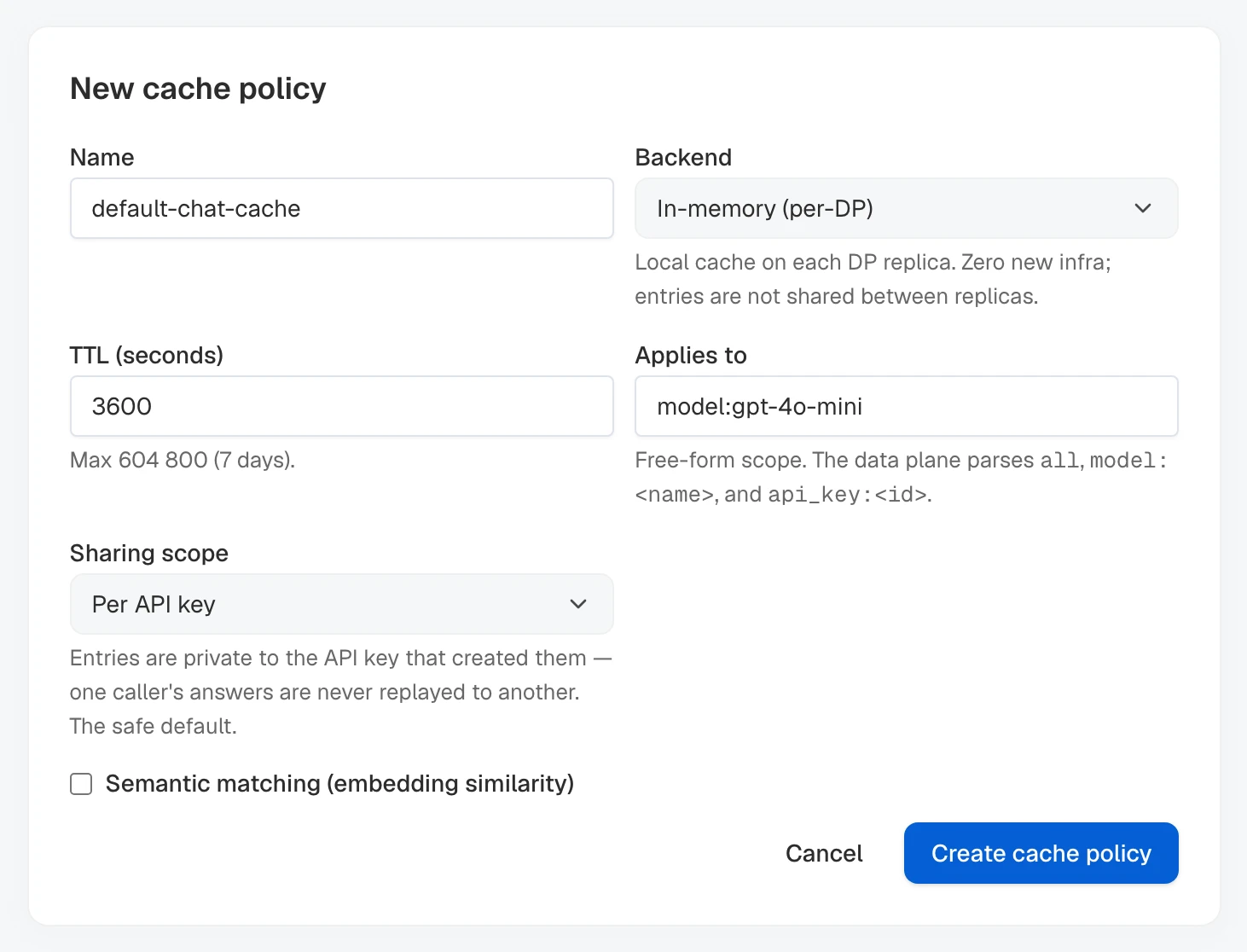
- Select Create cache policy. Check the saved backend, TTL, sharing scope, and selector.

Continue with Verify Cache Miss and Hit Behavior to confirm that the gateway applies the policy.
Export the control-plane connection details:
# AISIX_CP includes /api and has no trailing slash.
# The local AISIX Enterprise quickstart uses http://localhost:8080/api.
export AISIX_CP="YOUR_AISIX_CONTROL_PLANE_API_URL"
export AISIX_TOKEN="YOUR_ADMIN_TOKEN"
export ENV_ID="YOUR_ENVIRONMENT_ID"
Create an in-memory cache policy for the example model alias. Capture the policy ID because the Redis procedure replaces this policy later:
CACHE_POLICY_RESPONSE=$(curl -sS -X POST "$AISIX_CP/environments/$ENV_ID/cache_policies" \
  -H "Authorization: Bearer $AISIX_TOKEN" \
  -H "Content-Type: application/json" \
  --data-binary @- <<EOF
  {
    "name": "default-chat-cache",
    "enabled": true,
    "backend": "memory",
    "applies_to": "model:${AISIX_MODEL}",
    "ttl_seconds": 3600
  }
EOF
)

export CACHE_POLICY_ID=$(printf '%s' "$CACHE_POLICY_RESPONSE" | jq -er '.cache_policy.id')
printf '%s' "$CACHE_POLICY_RESPONSE" | jq -e --arg selector "model:${AISIX_MODEL}" \
  '.cache_policy | .backend == "memory" and .applies_to == $selector and
    .ttl_seconds == 3600 and .scope == "api_key"'
The command prints true and retains the policy ID for later updates and purges. The policy projects to the attached gateways automatically.
The control plane returns HTTP 400 if the selector names a wildcard pattern or a model name the environment cannot serve. For example, use a concrete name served by openai/*, such as model:openai/gpt-4o, rather than model:openai/*. An exact alias name is also valid.
Add the cache policy to the resources file that already defines the example model and caller API key:
cache_policies:
  - id: b6d842ec-9bf3-46a4-8dde-0543c76a3e29
    name: default-chat-cache
    enabled: true
    backend: memory
    applies_to: "model:gpt-4o-mini"
    ttl_seconds: 3600
The model name in applies_to is matched against the exact model string the caller sends. For a concretely configured model, that string is its display_name. Where a wildcard alias such as openai/* serves a namespace, it is the specific name the caller uses within that namespace, such as openai/gpt-4o — not the alias pattern. Validate the complete resources file, then reload the gateway. See Reload a Resources File for the runnable Docker workflow.
Verify Cache Miss and Hit Behavior
The steps below read the x-aisix-cache response header, which the gateway sends only when its startup configuration sets proxy.expose_debug_headers to true. Enable it on the gateway you test with, or read the same verdict from the cache_status field of each request's access-log line, found by its x-aisix-request-id.
Define a helper that sends the same request body on each call:
send_cache_request() {
  curl -sSi -X POST "$AISIX_PROXY/v1/chat/completions" \
    -H "Authorization: Bearer ${AISIX_API_KEY}" \
    -H "Content-Type: application/json" \
    --data-binary @- <<EOF
    {
      "model": "${AISIX_MODEL}",
      "messages": [{"role": "user", "content": "${CACHE_PROMPT}"}]
    }
EOF
}
Send the request once:
send_cache_request
The first matching request should include this response header:
x-aisix-cache: miss
The miss means AISIX called the upstream provider and wrote the response into the cache. Repeat the request without changing the model or body:
send_cache_request
The repeated request should include:
x-aisix-cache: hit
The hit means AISIX served the stored response without calling the upstream provider. In AISIX Enterprise and AISIX Cloud, the usage event records the replayed token counts and cache-savings counters with a cost of 0. The hit therefore costs nothing and adds no spend to budgets.
Change the prompt to confirm that the request body participates in the cache key:
CACHE_PROMPT="${CACHE_PROMPT}-different" send_cache_request
The changed request should return x-aisix-cache: miss.
Share Cache Entries with Redis
Redis lets several gateway instances share entries. Make sure Redis is running and reachable from every participating gateway, then add its connection details to config.yaml:
cache:
  redis:
    mode: single
    url: redis://127.0.0.1:6379/
Start or restart each gateway after adding the Redis configuration. Configuring a policy with backend: redis does not establish the Redis connection. If a matching policy selects Redis but cache.redis is absent, AISIX disables caching for those requests instead of silently falling back to memory.
After Redis is available, replace the in-memory policy with a Redis-backed policy through the same management path you used above.
- AISIX Enterprise or Cloud
- AISIX OSS
The backend is fixed when a policy is created. Replace the existing policy to switch storage.
- Dashboard
- Admin API
- Open Cache policies and select Delete on
default-chat-cache. Review the confirmation.
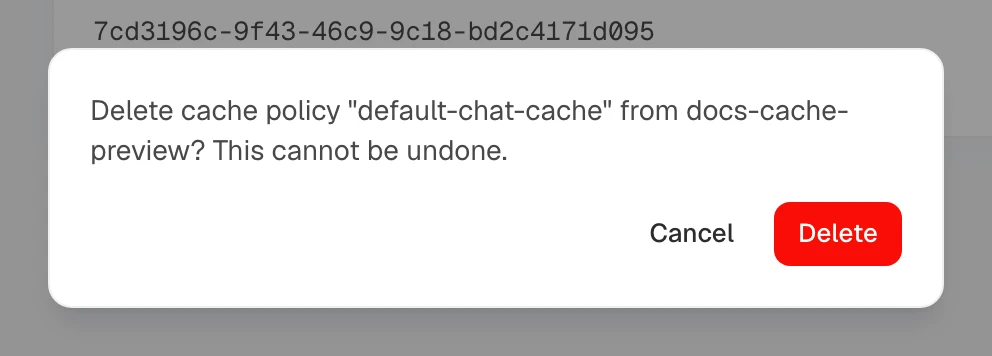
- Select Delete.
- Select New cache policy and enter
shared-chat-cacheas the Name. - Choose Redis (shared) and keep the original TTL, selector, and sharing scope.
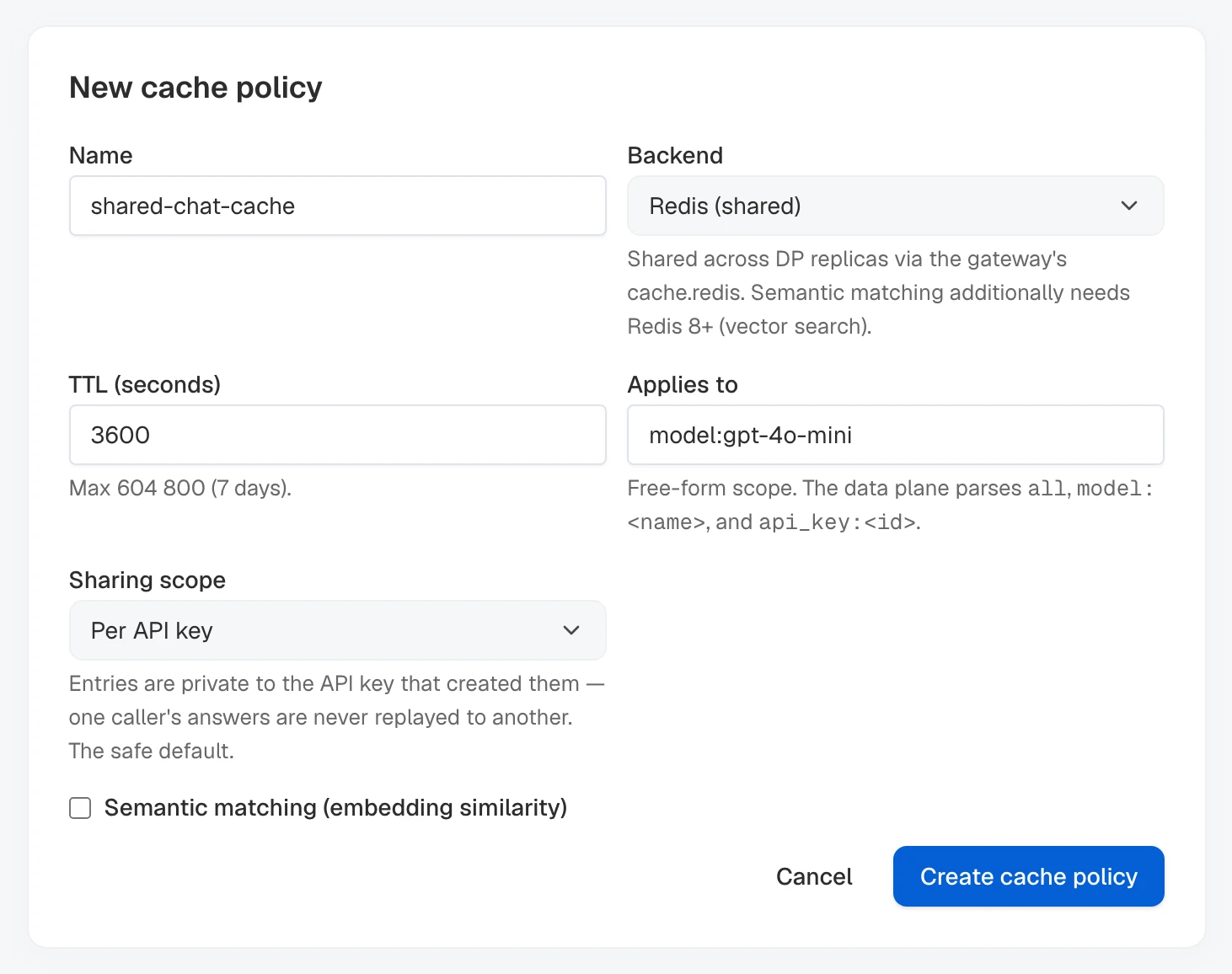
- Select Create cache policy.
Set the Admin API connection values, current policy ID, and model alias:
# AISIX_CP includes /api and has no trailing slash.
export AISIX_CP="YOUR_AISIX_CONTROL_PLANE_API_URL"
export AISIX_TOKEN="YOUR_ADMIN_TOKEN"
export ENV_ID="YOUR_ENVIRONMENT_ID"
export CACHE_POLICY_ID="YOUR_IN_MEMORY_CACHE_POLICY_ID"
export AISIX_MODEL="YOUR_MODEL_ALIAS"
The backend of an existing control-plane cache policy cannot be changed. Delete the in-memory policy, then create its Redis-backed replacement:
curl -sS -X DELETE \
  "$AISIX_CP/environments/$ENV_ID/cache_policies/$CACHE_POLICY_ID" \
  -H "Authorization: Bearer $AISIX_TOKEN" | \
  jq -e --arg id "$CACHE_POLICY_ID" '.deleted == true and .id == $id'

CACHE_POLICY_RESPONSE=$(curl -sS -X POST "$AISIX_CP/environments/$ENV_ID/cache_policies" \
  -H "Authorization: Bearer $AISIX_TOKEN" \
  -H "Content-Type: application/json" \
  --data-binary @- <<EOF
  {
    "name": "shared-chat-cache",
    "enabled": true,
    "backend": "redis",
    "applies_to": "model:${AISIX_MODEL}",
    "ttl_seconds": 3600
  }
EOF
)

export CACHE_POLICY_ID=$(printf '%s' "$CACHE_POLICY_RESPONSE" | jq -er '.cache_policy.id')
printf '%s' "$CACHE_POLICY_RESPONSE" | jq -e --arg selector "model:${AISIX_MODEL}" \
  '.cache_policy | .backend == "redis" and .applies_to == $selector and
    .ttl_seconds == 3600'
The delete and create checks each print true. The new policy ID is retained for later updates and purges.
Change the policy's backend in resources.yaml:
cache_policies:
  - id: b6d842ec-9bf3-46a4-8dde-0543c76a3e29
    name: default-chat-cache
    enabled: true
    backend: redis
    applies_to: "model:gpt-4o-mini"
    ttl_seconds: 3600
Validate the complete resources file, then reload the gateway before testing the Redis-backed policy.
Verify Redis Cache Behavior
Set a fresh prompt, then run send_cache_request twice. The first request should report a miss and the second should report a hit:
export CACHE_PROMPT="redis-cache-check-$(date +%s)"

send_cache_request
send_cache_request
Verify Cache Sharing Across Gateway Instances
To confirm that Redis is shared, send the first request to one gateway instance and the identical request to another. Both instances must load the same cache policy and connect to the same Redis deployment.
export AISIX_PROXY_A="https://gateway-a.example.com"
export AISIX_PROXY_B="https://gateway-b.example.com"
export CACHE_PROMPT="shared-cache-check-$(date +%s)"

AISIX_PROXY="$AISIX_PROXY_A" send_cache_request
AISIX_PROXY="$AISIX_PROXY_B" send_cache_request
The request through gateway A should report a miss. The request through gateway B should report a hit. With the memory backend, the second gateway would have its own empty cache and report another miss.
When the Redis Cache Backend Fails
A failed cache lookup or store does not fail the model request. A failed lookup proceeds to the upstream provider. A failed store returns the provider response without caching it. Both are treated as cache misses.
Startup and Recovery
If Redis is unreachable at startup, connection attempts can delay all gateway listeners. After the bounded attempts finish, the listeners start and Redis-backed policies report cache misses. A background task keeps trying to attach Redis and enables the backend when it becomes available.
The gateway logs the backend, configured endpoint values, reason, and connection error. It repeats the warning every five minutes while Redis remains unavailable. Rejected credentials, NOAUTH or DENIED, and an unavailable database follow the same recovery path with reason=refused instead of reason=unreachable.
The warning includes the configured endpoint values verbatim: url in single mode, nodes in cluster mode, and sentinels in sentinel mode. Credentials embedded in those values are logged too. Use the separate username and password fields for data-node credentials. Sentinel credentials remain in the sentinel URLs, so restrict access to gateway logs.
Startup stops for local errors that cannot recover in the background:
- An invalid Redis URL or a hostname that resolves to no address.
- TLS material that AISIX cannot read or parse, or a client certificate without its key or a key without its certificate.
- A missing mode-specific field or
timeout_secs: 0.
Configure Redis credentials and databases according to the selected mode:
cache.redis.usernameandcache.redis.passwordapply in every mode. Set them together because either explicit field replaces both credentials embedded inurl.cache.redis.databaseapplies insingleandsentinelmodes. Redis Cluster always uses DB 0.
Runtime Failure Handling
The first failure for each cache layer during an outage is logged at WARN. Later failures for that layer are logged at DEBUG until recovery.
Monitor aisix_redis_failures_total and use its operation label to identify the affected cache layer:
| Cache layer | operation values |
|---|---|
| Exact response caching | cache_get, cache_put |
| Semantic caching | semantic_acquire, semantic_lookup, semantic_store, semantic_index |
A cache-status verdict alone cannot distinguish a degraded backend from a cold cache.
cache.redis.timeout_secs bounds each Redis round trip and connection attempt. It defaults to 5 seconds, has a minimum of 1, and rejects 0 at startup.
A timeout or connectivity failure opens the cache subsystem's short circuit for 30 seconds. During that window, cache operations return immediately and requests proceed to the upstream without paying the timeout again.
A server-reported Redis error fails the current cache operation but does not open the short circuit.
After 30 seconds, a background task probes Redis with PING. Success closes the short circuit; failure starts another 30-second interval. Application requests continue bypassing Redis until the probe succeeds.
The exact-match cache and the vector search behind Semantic Caching share one short circuit, because they are two connections to the same cache.redis block. The rate limiter keeps its own, so a Redis outage opens each independently. For the rate limiter's side of the same mechanism, see Choose Rate-Limit Counter Storage.
Mixed-Version Compatibility
A stored response keeps every choice and its logprobs. A gateway at 1.7.0 or earlier cannot read a shared entry that contains more than one choice or logprobs; it treats that entry as a cache error. The mixed-version fleet continues sharing other entries normally.
Tune Policy Scope
After verifying the basic cache behavior, tune the policy scope for the traffic you want to cache.
The applies_to field controls which requests match a cache policy:
| Value | Scope |
|---|---|
all | Every eligible non-streaming Chat Completions request. |
model:<alias> | Requests that use the caller-visible model alias. |
api_key:<id> | Requests authenticated with the caller API key resource ID. |
For AISIX Enterprise or AISIX Cloud, use the caller API key ID returned by the Admin API. In resources.yaml, use the id of the caller API key entry; a caller API key display_name does not match in this field.
Start with a narrow policy, such as a model-scoped or caller-key-scoped policy. Use a global policy only when every eligible Chat Completions request should participate in response caching.
- AISIX Enterprise or Cloud
- AISIX OSS
- Dashboard
- Admin API
Open Cache policies and select Edit on the policy. The editor identifies the fixed name and backend and lets you change Applies to and TTL (seconds).
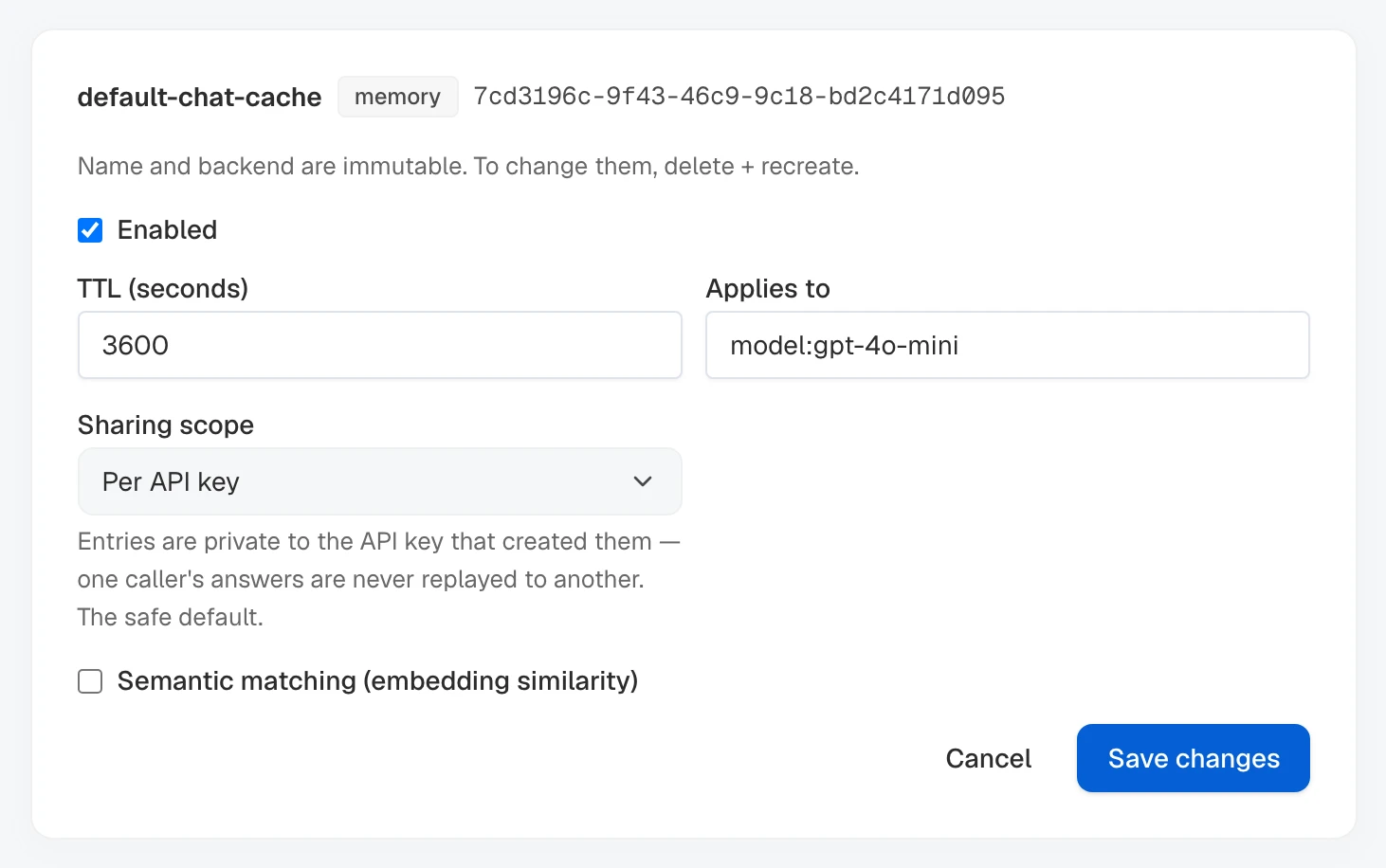
Set the selector and TTL for the traffic you want to cache, then select Save changes.
Set the Admin API connection values, policy ID, and model alias, then update the selector and TTL without changing the policy name or backend:
# AISIX_CP includes /api and has no trailing slash.
export AISIX_CP="YOUR_AISIX_CONTROL_PLANE_API_URL"
export AISIX_TOKEN="YOUR_ADMIN_TOKEN"
export ENV_ID="YOUR_ENVIRONMENT_ID"
export CACHE_POLICY_ID="YOUR_CACHE_POLICY_ID"
export AISIX_MODEL="YOUR_MODEL_ALIAS"

curl -sS -X PATCH "$AISIX_CP/environments/$ENV_ID/cache_policies/$CACHE_POLICY_ID" \
  -H "Authorization: Bearer $AISIX_TOKEN" \
  -H "Content-Type: application/json" \
  -d '{"applies_to":"model:'"$AISIX_MODEL"'","ttl_seconds":1800}' | \
  jq -e --arg selector "model:${AISIX_MODEL}" \
    '.cache_policy.applies_to == $selector and .cache_policy.ttl_seconds == 1800'
The command prints true when both changes are saved.
In AISIX Enterprise and AISIX Cloud, a selector for an exact alias is bound to that model's resource ID. Renaming the model preserves the policy binding and updates the selector shown by the control plane.
Deleting that model leaves the policy listed and enabled, but it no longer matches traffic. Creating a new model with the same name does not restore the binding. Edit and save the policy to bind it to the replacement, even if the selector text is unchanged.
A concrete name served only by a wildcard alias has no corresponding exact model resource. Its selector continues to match by name.
Update applies_to or ttl_seconds on the existing policy entry. Preserve its ID, name, backend, other settings, and every unrelated collection, then validate and reload the complete resources file.
The selector determines which requests the policy covers. The separate sharing scope determines whether those requests may reuse entries across callers.
Avoid overlapping enabled policies for the same requests. When more than one policy matches, AISIX uses the first matching policy to choose the backend and TTL, so overlapping policies can make cache behavior harder to reason about.
Use only the supported matcher forms. The gateway treats an unrecognized prefix as all, which can make a mistyped policy broader than intended regardless of which management path created it.
Choose the Sharing Scope
The policy's scope field selects the sharing boundary for cached entries:
| Scope | Behavior |
|---|---|
api_key | Default. Entries are private to the caller API key that stored them. One caller's responses are never replayed to another caller. |
env | Every caller API key in the environment shares the entries. Identical eligible requests reuse one entry across callers. |
Keep the default api_key scope for general traffic: responses often embed caller-specific context, and per-key partitioning prevents one caller's answer from leaking to another. Choose env for shared-knowledge traffic — FAQ bots, documentation Q&A — where cross-caller reuse is the point and the hit rate benefits from a shared pool.
The scope also applies to a semantic layer. With scope: env, a caller can receive an entry stored for another caller's similar — not just identical — request. Review this wider sharing boundary before enabling it.
Scope is mutable, so switch the policy you already created rather than adding a second, overlapping one.
- AISIX Enterprise or Cloud
- AISIX OSS
Update the existing policy rather than creating an overlapping one.
- Dashboard
- Admin API
- Open Cache policies and select Edit on the policy.
- Set Sharing scope to Environment-wide. Review the warning about sharing responses across callers.
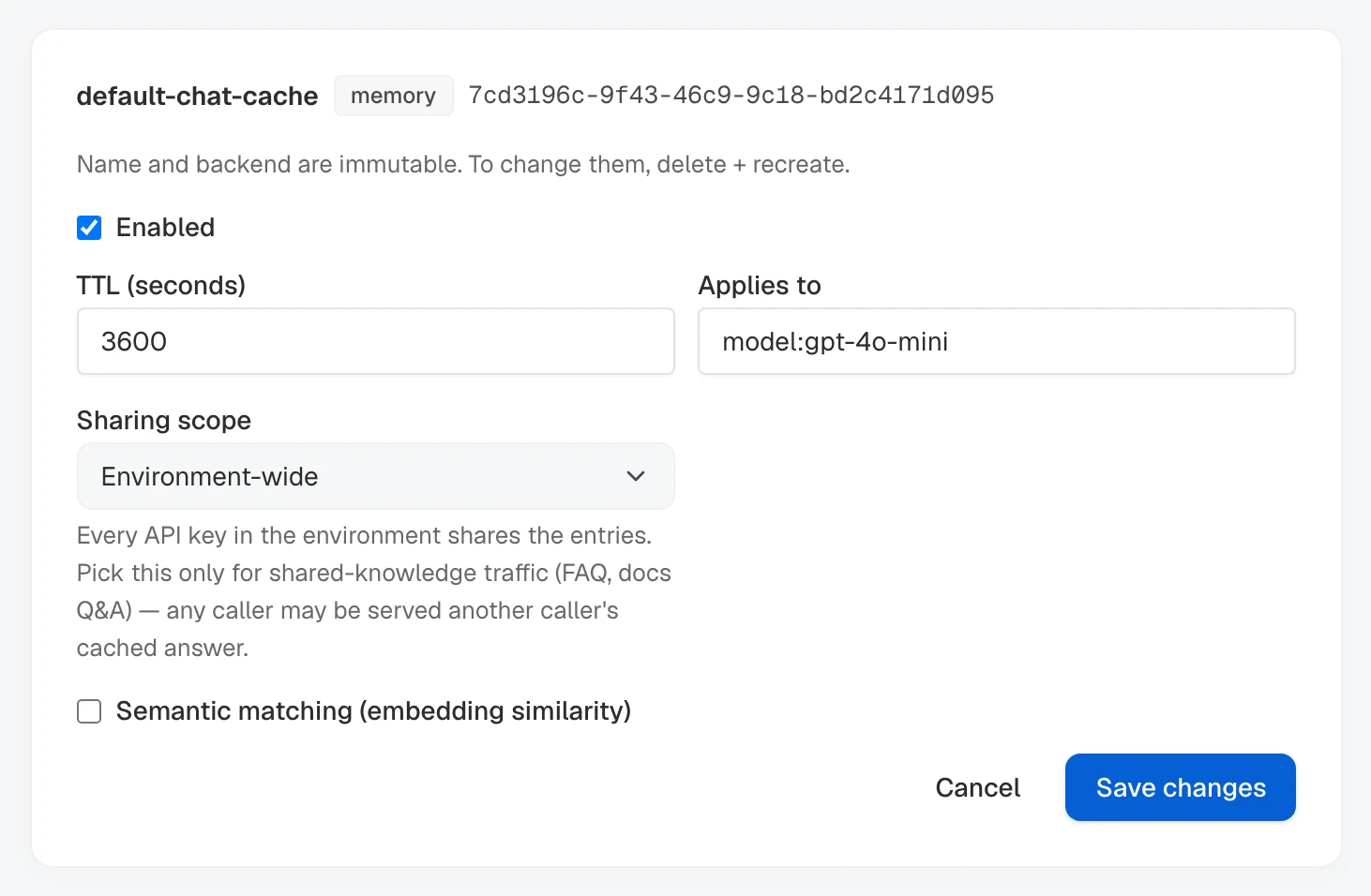
- Select Save changes.
Set the Admin API connection values and the ID of the policy that currently covers the model, then update its scope:
# AISIX_CP includes /api and has no trailing slash.
export AISIX_CP="YOUR_AISIX_CONTROL_PLANE_API_URL"
export AISIX_TOKEN="YOUR_ADMIN_TOKEN"
export ENV_ID="YOUR_ENVIRONMENT_ID"
export CACHE_POLICY_ID="YOUR_CACHE_POLICY_ID"

curl -sS -X PATCH \
  "$AISIX_CP/environments/$ENV_ID/cache_policies/$CACHE_POLICY_ID" \
  -H "Authorization: Bearer $AISIX_TOKEN" \
  -H "Content-Type: application/json" \
  --data '{"scope": "env"}' | jq -e '.cache_policy.scope == "env"'
The command prints true when environment-wide sharing is saved.
In resources.yaml, set the same field on the policy entry (scope: env). Existing policies without the field use api_key.
Bypass the Cache Per Request
A caller can control cache use for one request through standard Cache-Control directives:
| Directive | Behavior |
|---|---|
Cache-Control: no-cache | Skips the cache lookup. The fresh upstream response still refreshes the stored entry. |
Cache-Control: no-store | Performs the normal lookup. If it misses, the fresh upstream response is not written to the cache. |
Force a fresh upstream response while allowing it to replace the stored entry:
curl -sSi -X POST "$AISIX_PROXY/v1/chat/completions" \
  -H "Authorization: Bearer ${AISIX_API_KEY}" \
  -H "Cache-Control: no-cache" \
  -H "Content-Type: application/json" \
  --data-binary @- <<EOF
  {
    "model": "${AISIX_MODEL}",
    "messages": [{"role": "user", "content": "${CACHE_PROMPT}"}]
  }
EOF
The cache verdict reflects the directive:
- A
no-cacherequest reportsbypass, in thex-aisix-cacheheader when debug headers are enabled and in the access log'scache_statuseither way. - A
no-storerequest can still reporthitand serve an existing entry. If it misses, it reportsmissand leaves no new entry behind.
Use no-cache to force-refresh a stale answer. Use no-store when a fresh response must not be stored. To require an upstream response and prevent that response from being stored, send Cache-Control: no-cache, no-store.
Purge Cached Entries
Purging invalidates every entry stored under a policy — on every gateway instance and, for a policy with a semantic layer, in both matching layers — without deleting or disabling the policy.
- AISIX Enterprise or Cloud
- AISIX OSS
- Dashboard
- Admin API
- Open Cache policies and select Purge entries on the policy. Review the confirmation, which explains that the policy remains configured.
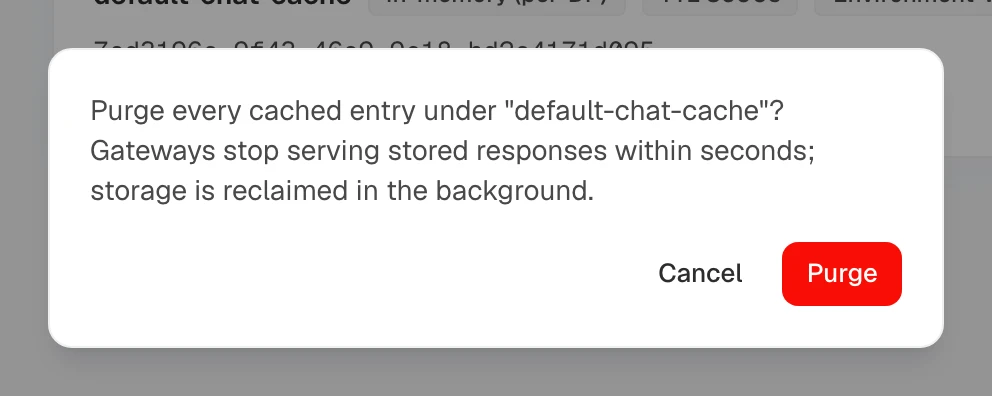
- Select Purge. The policy can cache later responses.
Set the Admin API connection values and policy ID, then send the purge request:
# AISIX_CP includes /api and has no trailing slash.
export AISIX_CP="YOUR_AISIX_CONTROL_PLANE_API_URL"
export AISIX_TOKEN="YOUR_ADMIN_TOKEN"
export ENV_ID="YOUR_ENVIRONMENT_ID"
export CACHE_POLICY_ID="YOUR_CACHE_POLICY_ID"

curl -sS -X POST \
  "$AISIX_CP/environments/$ENV_ID/cache_policies/$CACHE_POLICY_ID/purge" \
  -H "Authorization: Bearer $AISIX_TOKEN" | \
  jq -e '.cache_policy.purge_generation > 0'
The command prints true after the policy's purge_generation is incremented. Entries stored under earlier generations stop being served as soon as the updated configuration reaches each gateway; storage is reclaimed in the background.
Add a purge_generation field to the existing policy entry and increase it whenever you need to invalidate its entries. Preserve the policy ID, name, current backend, selector, and TTL. This example follows the Redis path above:
cache_policies:
  - id: b6d842ec-9bf3-46a4-8dde-0543c76a3e29
    name: default-chat-cache
    enabled: true
    backend: redis
    applies_to: "model:gpt-4o-mini"
    ttl_seconds: 3600
    purge_generation: 1
Treat purge_generation as a monotonically increasing value. After increasing it, carry that value forward in every full resources-file update and never lower or remove it. Omitting the field resets it to 0, which can make older cache entries from that generation reachable again until their TTL expires.
Purge when cached answers have gone stale ahead of their TTL — after a system-prompt change, a provider-side model update, or a corrected upstream document.
Next Steps
You have configured response caching and verified cache miss and hit behavior. Next:
- Add Semantic Caching to also serve cached responses for similar — not identical — prompts.
- Enable Anthropic Prompt Caching when you want provider-side discounts for repeated prompt prefixes instead of reusing whole responses.
- Continue with Guardrails to add request and response checks before and after provider calls.