
Control Agent Access
For Agent-to-Agent (A2A) traffic, each caller API key defines which registered agents that caller can reach. AISIX denies agent calls and agent-card discovery unless the key's allowed_agents grant covers the agent's registered name.
Use separate grants when clients sharing a gateway need access to different upstream agents. AISIX applies the same matching and rejection behavior regardless of how the key is managed.
Prerequisites
- Complete Set Up Agent Gateway.
- For AISIX Enterprise or AISIX Cloud, retain the environment, caller key, and registered test agent.
- For AISIX OSS, retain the complete resources file containing the caller key and test agent.
- Keep the shell, gateway, and test agent running if you want to verify a changed grant.
How Agent Access Works
allowed_agents is a list of agent-name patterns on the caller API key. When the field is omitted, null, or an empty list, the key has no A2A agent access.
Each pattern is matched against the agent's registered name:
| Entry | Grants | Example |
|---|---|---|
| Exact name | One agent. | invoice-processor grants only that agent. |
| Name pattern | Agents whose names match one * wildcard. | invoice-* grants every agent whose name starts with invoice-. |
* | Every registered agent. | * grants current and future agents. |
Choose exact names for the narrowest access. Use * only for a caller that may reach every current and future agent.
The matcher is the same single-* glob matcher used by MCP tool patterns. An entry can contain at most one *.
AISIX Enterprise and AISIX Cloud reject an entry with two or more asterisks with HTTP 400. An AISIX OSS resources file accepts the entry, but it grants nothing.
Configure Agent Access
Set the complete list of agents that the caller should keep. The control plane stores the grant on the API key resource; an open-source AISIX gateway reads it from resources.yaml.
- AISIX Enterprise or Cloud
- AISIX OSS
Update the caller key in the environment where it is used.
- Dashboard
- Admin API
-
Open the environment and select API keys.
-
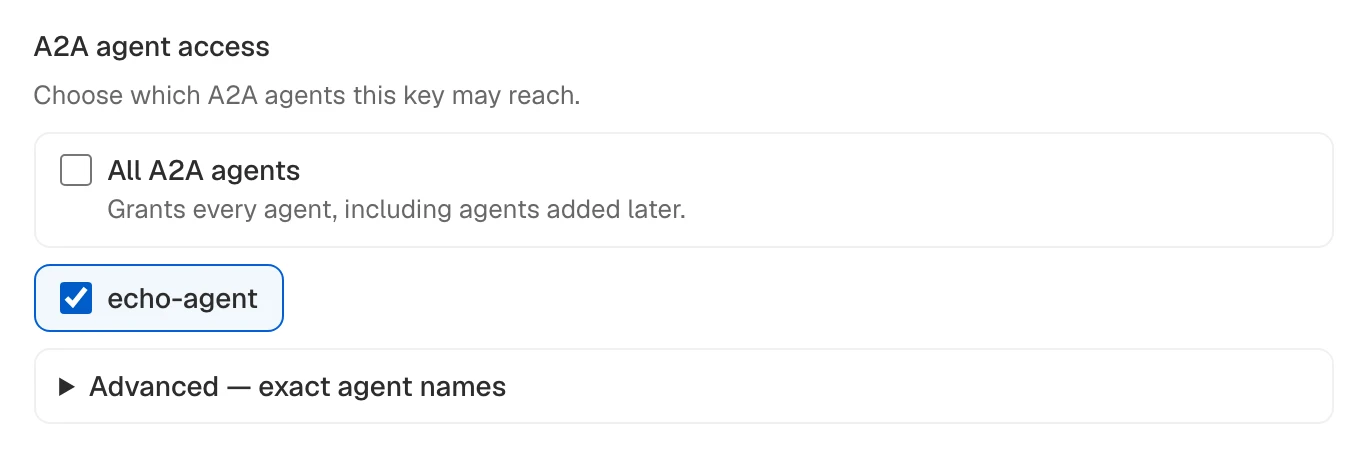
Select Edit on the caller key. Under A2A agent access, configure the complete grant the caller should retain:
-
For exact access, select the listed agents.
-
For a name pattern, expand Advanced — exact agent names. Enter one exact name or single-wildcard pattern per line. For example,
invoice-*grants agents whose names start withinvoice-.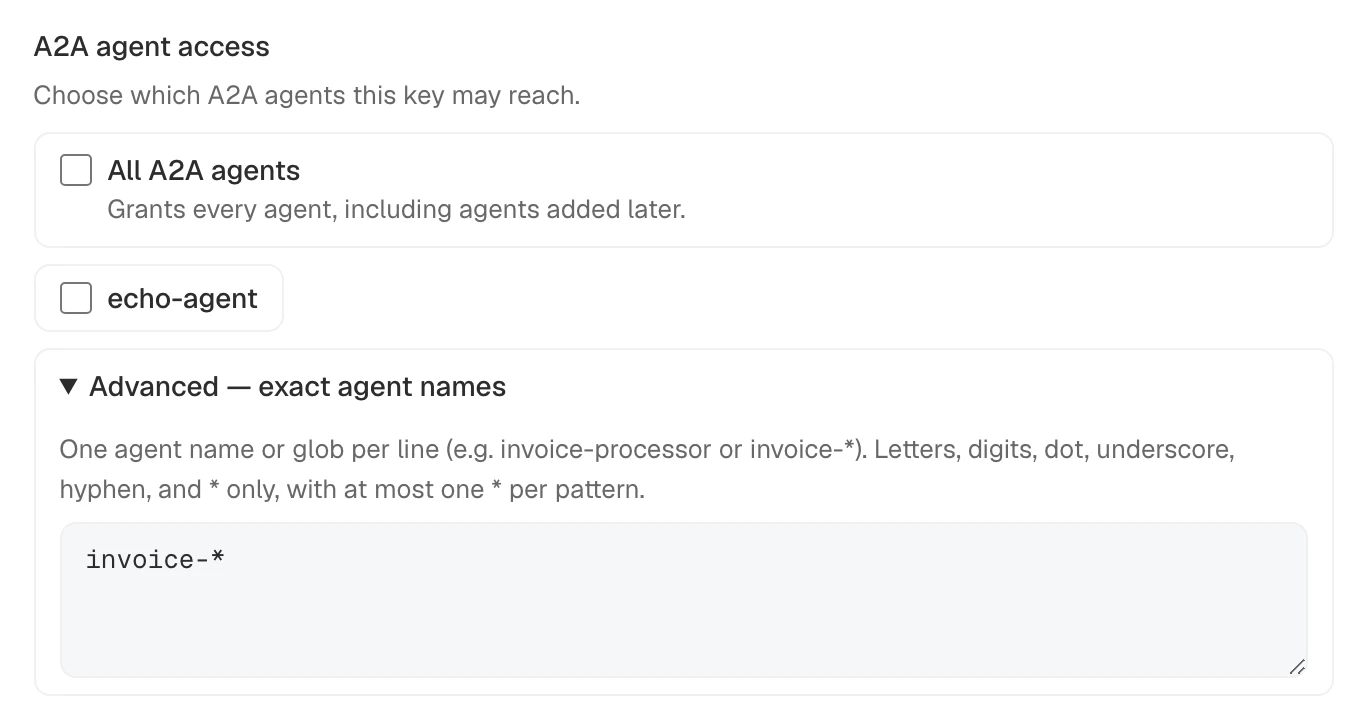
-
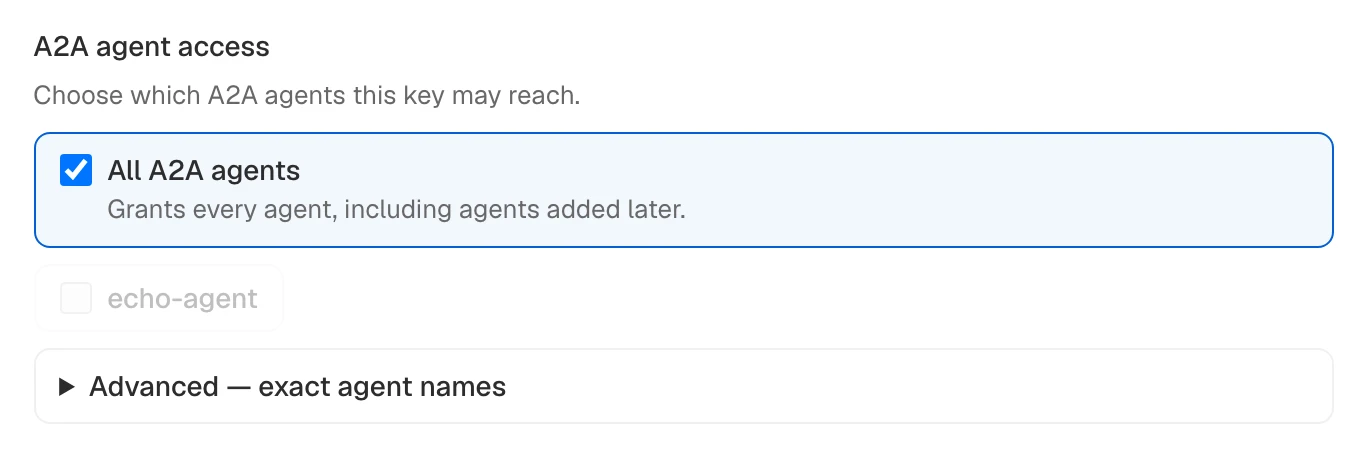
For access to every current and future agent, select All A2A agents.
-
-
Select Save changes.
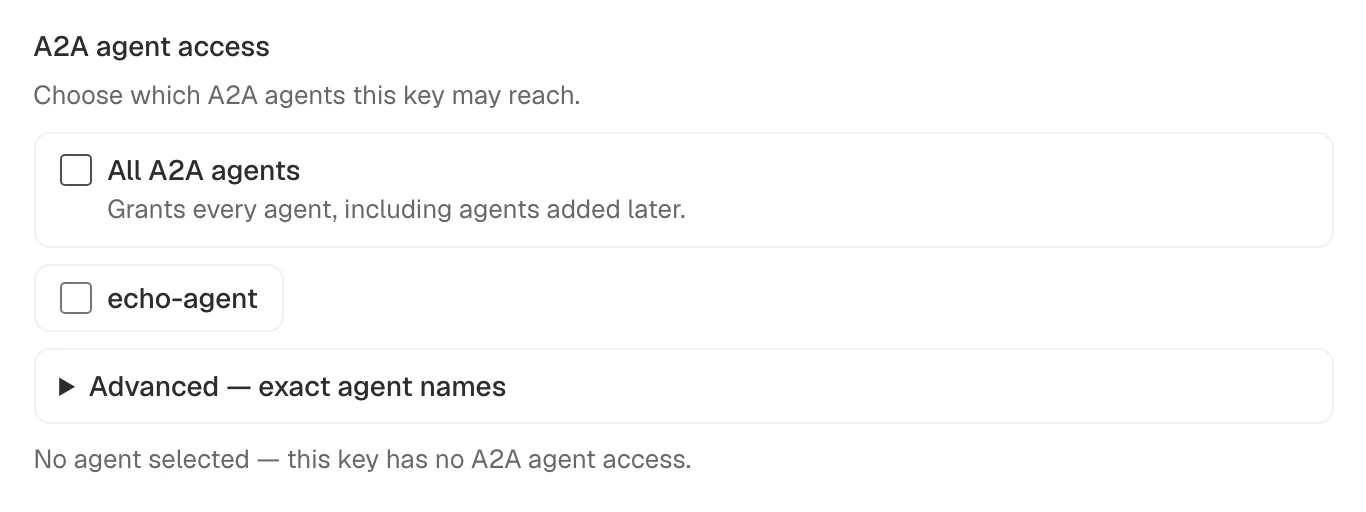
To revoke all A2A access, clear All A2A agents, then clear any remaining agent selections and advanced patterns. Confirm that the form reports no agent access, then select Save changes.
Update the caller API key created in the setup guide:
curl -fsS -X PATCH \
  "$AISIX_CP/environments/$ENV_ID/api_keys/$API_KEY_ID" \
  -H "Authorization: Bearer $AISIX_TOKEN" \
  -H "Content-Type: application/json" \
  -d '{
    "allowed_agents": ["echo-agent", "invoice-*"]
  }' | jq
This partial update replaces the previous agent grant while retaining the key's model, MCP, and other settings. The control plane projects the change to attached gateways automatically.
To revoke all A2A agent access, send "allowed_agents": [] or "allowed_agents": null.
Replace the existing quickstart-caller entry with the updated entry below to set allowed_agents. Preserve every other entry in api_keys and all unrelated collections, and do not create a second top-level api_keys key:
api_keys:
  - id: 85b60b85-09dc-40fc-a403-5c7c8beb4e8d
    display_name: quickstart-caller
    key_hash: ${CALLER_API_KEY_SHA256}
    allowed_models:
      - gpt-4o-mini
    allowed_agents:
      - echo-agent
      - invoice-*
Validate the complete file and reload it:
docker exec aisix-quickstart \
  aisix validate --resources /etc/aisix/resources.yaml

docker kill --signal HUP aisix-quickstart
Remove allowed_agents or set it to an empty list to revoke all A2A agent access for this caller.
How Enforcement Works
The gateway checks the grant after confirming that the agent exists and is enabled. It performs the check before contacting the upstream agent for both A2A calls and agent-card discovery:
- JSON-RPC calls to
/a2a/<agent>. - Agent-card requests to
/a2a/<agent>/.well-known/agent-card.json.
The caller-visible outcome depends on the agent and key state:
- An unknown or disabled agent returns
404. - A known agent outside the key's grant returns
403before AISIX contacts the upstream agent. - A known agent covered by the key's grant is forwarded upstream.
Because the existence check runs first, an authenticated caller can distinguish an agent it cannot access from an agent that does not exist.
Next Steps
You have now scoped which agents a caller API key may reach. Use these guides to complete the caller and upstream control path:
- Upstream Authentication: configure how AISIX authenticates to each upstream agent.
- Rate Limits and Budgets: apply request and concurrency limits, and use budgets in AISIX Enterprise and AISIX Cloud.
- Caller API Keys: review the shared key settings for model, MCP, and A2A traffic.