
Playground
The playground lets you test a single-target model from the AISIX Enterprise or AISIX Cloud control plane. Use it to confirm that the model can reach its upstream provider and return a chat response before sending application traffic through the gateway.
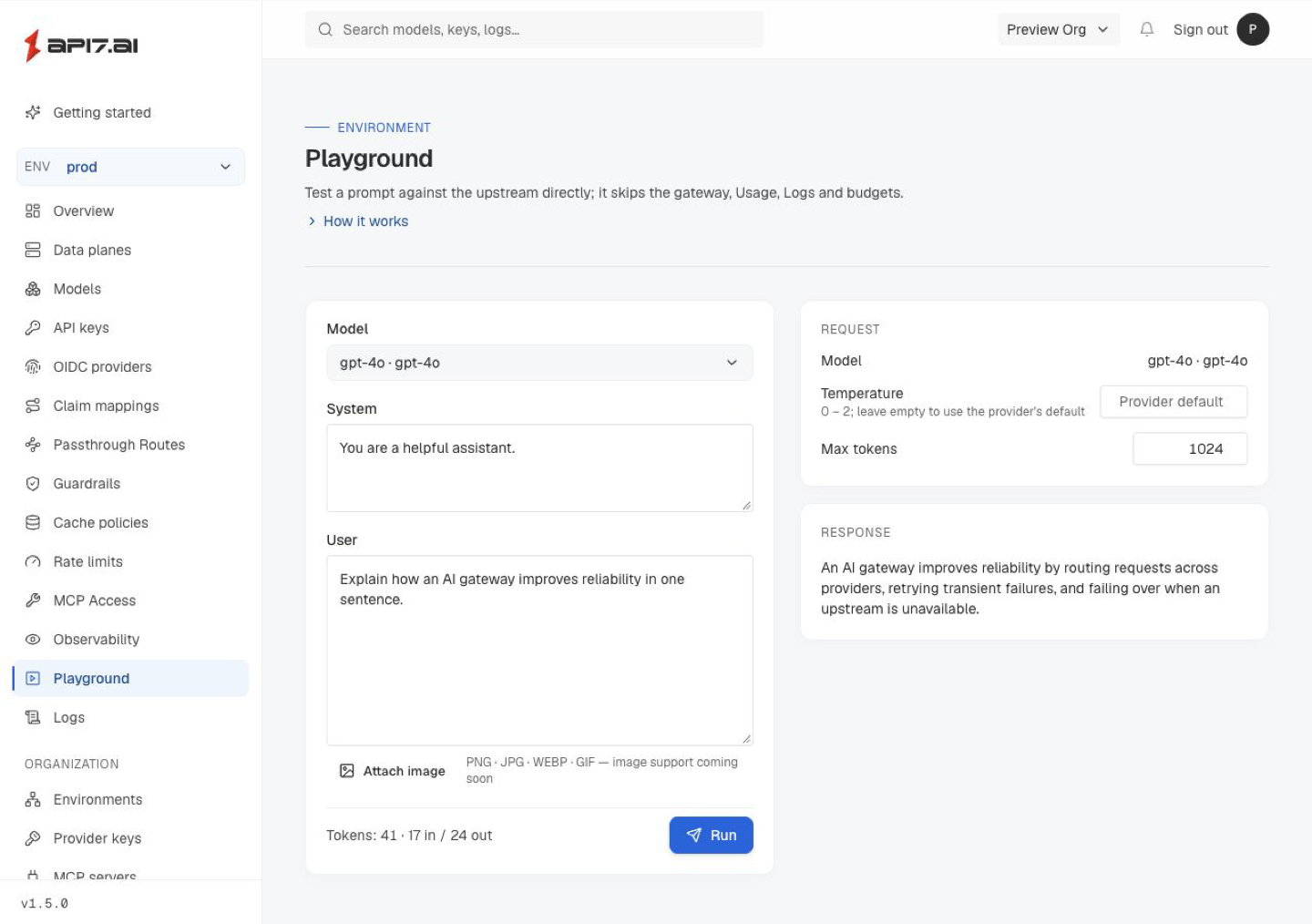
Testing Models in the Playground
Playground requests run from the control plane to the upstream provider. Use them to validate the provider key, upstream base URL, model name, and basic prompt response from the control plane UI.
The playground sends OpenAI-compatible chat-completions requests. Use it with single-target models whose provider key points to an OpenAI-compatible upstream base URL, including Anthropic-backed models exposed through an OpenAI-compatible endpoint. It does not support decision models, and it does not list models on a typesafe provider key; test those through the gateway's /v1/systemone or /v1/decisions endpoint.
The playground is a simple test tool that calls the provider directly. It does not reproduce gateway behavior: it applies only what a request needs to succeed against common models, as described in Request Parameters.
Playground requests bypass the AISIX gateway, so they are not recorded in Request Logs, Usage, AISIX gateway metrics, or external telemetry exporter output. Budgets and rate limits configured in the control plane do not apply to playground requests. Each run still calls the upstream provider with the model's provider key, so it consumes provider quota and is billed by the provider like any other API call.
AISIX gateway requests run through the runtime that applications use. Send traffic through the AISIX gateway to validate caller API keys, model aliases, routing rules and failover, cache behavior, guardrails, budgets, rate limits, streaming behavior, logs, usage reporting, and metrics. Use AISIX gateway traffic when you need to validate endpoint families beyond chat completions or provider-specific protocol behavior.
Request Parameters
The playground shapes each request as follows:
- Temperature. The field starts empty and shows Provider default. While it is empty, the request carries no
temperature, so the model uses its own default; some models accept only their default and reject any explicit value. Enter a value from 0 to 2 to send it, and select Use default to clear the field and stop sending it. - Max tokens. The playground sends
max_tokens, 1024 by default. For a provider key on theopenaiorazure-openaiadapter, it applies the reasoning-model token cap: a reasoning model receives the value asmax_completion_tokens. Unlike the gateway, which applies the rename only to OpenAI and Azure OpenAI, the playground also applies it to other vendors on theopenaiadapter. - Parameter renames. After that rule, the playground applies the provider key's
request.param_renames, so an explicit rename on the key has the last word, as it does on the gateway.
The provider key's other request settings, such as request.param_constraints, request.default_headers, and request.default_body_fields, are not applied to playground requests. Send traffic through the AISIX gateway to test them.
Reach Private-Network Endpoints
The playground proxy connects from the control plane to the provider key's api_base. An AISIX Enterprise control plane lets it reach private, internal, and loopback addresses by default, so a model served on your internal network works in the playground without configuration.
To refuse private destinations instead, turn on the control plane's server-side request forgery (SSRF) protection and restart the control-plane API service:
- Offline package (Docker Compose): add
AISIX_CLOUD_SSRF_PROTECTION_ENABLED=trueto.env, then rundocker compose up -d api. - Helm chart: set
api.outbound.ssrfProtection.enabled=true.
A refused request fails with the error code UPSTREAM_PRIVATE_IP_BLOCKED, whose message says that the deployment's outbound policy blocks the address. To keep one internal endpoint reachable while the protection is on, list its host in AISIX_CLOUD_SSRF_PROTECTION_ALLOWED_HOSTS or api.outbound.ssrfProtection.allowedHosts.
The same setting also governs the control plane's other outbound calls, such as notification deliveries and the MCP spec_url fetch; see Private Network Access. It does not affect the data plane, which reaches upstream providers directly.
Next Steps
Continue with Usage Reporting to understand gateway usage, spend, and budget-related signals.