
Rate Limits and Budgets
For MCP traffic, the caller API key remains the traffic-control boundary. MCP tool calls share the key's request and concurrency limits with model traffic, but they do not consume model tokens. In AISIX Enterprise and AISIX Cloud, they are also subject to budgets that cover the same caller API key.
A caller API key can additionally carry a limit for each MCP server it reaches. An agent looping on one server then cannot exhaust the allowance the same key needs for the others. Configure these limits in resources.yaml or through the AISIX Cloud Admin API, then verify the behavior on the MCP path. In AISIX Enterprise and AISIX Cloud, budgets remain key-wide and have no per-server setting.
Prerequisites
Before starting, prepare the following:
- For AISIX Enterprise or AISIX Cloud, an environment, a caller API key, and a write-scoped admin token. For AISIX Enterprise, follow the AISIX Enterprise getting-started guide. To request AISIX Cloud access, contact API7.
- For an open-source AISIX gateway, a caller API key and registered MCP servers in
resources.yaml. Set Up MCP Gateway provides a working configuration and the validation and reload workflow. - cURL for the control-plane examples.
Where Controls Apply
The gateway applies rate-limit and budget checks only to tools/call requests. The MCP handshake, including initialize, and tool discovery through tools/list are not rate-limited. A throttled caller can still connect and list the tools its key allows, but cannot invoke another tool until the applicable limit has capacity.
When a rate limit or budget rejects a tool call, AISIX returns before contacting the upstream MCP server and still records the rejected call as a usage event.
Applicable Rate Limits
A caller API key's rate_limit object can define request-rate, token-rate, and concurrency limits. On the MCP path, only request-rate and concurrency limits directly meter tool calls:
| Limit | Applies to MCP tool calls | Notes |
|---|---|---|
rps, rpm, rph, rpd | Yes | Each tools/call counts as one request in the matching window. |
concurrency | Yes | Each in-flight tool call holds one concurrency permit until it returns. |
tpm, tpd | Indirectly | MCP tool calls carry no model tokens, so they do not add to token windows. If the caller key's model traffic already exhausted a token window, the key's tool calls are still rejected with HTTP 429 until enough recorded usage leaves the window. |
Each field is optional. When a field is omitted, AISIX does not enforce that limit.
Use request-rate limits or concurrency to throttle MCP call volume. A token limit alone does not cap MCP tool calls. Use mcp_rate_limits to bound each MCP server separately instead of the caller as a whole.
For the full rate-limit field reference and counter-storage options, see API Key and Model Rate Limits.
Configure Rate Limits
Configure rate limits using the management path for your deployment.
- AISIX Enterprise or Cloud
- AISIX OSS
- Dashboard
- Admin API
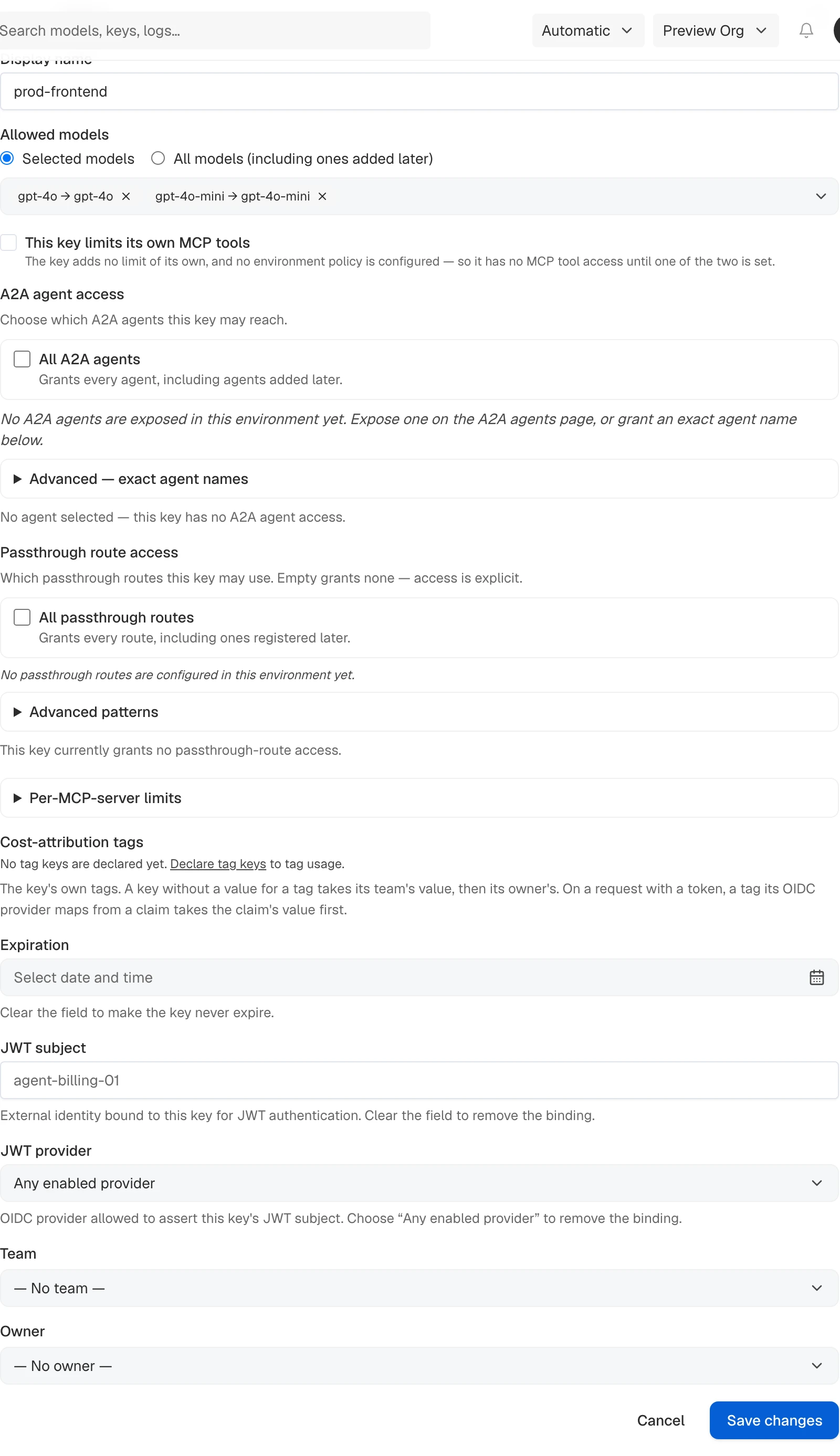
- Open API keys and create or edit the caller key.
- Expand Rate limits and set a caller-wide request or concurrency limit.
- To limit individual MCP servers, expand Per-MCP-server limits. Select each server and enter its request or concurrency limits.
- Save the key.
- Call a permitted tool past the configured limit and confirm that the gateway returns HTTP
429.
Use the Admin API to configure caller-wide limits and optional limits for individual MCP servers.
Set a Caller Rate Limit
Set the control-plane URL, admin token, and environment ID for your AISIX organization:
# AISIX_CP includes /api and has no trailing slash
# The local AISIX Enterprise quickstart uses http://localhost:8080/api
export AISIX_CP="YOUR_AISIX_CONTROL_PLANE_API_URL"
export AISIX_TOKEN="YOUR_ADMIN_TOKEN"
export ENV_ID="YOUR_ENVIRONMENT_ID"
Update the caller API key with a rate_limit. The following example keeps the key MCP-only and limits it to one tool call per minute. The PATCH request changes only the fields it sends; other key fields keep their current values. Replace YOUR_API_KEY_ID with the caller API key ID from its create response.
curl -sS -X PATCH "$AISIX_CP/environments/$ENV_ID/api_keys/YOUR_API_KEY_ID" \
  -H "Authorization: Bearer $AISIX_TOKEN" \
  -H "Content-Type: application/json" \
  -d '{
    "allowed_models": [],
    "mcp_access": { "allow": ["github__*"] },
    "rate_limit": {
      "rpm": 1
    }
  }'
❶ Use an empty model allowlist when the key is only for MCP traffic. Preserve existing model access if the same key also needs to call models.
❷ rpm: 1 limits this caller API key to one request per minute.
The updated limit projects to attached gateways automatically. To verify the limit, connect an MCP client with this caller API key and call a permitted tool twice within the same minute. The first tools/call succeeds. The second tools/call is rejected with HTTP 429 before AISIX contacts the upstream MCP server. The handshake and tools/list continue to work while the caller is throttled.
Limit a Caller per MCP Server
The rate_limit above is one ceiling over everything the key does. To give each MCP server its own ceiling, add mcp_rate_limits to the caller API key. It maps an MCP server name to that key's limits for it:
curl -sS -X PATCH "$AISIX_CP/environments/$ENV_ID/api_keys/YOUR_API_KEY_ID" \
  -H "Authorization: Bearer $AISIX_TOKEN" \
  -H "Content-Type: application/json" \
  -d '{
    "mcp_rate_limits": {
      "github": { "rpm": 100, "concurrency": 5 },
      "payments": { "rpm": 10 }
    }
  }'
❶ Keys the limit by the MCP server's registered name, the same name that prefixes its tools as github__create_issue.
❷ Servers can carry different ceilings. A server the map does not name is bounded only by the key's own rate_limit.
Each named server counts on its own, so the caller exhausting payments keeps its full github allowance, and another caller's traffic to payments is unaffected. Every limit that matches a tool call must pass: a call to github counts against both the github entry and the key's rate_limit.
mcp_rate_limits accepts the same request-rate and concurrency fields as rate_limit: rps, rpm, rph, rpd, and concurrency. It has no token fields, because MCP tool calls carry no tokens to meter. Each server entry also accepts window_type: sliding to count its rpm, rph, and rpd limits in a rolling window; see Choose a Window Type.
A PATCH replaces the whole map, so send every server you want limited in one request. Send {} or null to remove all per-server limits. A name that does not match a registered MCP server yet is accepted and takes effect once a server is registered under it.
To verify, call a permitted tool on the capped server past its limit within the window. Those calls are rejected with HTTP 429, while tool calls to your other MCP servers keep succeeding.
Rename or Delete an MCP Server
Renaming an MCP server carries its references with it. AISIX updates per-server limits, server-specific allow and deny tool patterns in caller API keys and environment or team access policies, and entries on the anonymous-access server allowlist. Each reference reads back under the new server name. Patterns that can match more than one server, such as a bare * or gh*__read, remain unchanged.
An anonymous allowlist entry always identifies one server, never a pattern. A rename therefore keeps the same server available to anonymous callers without widening or narrowing the ceiling. See Anonymous Access.
Deleting a server leaves its per-server limits, server-specific allow and deny tool patterns, and anonymous allowlist entries under the old name. They match nothing while the server is absent, but apply again if a server is registered under that name. This behavior lets you provision tool access patterns and limits before registering their server. For a per-server limit, the dashboard marks the unresolved name and offers a Remove control.
Anonymous access is stricter when edited: its server list must name servers currently available in the environment. Until you remove an entry left by a deleted server or register a replacement under that name, a PATCH that changes the anonymous block is rejected.
Set the general and per-server limits on the caller entry in resources.yaml:
api_keys:
  - id: ad88beea-4db8-41ec-b817-3a33b22dfda8
    display_name: mcp-caller
    key_hash: ${MCP_CALLER_KEY_SHA256}
    allowed_models: []
    mcp_access: { allow: ["github__*", "payments__*"] }
    rate_limit:
      rpm: 120
      concurrency: 10
    mcp_rate_limits:
      github:
        rpm: 100
        concurrency: 5
      payments:
        rpm: 10
Every tool call must pass the caller's general limit and the matching server limit. In this example, calls to github count against both rate_limit and mcp_rate_limits.github. A server omitted from mcp_rate_limits is governed only by the caller's general limit.
Edit the complete maps, validate the resources file, and reload the gateway to change these limits. See Set Up MCP Gateway for the commands.
Apply Control-Plane Budgets
Budgets are configured in the control plane and enforced by the AISIX gateway. When a budget that covers the caller API key is exhausted, the gateway rejects that key's tools/call requests with a budget_exceeded error before contacting the upstream MCP server. This is the same check the model path runs.
MCP tool calls carry no token cost, so they do not add to token-based spend themselves. A budget exhausted by the caller's model traffic still blocks that caller's MCP tool calls when the same budget covers both. See Budgets for budget targets, the rejection response, and caching behavior.
For an open-source AISIX gateway, use caller API key rate limits to govern MCP tool-call volume. For control-plane budget configuration details, see Budgets.
Next Steps
You have now applied caller API key controls to MCP traffic. Use these guides to observe the result or refine the shared limit and budget settings:
- Observability: review the usage events and metrics emitted by MCP tool calls.
- API Key and Model Rate Limits: review the full rate-limit field reference and counter-storage options.
- Budgets: configure budget targets, rejection behavior, and cache settings.