JWT Claim Mappings
JWT Authentication can bind a fixed external identity to a caller API key. Claim mappings let operators apply a shared policy to identities admitted by department, group, or application claims, without creating a separate key for every member.
A mapping matches verified claims and selects an existing caller API key. Admitted identities inherit its model access, tool access, and rate limits. In AISIX Enterprise and AISIX Cloud, matching budgets also apply. Usage events retain the individual identity from the token.
A token cannot name a new upstream, widen a model allowlist, or create a budget. Trust providers can also extract cost attribution tags from claims; those values set attribution tags and grant no access. AISIX rejects a token that matches no direct binding or claim mapping.
How Mappings Are Evaluated
For each request with a JWT bearer, after the full trust-provider verification described in JWT Authentication:
jwt_identity_unmapped- If a caller API key binds the token's subject directly through
jwt_subjectandjwt_provider, the request runs as that key. The direct binding is authoritative for its subject, including when the key is disabled and the request is rejected. Mappings never override it. - Otherwise, AISIX evaluates the enabled mappings whose
jwt_providernames the matched trust provider. Lowerpriorityvalues run first, with ties broken byname. The first mapping whosematchconditions all hold selects the key. - If no mapping matches, the request is rejected with
jwt_identity_unmapped. There is no default admission.
Keep mapping names unique in a format-2 resources file. If two entries share both a priority and a name, the resource ID becomes the final tie-breaker.
The match field of a mapping is a list of conditions, which must all hold:
| Field | Description |
|---|---|
claim | Non-empty claim path. AISIX first looks for a top-level claim with the full name; if none exists, dot notation selects a nested value. For example, realm_access.roles selects roles from realm_access. A missing claim never matches. |
op | With exact, the claim must be a string equal to one of values. With contains, the claim must be an array containing one of values among its string items; non-string items are ignored. A claim whose type does not fit the operator never matches. |
values | One or more accepted strings. The condition holds when any one matches. |
The named trust provider must verify the token before AISIX considers a mapping.
In AISIX Enterprise and AISIX Cloud, the target key must remain in the same environment. Repoint or delete a mapping before deleting its key. A format-2 resources file validates mapping shape but does not resolve provider names or key IDs at load, so check those references before applying it.
Prerequisites
Before starting, prepare the following:
- A registered OIDC trust provider and model configured as described in JWT Authentication.
- A caller API key to act as the shared policy key. Configure the model access, tool access, and rate limits that admitted identities should inherit. In AISIX Enterprise and AISIX Cloud, matching budgets also apply.
- One configuration path:
- AISIX Enterprise or AISIX Cloud with an environment and an attached gateway. Dashboard users need permission to manage claim mappings and update provider requirements. Admin API users need a write-scoped token from an identity allowed to manage claim mappings, update OIDC providers, read the policy key, and read usage events.
- An open-source AISIX gateway with a complete
resources.yamlfile and access to the gateway process environment.
curlandjqfor the AISIX Cloud Admin API workflow. The open-source path uses OpenSSL to generate the policy-key value shown below.
Review Trust Provider Requirements
AISIX evaluates trust-provider requirements before claim mappings. Remove or update any bound_claims condition whose decision the mapping should make. For this workflow, remove the JWT Authentication example's department: ai-lab condition because the mapping decides which departments to admit.
- AISIX Enterprise or Cloud
- AISIX OSS
- Dashboard
- Admin API
Open OIDC providers, edit corp-keycloak, and remove the department row from Bound claims (optional). Keep the required scope.

Select Save changes.
Export the Admin API connection values and provider ID, then clear its bound claims:
# AISIX_CP includes /api and has no trailing slash.
export AISIX_CP="YOUR_AISIX_CONTROL_PLANE_API_URL"
export AISIX_TOKEN="YOUR_ADMIN_TOKEN"
export ENV_ID="YOUR_ENVIRONMENT_ID"
export OIDC_PROVIDER_ID="YOUR_OIDC_PROVIDER_ID"

curl -sS -X PATCH \
  "$AISIX_CP/environments/$ENV_ID/oidc_providers/$OIDC_PROVIDER_ID" \
  -H "Authorization: Bearer $AISIX_TOKEN" \
  -H "Content-Type: application/json" \
  -d '{"bound_claims": {}}' | jq -e '.oidc_provider.bound_claims == {}'
The command prints true. The PATCH retains omitted settings, including the ai.access required scope.
Remove department from bound_claims in the corp-keycloak provider entry. Keep ai.access in required_scopes, then validate and reload the complete resources file.
Mapped tokens must still satisfy every requirement left on the provider. The examples retain the ai.access scope.
Configure Claim Mappings
Configure claim mappings using the management path for your deployment.
- AISIX Enterprise or Cloud
- AISIX OSS
Create the mapping in the same environment as its trust provider and policy key.
- Dashboard
- Admin API
Use the shared caller key prepared in the prerequisites. This example names it finance-policy-key.
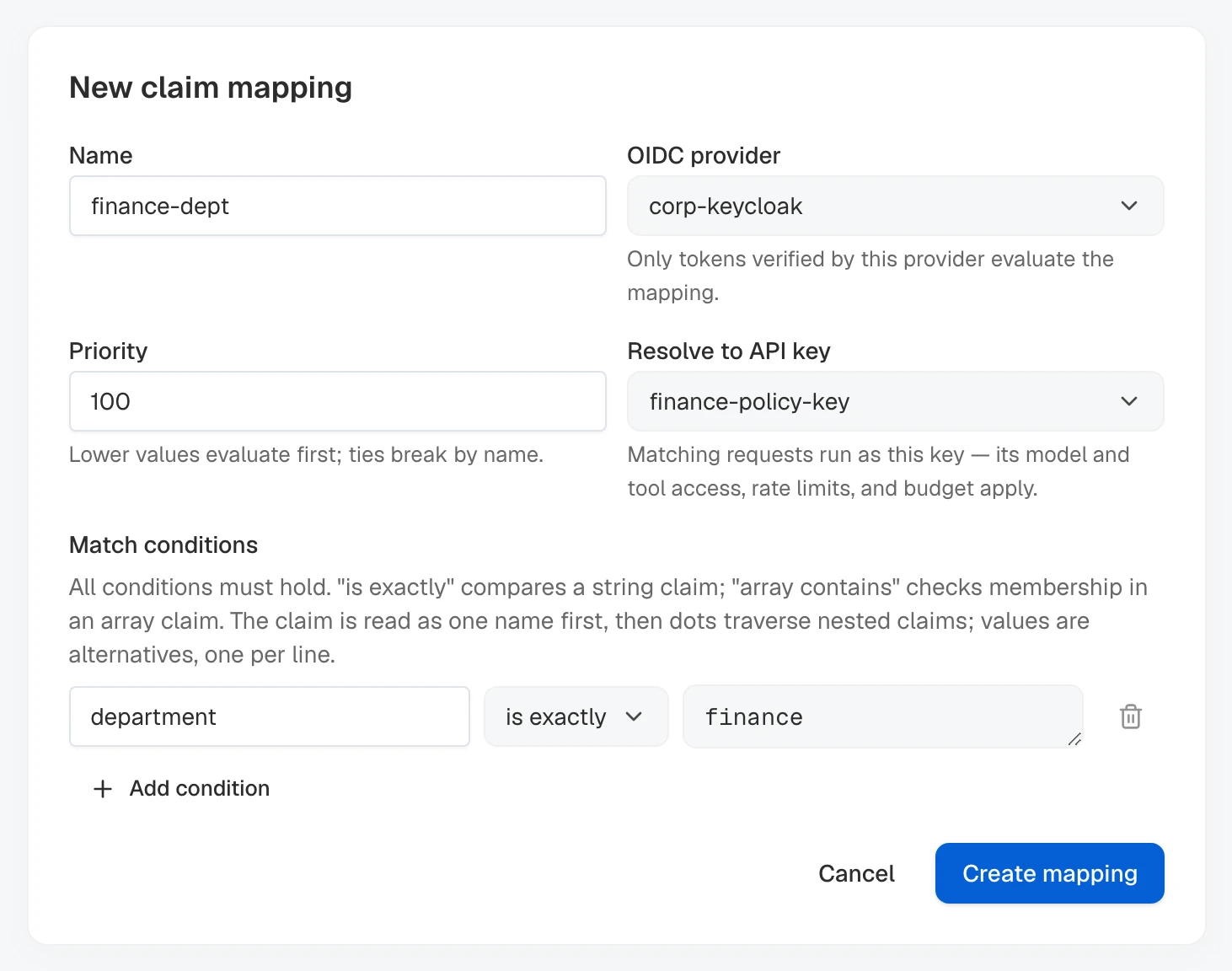
- Open Claim mappings in the environment and select New claim mapping.
- Set Name to
finance-deptand OIDC provider tocorp-keycloak. - Set Priority to
100and Resolve to API key to the prepared policy key. - Under Match conditions, enter
department, choose is exactly, and enterfinanceas the accepted value.
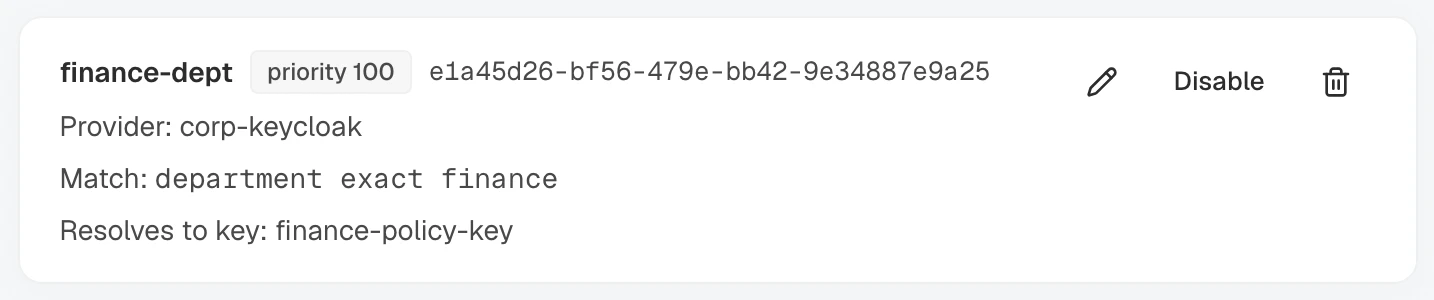
- Select Create mapping. Check its priority, provider, target key, and condition on the saved row.
To update the rule, select Edit and change its provider, priority, policy key, or conditions. The name is fixed at creation.
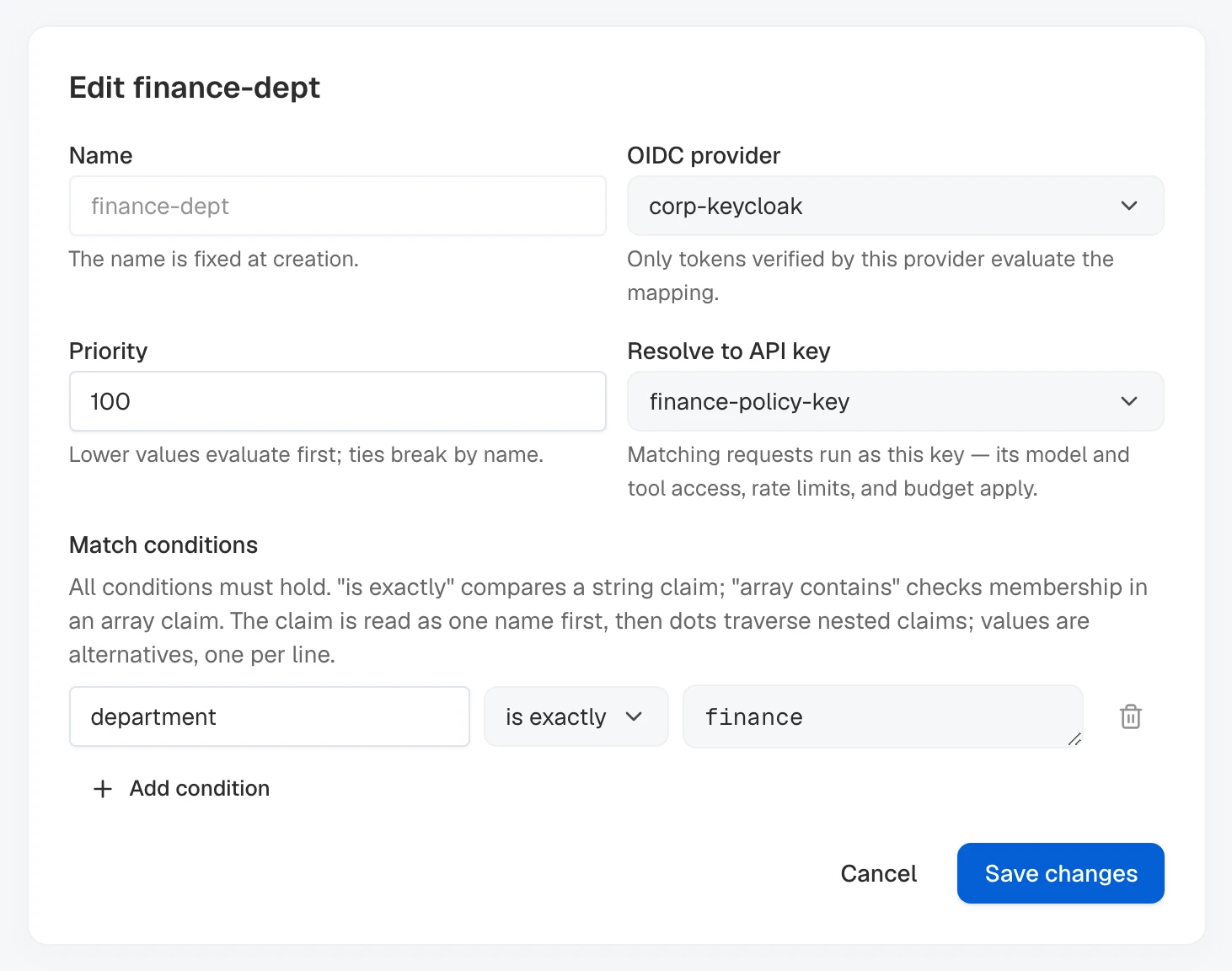
Select Save changes.
Select Disable to keep the rule while excluding it from evaluation. Select Enable to use it again.
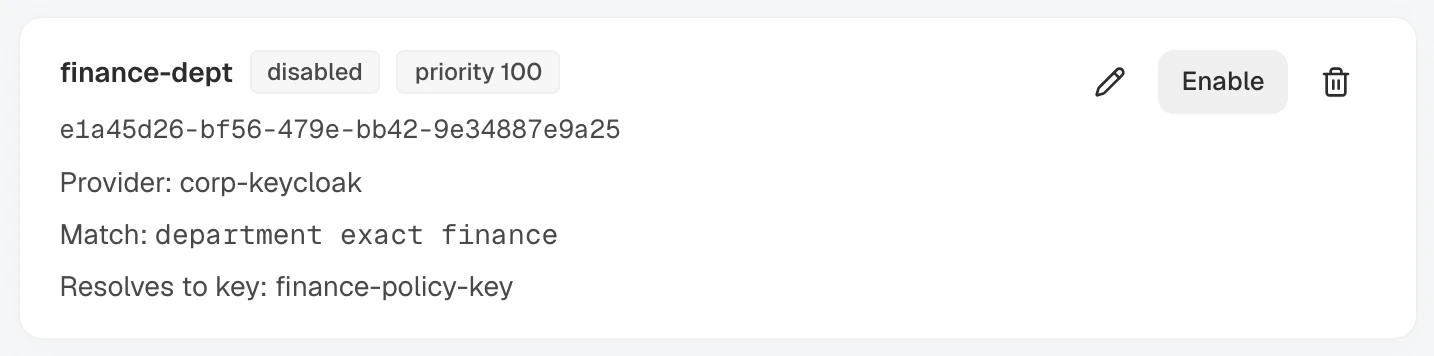
Keep finance-dept enabled while completing the priority and verification examples below.
Export the AISIX Cloud Admin API connection details, environment ID, and policy-key ID:
# AISIX_CP includes /api and has no trailing slash.
# The local AISIX Enterprise quickstart uses http://localhost:8080/api.
export AISIX_CP="YOUR_AISIX_CONTROL_PLANE_API_URL"
export AISIX_TOKEN="YOUR_ADMIN_TOKEN"
export ENV_ID="YOUR_ENVIRONMENT_ID"
export POLICY_KEY_ID="YOUR_API_KEY_ID"
Admit everyone whose department claim equals finance under the policy key:
CLAIM_MAPPING_RESPONSE=$(curl -sS -X POST "$AISIX_CP/environments/$ENV_ID/claim_mappings" \
  -H "Authorization: Bearer $AISIX_TOKEN" \
  -H "Content-Type: application/json" \
  -d '{
    "name": "finance-dept",
    "jwt_provider": "corp-keycloak",
    "priority": 100,
    "match": [
      {
        "claim": "department",
        "op": "exact",
        "values": ["finance"]
      }
    ],
    "resolve": {
      "api_key_id": "'"$POLICY_KEY_ID"'"
    }
  }')

export CLAIM_MAPPING_ID=$(printf '%s' "$CLAIM_MAPPING_RESPONSE" | jq -er '.claim_mapping.id')
printf '%s' "$CLAIM_MAPPING_RESPONSE" | jq
The response returns the created mapping and its ID.
Disable the mapping temporarily, then re-enable it before continuing with the priority example:
curl -sS -X PATCH \
  "$AISIX_CP/environments/$ENV_ID/claim_mappings/$CLAIM_MAPPING_ID" \
  -H "Authorization: Bearer $AISIX_TOKEN" \
  -H "Content-Type: application/json" \
  -d '{"enabled":false}' | jq -e '.claim_mapping.enabled == false'

curl -sS -X PATCH \
  "$AISIX_CP/environments/$ENV_ID/claim_mappings/$CLAIM_MAPPING_ID" \
  -H "Authorization: Bearer $AISIX_TOKEN" \
  -H "Content-Type: application/json" \
  -d '{"enabled":true}' | jq -e '.claim_mapping.enabled == true'
Each command prints true. The name is fixed, so delete and recreate the mapping to rename it. Changes take effect on new requests without a gateway restart. Identities admitted only by a disabled mapping stop authenticating as soon as the gateway receives the change.
Managed Mapping Fields
| Field | Description |
|---|---|
name | Mapping name, unique within the environment and fixed at creation. Also the evaluation tie-break for equal priorities. |
jwt_provider | Name of the OIDC provider whose tokens this mapping applies to. A mapping never matches a token verified by a different provider. |
priority | Non-negative evaluation order among the provider's mappings. Lower values run first. Defaults to 0. |
match | From 1 to 16 claim conditions; all must hold. |
resolve.api_key_id | ID of the caller API key that matching requests run as. |
enabled | Whether the mapping participates in evaluation. Defaults to true; a disabled mapping is retained but skipped. |
Names can contain up to 120 characters. A condition has a claim path up to 256 characters and 1 to 64 accepted values, each up to 256 characters.
This configuration extends the complete resources file from JWT Authentication. Keep its _format_version, provider-key, and model entries. Set the new policy-key value in the gateway process environment:
FINANCE_POLICY_KEY="$(openssl rand -hex 32)"
export FINANCE_POLICY_KEY_SHA256="$(printf '%s' "$FINANCE_POLICY_KEY" | openssl dgst -sha256 | awk '{print $NF}')"
Replace corp-keycloak with this entry; do not add another provider with the same name. It keeps the ai.access scope while moving the department decision to the mapping:
oidc_providers:
  - id: f1aac41c-d83d-41ef-b2d3-abae0b774fbe
    name: corp-keycloak
    issuer: https://sso.example.com/realms/agents
    audiences: ["aisix-gateway"]
    required_scopes: ["ai.access"]
Add finance-policy-key to the existing api_keys list. Add finance-dept to claim_mappings, creating the top-level claim_mappings collection once if it is absent. Preserve existing entries in both collections, and do not create a second copy of either top-level collection key.
In the assembled resources.yaml, resolve.api_key_id references the policy key by its id:
api_keys:
  - id: d597a758-39d4-4d3f-bb1a-31800c47dcd3
    display_name: finance-policy-key
    key_hash: ${FINANCE_POLICY_KEY_SHA256}
    allowed_models: ["gpt-4o-prod"]

claim_mappings:
  - id: 262a8c5b-b3b8-4fdc-b147-4c8af398ed86
    name: finance-dept
    jwt_provider: corp-keycloak
    priority: 100
    match:
      - claim: department
        op: exact
        values: ["finance"]
    resolve:
      api_key_id: d597a758-39d4-4d3f-bb1a-31800c47dcd3
The name, jwt_provider, priority, match, and enabled fields have the same evaluation behavior as their AISIX Cloud counterparts. The open-source schema validates non-empty names, providers, condition lists, claim paths, and value lists. It does not apply the AISIX Cloud Admin API's maximum lengths or list sizes.
An empty condition list rejects the mapping. The loader does not resolve the provider and target key references, so check them before reloading. An unknown provider prevents evaluation; a matched rule with a missing key rejects authentication.
Validate and apply the complete file by following Reload a Resources File. If FINANCE_POLICY_KEY_SHA256 is new, use Add New Environment Variables to recreate the gateway with it.
Exporting the variable on the host and sending SIGHUP cannot add it to an already-running container.
Set enabled: false and reload to retain a mapping without evaluating it. Delete the entry and reload to remove it.
Before deleting a policy key, remove or repoint every mapping that references it. Format-2 validation does not reject a mapping solely because its key ID is absent; a matched rule with a missing target key rejects authentication.
Verify Mapping Selection
First, verify the base mapping end to end. Use a JWT that matches finance-dept but has no direct caller-key binding, ensuring that only the mapping can admit the request.
- Choose a subject that is not configured through
jwt_subjectandjwt_provider. - Obtain a signed JWT containing the claims required by the mapping.
- Choose a model that only the policy key selected by the mapping can access.
Export the gateway URL, signed JWT, and model alias for this check:
# AISIX_PROXY is the gateway origin without a trailing slash or endpoint path.
export AISIX_PROXY="YOUR_AISIX_GATEWAY_URL"
export AISIX_JWT="YOUR_SIGNED_JWT"
export AISIX_MODEL="MODEL_ALLOWED_ONLY_BY_THE_POLICY_KEY"
Send the model request through the gateway:
curl -sSi -X POST "$AISIX_PROXY/v1/chat/completions" \
  -H "Authorization: Bearer $AISIX_JWT" \
  -H "Content-Type: application/json" \
  -d '{
    "model": "'"$AISIX_MODEL"'",
    "messages": [
      {"role": "user", "content": "Reply with a short greeting."}
    ]
  }'
Confirm that the request succeeds, then use the selected path below to verify which mapping admitted it.
- AISIX Enterprise or Cloud
- AISIX OSS
- Dashboard
- Admin API
Expand the request on Logs. Confirm that JWT identity shows the expected subject and provider and that Claim mapping shows the rule that admitted the request.

Usage events are request telemetry records sent by the gateway after model calls. A mapped request records the rule that selected its policy key in jwt_claim_mapping.
Set the Admin API connection values and mapping name, then replace the time placeholders with a UTC window that covers the verification request:
# AISIX_CP includes /api and has no trailing slash.
export AISIX_CP="YOUR_AISIX_CONTROL_PLANE_API_URL"
export AISIX_TOKEN="YOUR_ADMIN_TOKEN"
export ENV_ID="YOUR_ENVIRONMENT_ID"
export CLAIM_MAPPING_NAME="finance-dept"
export USAGE_FROM="START_TIME_IN_RFC3339"
export USAGE_TO="END_TIME_IN_RFC3339"
Poll until the asynchronously reported usage event appears, then verify the exact mapping name:
for attempt in $(seq 1 15); do
  USAGE_RESPONSE=$(curl -sS --get \
    "$AISIX_CP/environments/$ENV_ID/usage_events" \
    -H "Authorization: Bearer $AISIX_TOKEN" \
    --data-urlencode "from=$USAGE_FROM" \
    --data-urlencode "to=$USAGE_TO" \
    --data-urlencode "jwt_claim_mapping=$CLAIM_MAPPING_NAME" \
    --data-urlencode "limit=20")

  if printf '%s' "$USAGE_RESPONSE" | jq -e --arg mapping "$CLAIM_MAPPING_NAME" \
    '.data as $rows | ($rows | length) > 0 and all($rows[]; .jwt_claim_mapping == $mapping)' \
    >/dev/null; then
    break
  fi
  sleep 2
done

printf '%s' "$USAGE_RESPONSE" | jq -e --arg mapping "$CLAIM_MAPPING_NAME" \
  '.data as $rows | ($rows | length) > 0 and all($rows[]; .jwt_claim_mapping == $mapping)'
The final command prints true when the result contains at least one attempt and every returned row names the expected mapping. The API filter uses a case-insensitive substring match; the jq check confirms the exact name.
Inspect the configured observability exporter and confirm that jwt_claim_mapping names the expected rule.
After confirming the successful path, verify that unmatched identities are denied. Send a valid JWT that matches no direct binding or claim mapping. An OpenAI-compatible request should return 401 with error.code: jwt_identity_unmapped.
For a complete Keycloak example covering successful, denied, and overlapping mappings, see Keycloak Integration.
Optional: Layer Mappings with Priorities
Set priorities so the intended rule wins when claims match more than one mapping. Lower values run first.
- AISIX Enterprise or Cloud
- AISIX OSS
- Dashboard
- Admin API
- Prepare a second caller policy key with the access controls required by platform administrators.
- Select New claim mapping, set Name to
platform-admins, and Priority to50. - Select
corp-keycloakand the prepared platform policy key. - Under Match conditions, enter
groups, choose array contains, and enterplatform-admin.
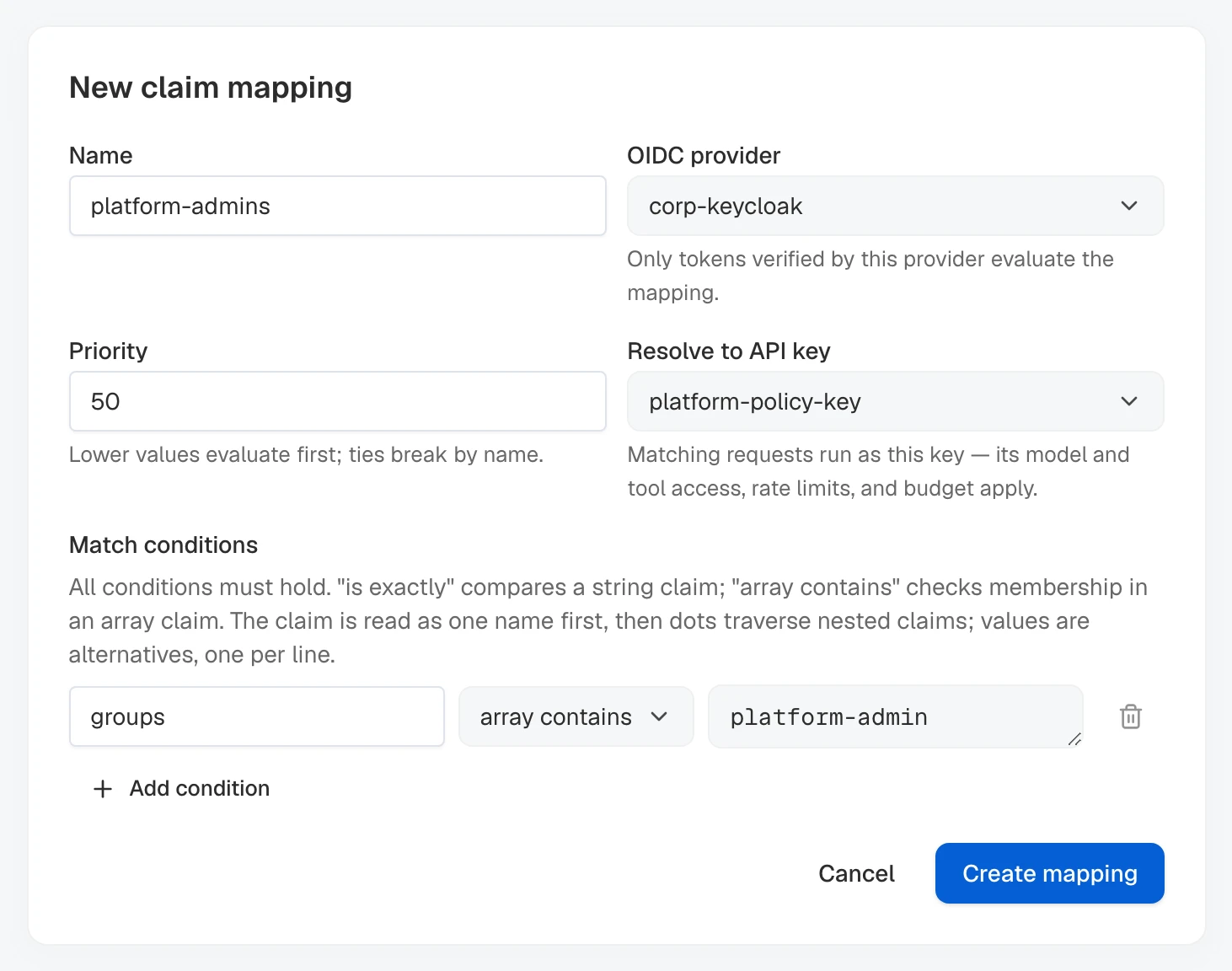
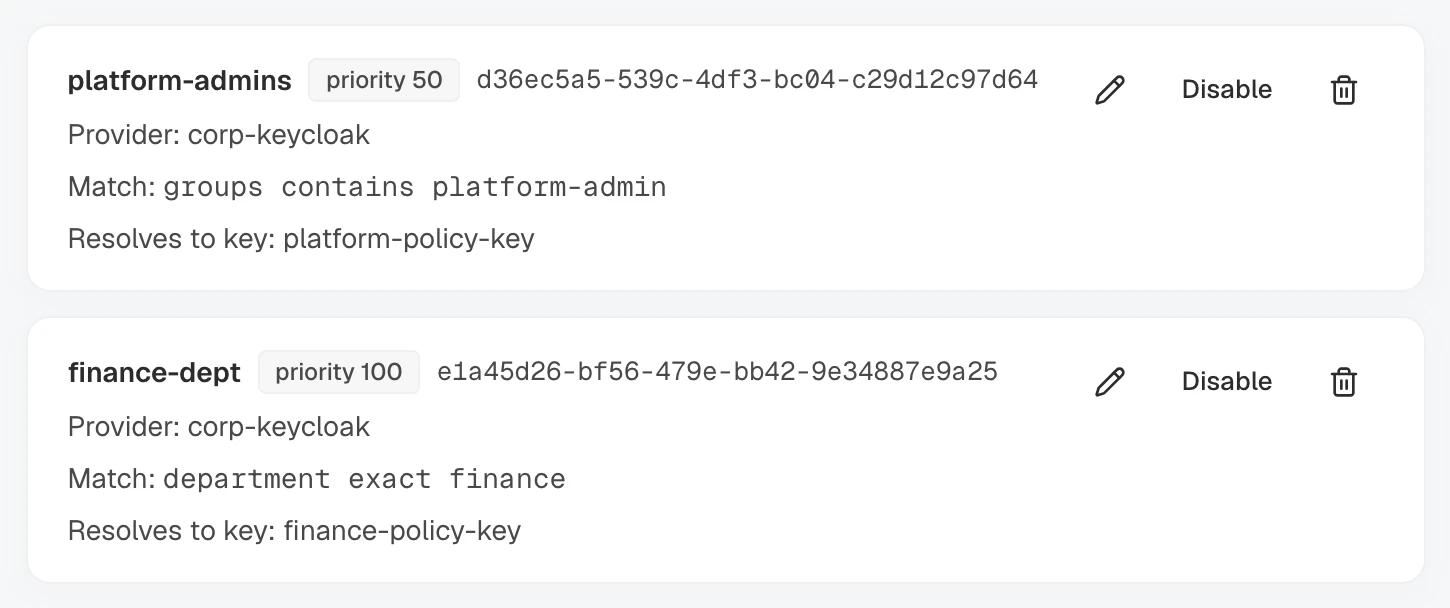
- Select Create mapping. Confirm that the list places it before
finance-dept, whose priority is100.
Export the Admin API connection values and the ID of the second policy key:
export AISIX_CP="YOUR_AISIX_CONTROL_PLANE_API_URL"
export AISIX_TOKEN="YOUR_ADMIN_TOKEN"
export ENV_ID="YOUR_ENVIRONMENT_ID"
export ADMIN_KEY_ID="YOUR_PLATFORM_POLICY_CALLER_KEY_ID"
Create the narrower mapping at priority 50:
PRIORITY_MAPPING_RESPONSE=$(curl -sS -X POST "$AISIX_CP/environments/$ENV_ID/claim_mappings" \
  -H "Authorization: Bearer $AISIX_TOKEN" \
  -H "Content-Type: application/json" \
  -d '{
    "name": "platform-admins",
    "jwt_provider": "corp-keycloak",
    "priority": 50,
    "match": [
      {
        "claim": "groups",
        "op": "contains",
        "values": ["platform-admin"]
      }
    ],
    "resolve": {
      "api_key_id": "'"$ADMIN_KEY_ID"'"
    }
  }')

export PRIORITY_MAPPING_ID=$(printf '%s' "$PRIORITY_MAPPING_RESPONSE" | jq -er '.claim_mapping.id')
printf '%s' "$PRIORITY_MAPPING_RESPONSE" | jq -e --arg key "$ADMIN_KEY_ID" \
  '.claim_mapping.priority == 50 and .claim_mapping.resolve.api_key_id == $key'
The command prints true, confirming the lower priority and target policy key.
Generate the second policy-key credential and supply its digest to the gateway process:
PLATFORM_POLICY_KEY="$(openssl rand -hex 32)"
export PLATFORM_POLICY_KEY_SHA256="$(printf '%s' "$PLATFORM_POLICY_KEY" | openssl dgst -sha256 | awk '{print $NF}')"
Add both entries to their existing collections. Preserve the finance mapping, existing caller keys, and every unrelated entry:
api_keys:
  - id: bfa4618d-8e4f-424c-99b0-045c8c69b96c
    display_name: platform-policy-key
    key_hash: ${PLATFORM_POLICY_KEY_SHA256}
    allowed_models: ["gpt-4o-prod"]

claim_mappings:
  - id: d2cec021-c714-435f-885f-4c6cb6b9ebd4
    name: platform-admins
    jwt_provider: corp-keycloak
    priority: 50
    match:
      - claim: groups
        op: contains
        values: ["platform-admin"]
    resolve:
      api_key_id: bfa4618d-8e4f-424c-99b0-045c8c69b96c
Validate the complete file. If the environment variable is new, recreate the gateway with it; otherwise reload the file.
A token carrying both department: finance and the platform-admin group now resolves through platform-admins at priority 50 rather than finance-dept at priority 100. Identities that need different effective access controls should resolve to different policy keys. Multiple mappings can resolve to the same key when they should grant the same access.
Repeat the verification above with a JWT that matches both mappings. Confirm that jwt_claim_mapping reports platform-admins, or request a model available only through its policy key. This verifies that the lower priority value wins.
Per-Identity Usage Attribution
Usage events for requests admitted through a mapping include three attribution fields. Configured observability exporters receive the same fields:
| Field | Description |
|---|---|
jwt_subject | The token's identity-claim value, identifying who ran the request even when many identities share the policy key. |
jwt_provider | The trust provider that verified the token. |
jwt_claim_mapping | The mapping that admitted the request. Empty for identities bound directly through jwt_subject and jwt_provider. |
- AISIX Enterprise or Cloud
- AISIX OSS
The fields are included in usage events and CSV exports.
- Dashboard
- Admin API
To find one identity's requests, enter its value in the JWT subject filter and press Enter.

The admin token's identity must be allowed to read usage in the environment. Set a UTC window and the subject you want to inspect:
# AISIX_CP includes /api and has no trailing slash.
export AISIX_CP="YOUR_AISIX_CONTROL_PLANE_API_URL"
export AISIX_TOKEN="YOUR_ADMIN_TOKEN"
export ENV_ID="YOUR_ENVIRONMENT_ID"
export USAGE_FROM="START_TIME_IN_RFC3339"
export USAGE_TO="END_TIME_IN_RFC3339"
export JWT_SUBJECT="dev-alice"
Read the matching attempts and return their identity attribution:
curl -sS --get \
  "$AISIX_CP/environments/$ENV_ID/usage_events" \
  -H "Authorization: Bearer $AISIX_TOKEN" \
  --data-urlencode "from=$USAGE_FROM" \
  --data-urlencode "to=$USAGE_TO" \
  --data-urlencode "jwt_subject=$JWT_SUBJECT" \
  --data-urlencode "limit=20" | \
  jq '.data[] | {jwt_subject, jwt_provider, jwt_claim_mapping}'
Each row shows the verified subject and provider. jwt_claim_mapping names the admitting mapping and is absent for a direct subject/provider binding. The subject filter is a case-insensitive substring match, so review the returned jwt_subject values when an exact identity matters.
Inspect the same attribution fields in the configured observability exporter. AISIX OSS does not provide the managed Dashboard Logs view.
The subject is personal data when the identity claim contains names or email addresses. Review where exporters deliver usage data before enabling them alongside claim mappings.
Rejection Behavior
Mapped authentication extends the JWT rejection table. AISIX rejects a verified token before it reaches a provider, MCP server, or vector store when the identity cannot resolve safely.
Each failure below returns HTTP 401. OpenAI-style routes return jwt_identity_unmapped as error.code, while the reason label on aisix_auth_decisions_total identifies the operator-side cause:
reason | Meaning |
|---|---|
jwt_identity_unmapped | The verified identity has no direct key binding, and no enabled mapping for its trust provider matches all claim conditions. |
claim_mapping_target_missing | A mapping matched, but its target caller API key is missing from the active gateway configuration. Control-plane validation ordinarily prevents this state. Format-2 resources files do not validate this reference, so check the key ID and the gateway's active resources. |
jwt_binding_ambiguous | More than one caller API key has the same jwt_provider and jwt_subject binding, so the gateway fails closed instead of evaluating mappings. Control-plane validation prevents this state; format-2 files do not check binding uniqueness. |
Clean Up the Example Mappings
Keep the mappings when they represent real access policy. Otherwise, remove the two examples after completing verification.
- AISIX Enterprise or Cloud
- AISIX OSS
- Dashboard
- Admin API
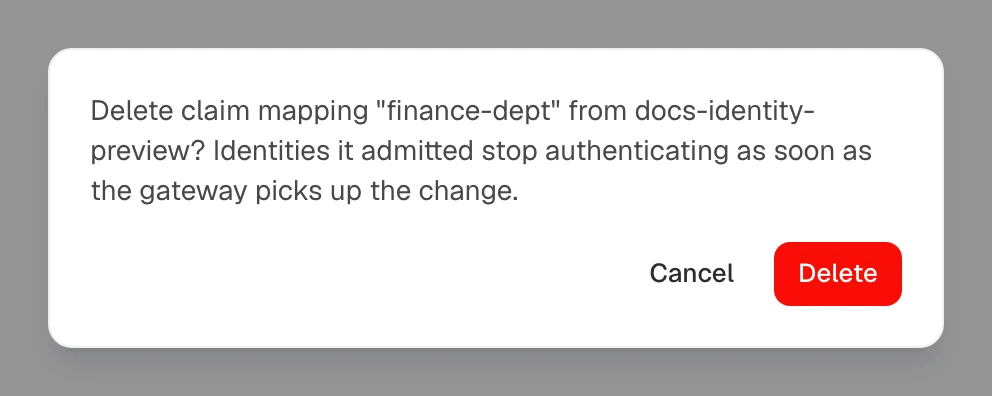
Open Claim mappings. Select Delete on platform-admins and finance-dept, confirming each deletion.
Reuse the mapping IDs captured during creation. If you are starting here, replace the placeholders:
export AISIX_CP="YOUR_AISIX_CONTROL_PLANE_API_URL"
export AISIX_TOKEN="YOUR_ADMIN_TOKEN"
export ENV_ID="YOUR_ENVIRONMENT_ID"
export CLAIM_MAPPING_ID="${CLAIM_MAPPING_ID:-YOUR_FINANCE_MAPPING_ID}"
export PRIORITY_MAPPING_ID="${PRIORITY_MAPPING_ID:-YOUR_PLATFORM_MAPPING_ID}"
Delete both mappings and verify each response:
for MAPPING_ID in "$PRIORITY_MAPPING_ID" "$CLAIM_MAPPING_ID"; do
  curl -sS -X DELETE \
    "$AISIX_CP/environments/$ENV_ID/claim_mappings/$MAPPING_ID" \
    -H "Authorization: Bearer $AISIX_TOKEN" | \
    jq -e --arg id "$MAPPING_ID" '.deleted == true and .id == $id'
done
Each deletion prints true.
Remove finance-dept and platform-admins from claim_mappings. Remove their policy-key entries if nothing else uses them, then validate and reload the complete resources file.
Next Steps
- Keycloak Integration: a verified end-to-end walkthrough from a Keycloak realm to mapped, attributed requests.
- JWT Authentication: the trust-provider verification every mapping builds on.
- Caller API Keys: the model access, tool access, rate limits, and, in AISIX Enterprise and AISIX Cloud, budgets that a policy key carries.
- API Key and Model Rate Limits: shape the shared key's traffic.