Forward User Information from External Authentication to Upstream
When using authentication plugins such as OpenID Connect or SAML Auth, you may need to pass authenticated user information to upstream services. This enables upstream applications to implement additional business logic based on user identity, such as personalization, auditing, and access control.
This guide uses Azure AD (Microsoft Entra ID) as the example identity provider.
This guide covers two solutions:
- Associate consumer name with external authentication: Set a resolved user identifier (for example,
suborname_id) as theconsumer_namefor the current request. - Forward user information headers to upstream: Pass the resolved user information to upstream services via custom request headers.
Prerequisites
Create a Route
Create a route in API7 Dashboard for the upstream service you want to protect.
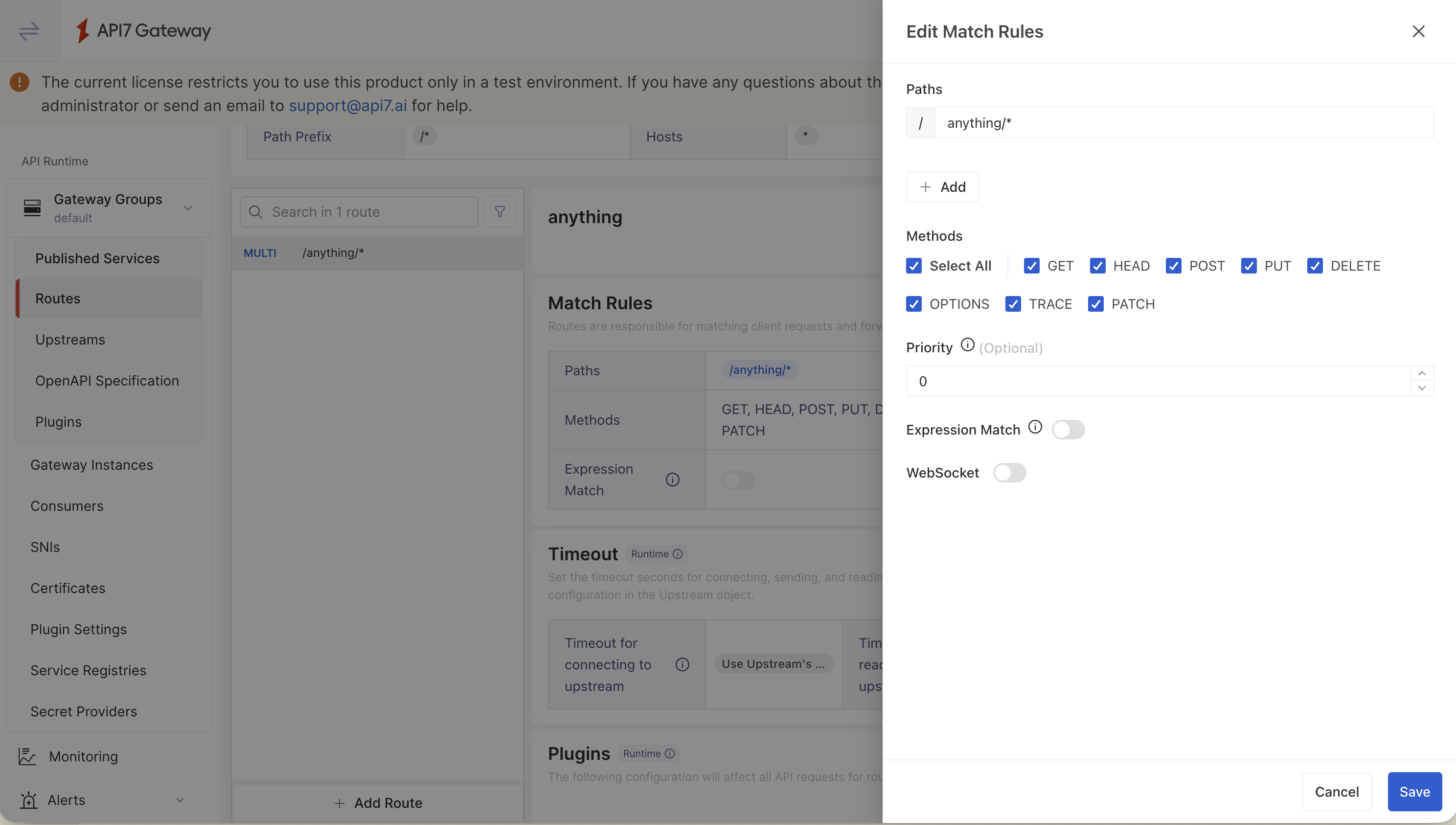
Associate Consumer Name with External Authentication
After successful authentication, both openid-connect and saml-auth store user information in ctx.external_user. Configure serverless-post-function to run in the rewrite phase, and place it after the authentication plugin on the route so ctx.external_user is already populated.
Using OpenID Connect
Configure the OpenID Connect Plugin
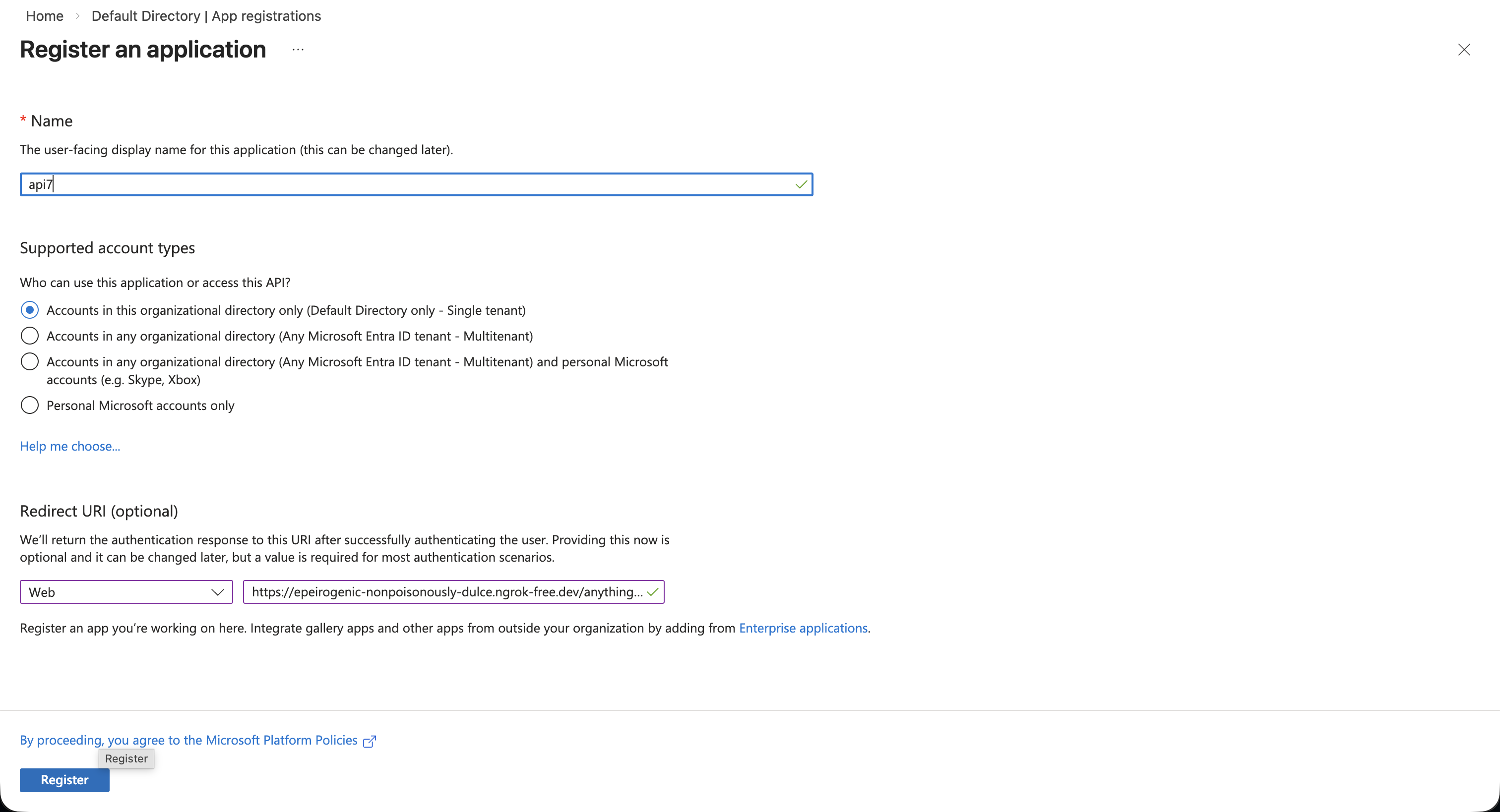
Log in to the Azure portal, go to the App registrations service and register a new application.
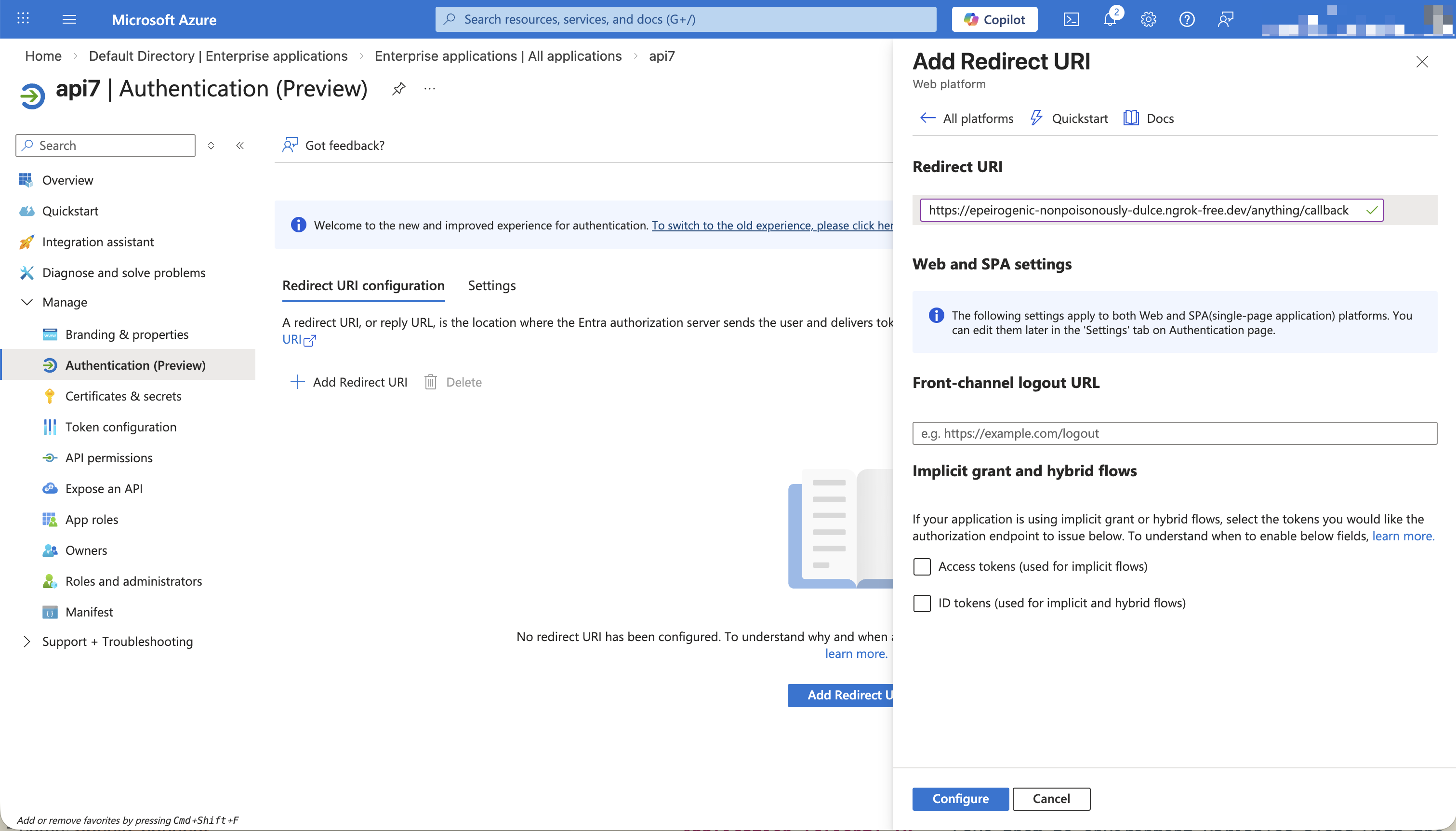
Configure the redirect URI in the IdP and the plugin:
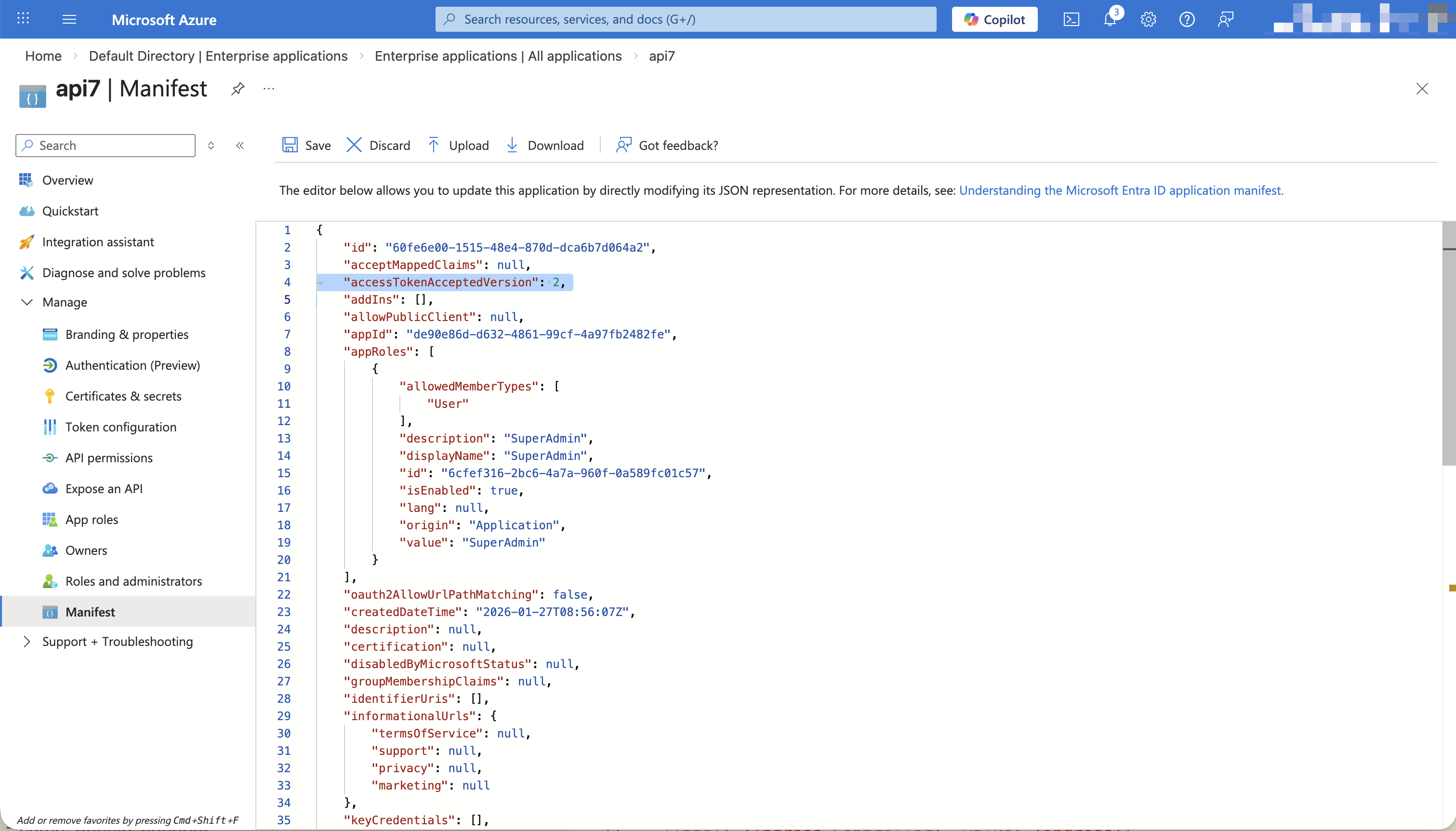
Set the token version to v2:
Copy the client information (such as client_id and client_secret) from the IdP:
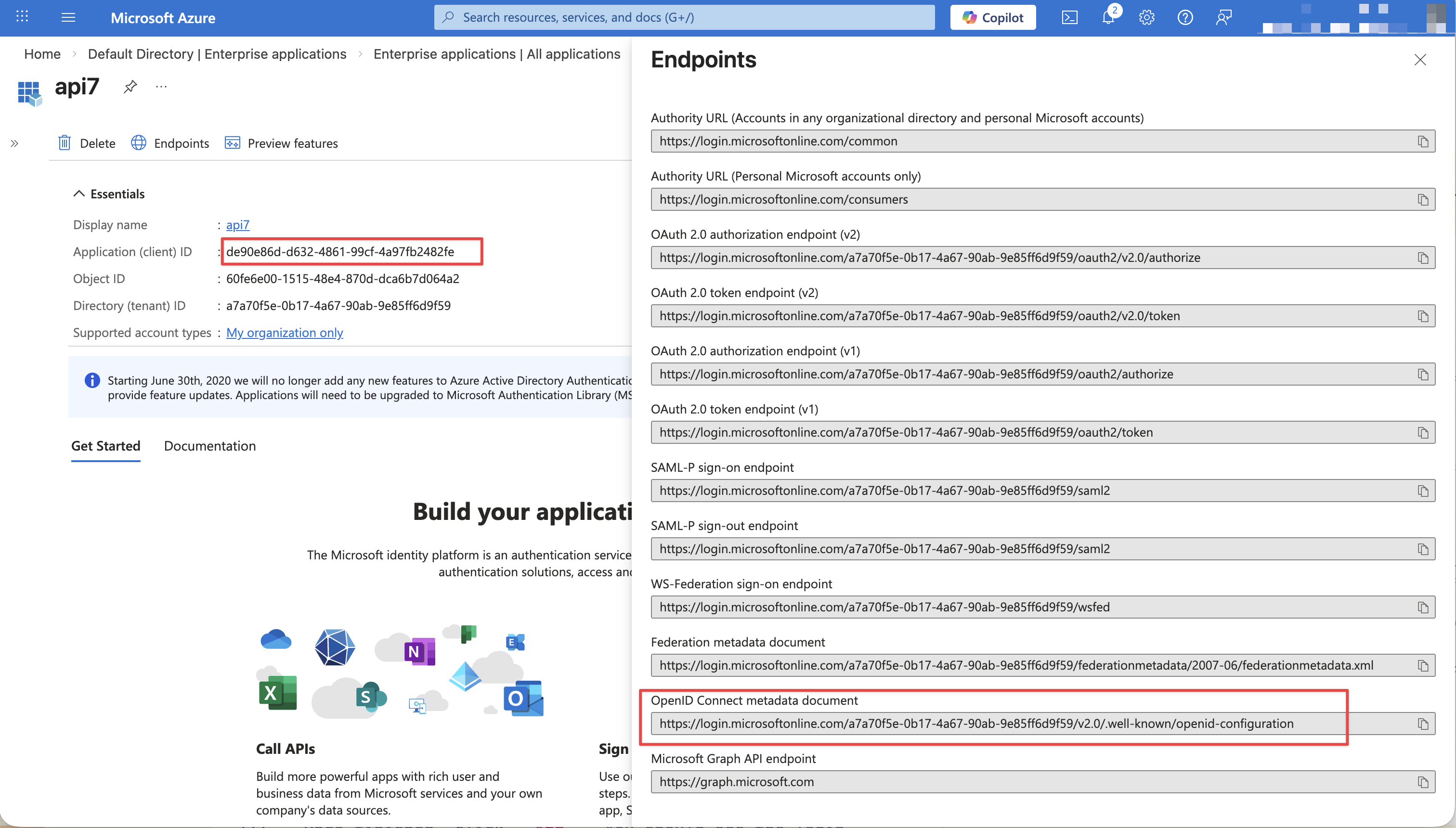
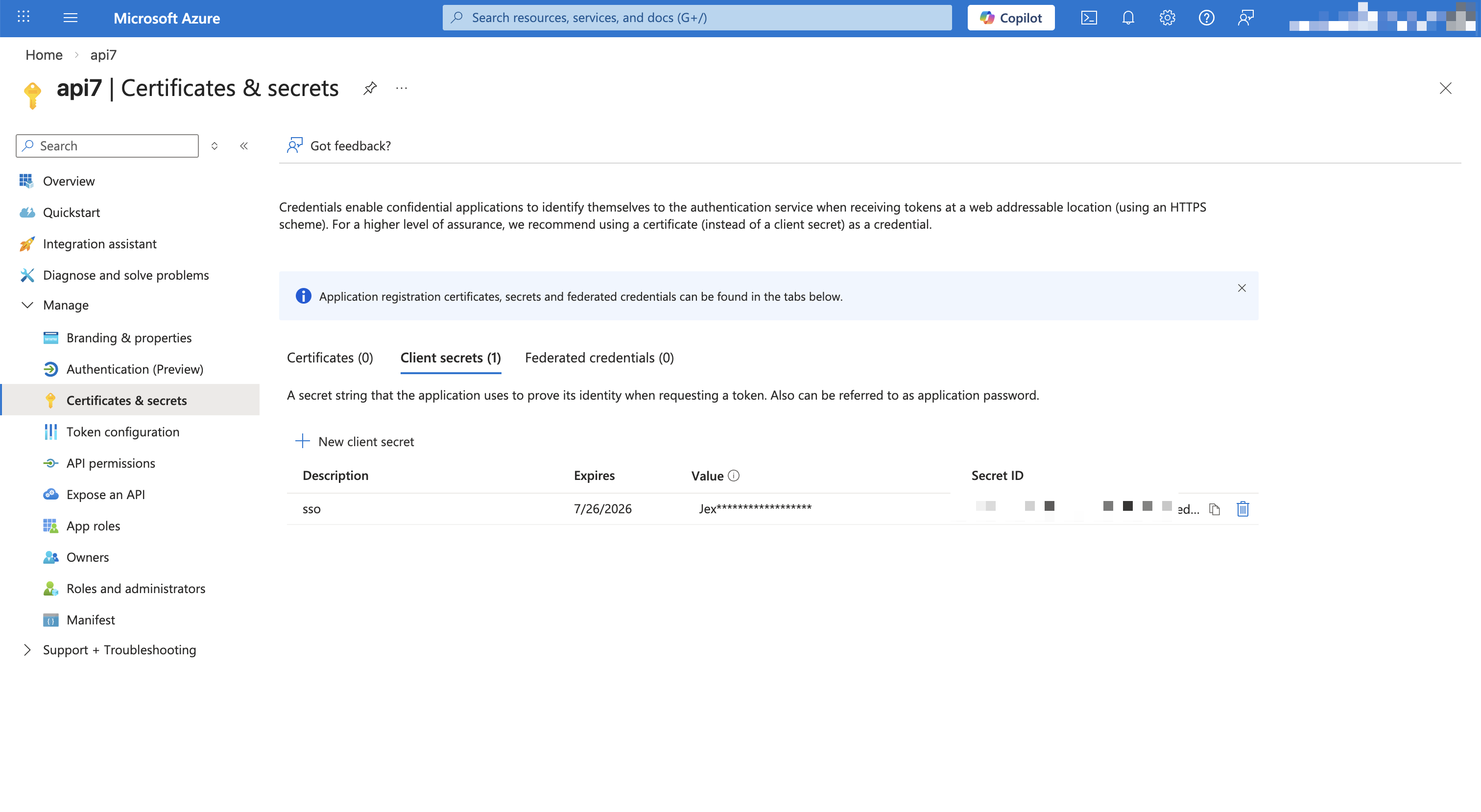
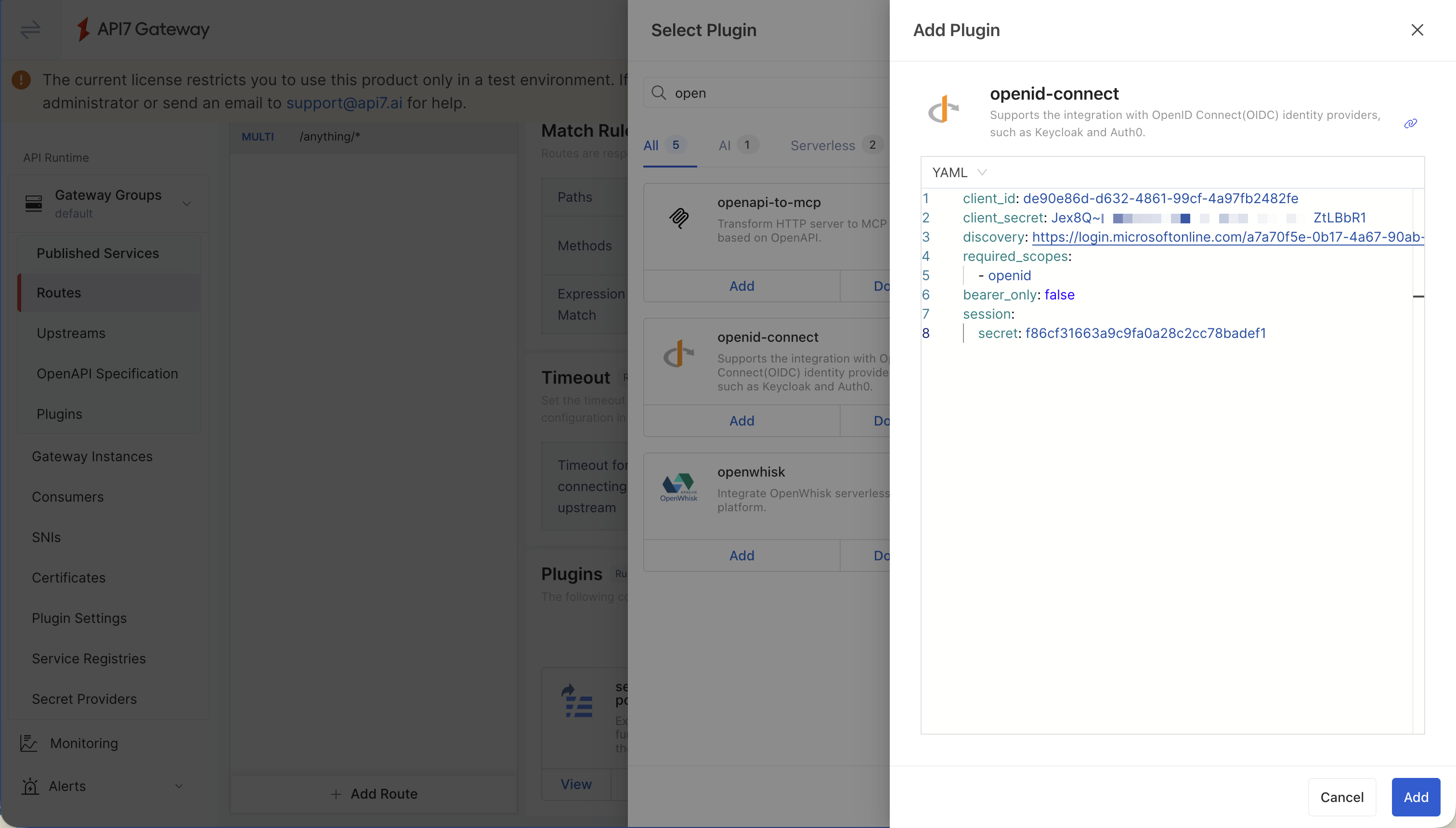
Configure the openid-connect plugin on the route. Replace the highlighted configuration with your values:
bearer_only: false
client_id: de90e86d-d632-4861-99cf-4a97fb2482fe
client_secret: Jex8Q~O.EwzJUQrwL.ji4eK4zCSgpmc4LZtLBbR1
discovery: https://login.microsoftonline.com/a7a70f5e-0b17-4a67-90ab-9e85ff6d9f59/v2.0/.well-known/openid-configuration
redirect_uri: https://your-gateway.com/anything/callback
required_scopes:
  - openid
scope: openid email profile
session:
  secret: f86cf31663a9c9fa0a28c2cc78badef1
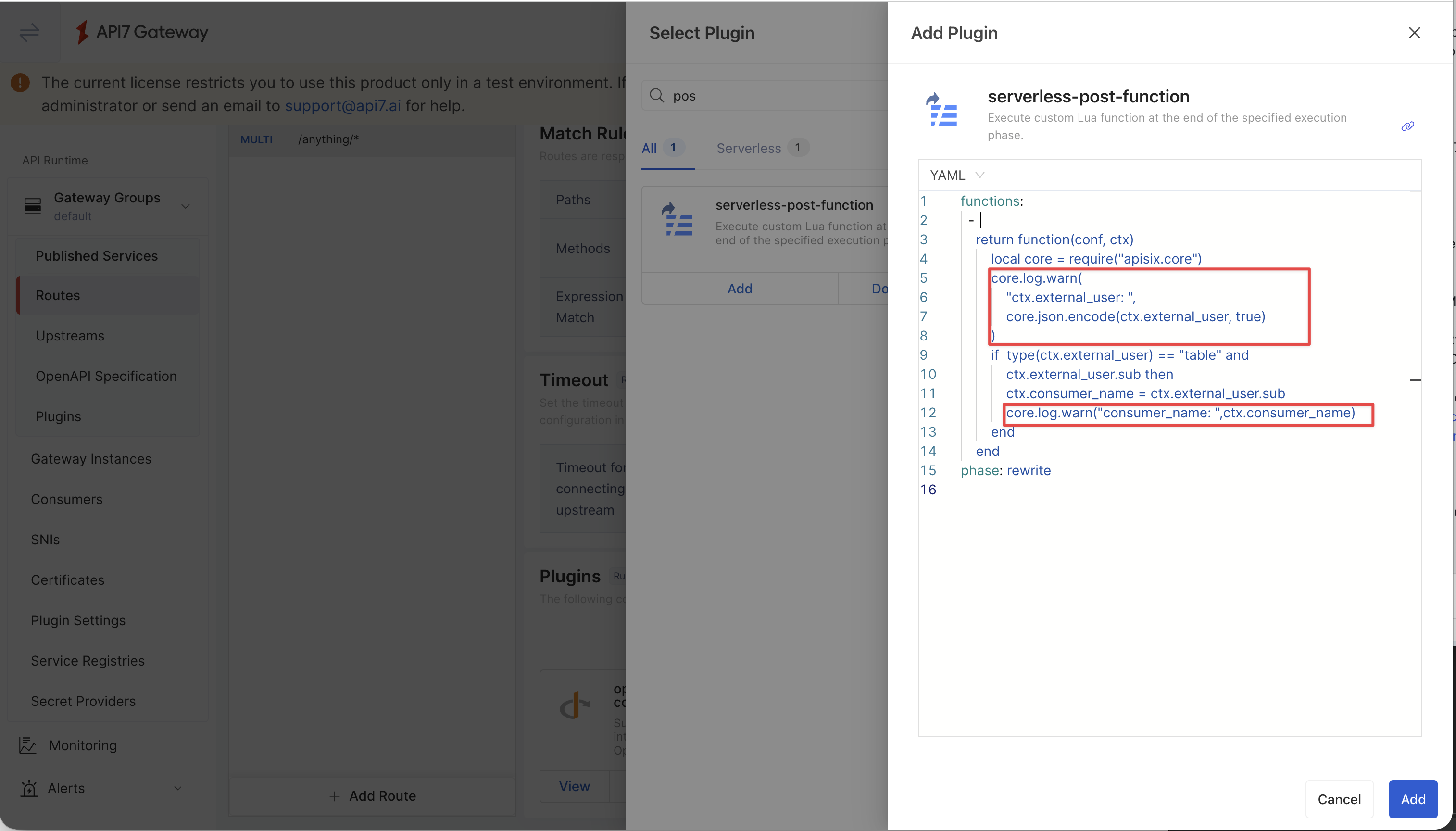
Set consumer_name with serverless-post-function
Use the resolved sub in ctx.external_user to set the request consumer_name:
phase: rewrite
functions:
  - |
    return function(conf, ctx)
        local core = require("apisix.core")
        core.log.warn(
            "ctx.external_user: ",
            core.json.encode(ctx.external_user, true)
        )
        if type(ctx.external_user) == "table" and ctx.external_user.sub then
            ctx.consumer_name = ctx.external_user.sub
            core.log.warn("consumer_name: ", ctx.consumer_name)
        end
    end
Verify
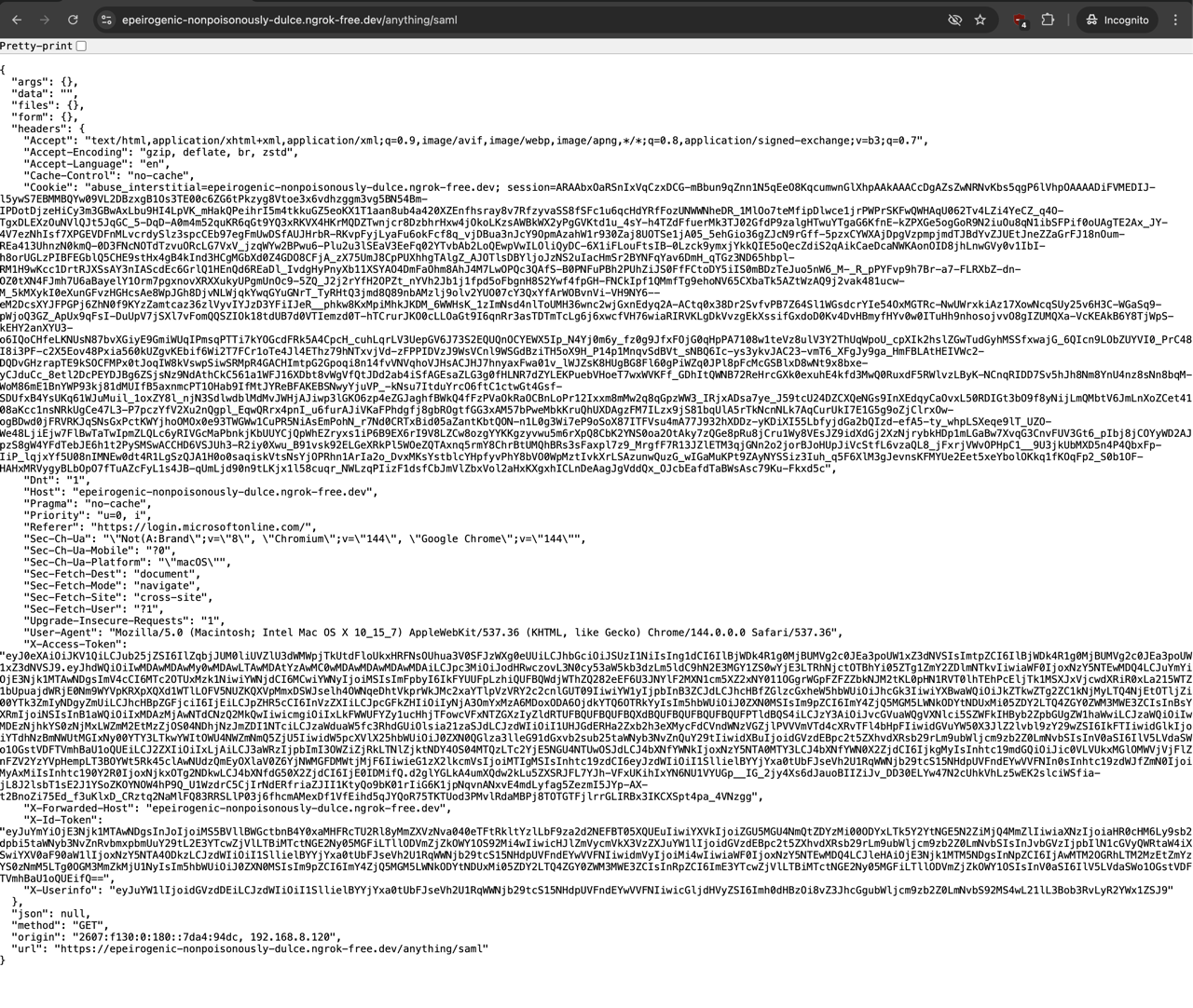
Visit the route in browser to complete OpenID Connect authentication:
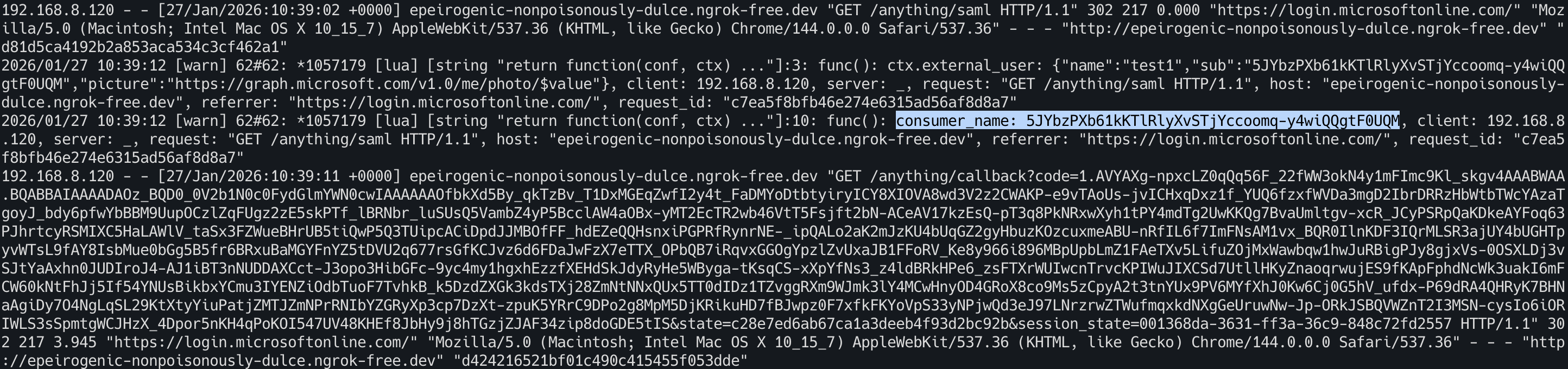
Check the gateway access log to verify that consumer_name is set:
Using SAML Auth
Configure the SAML Auth Plugin
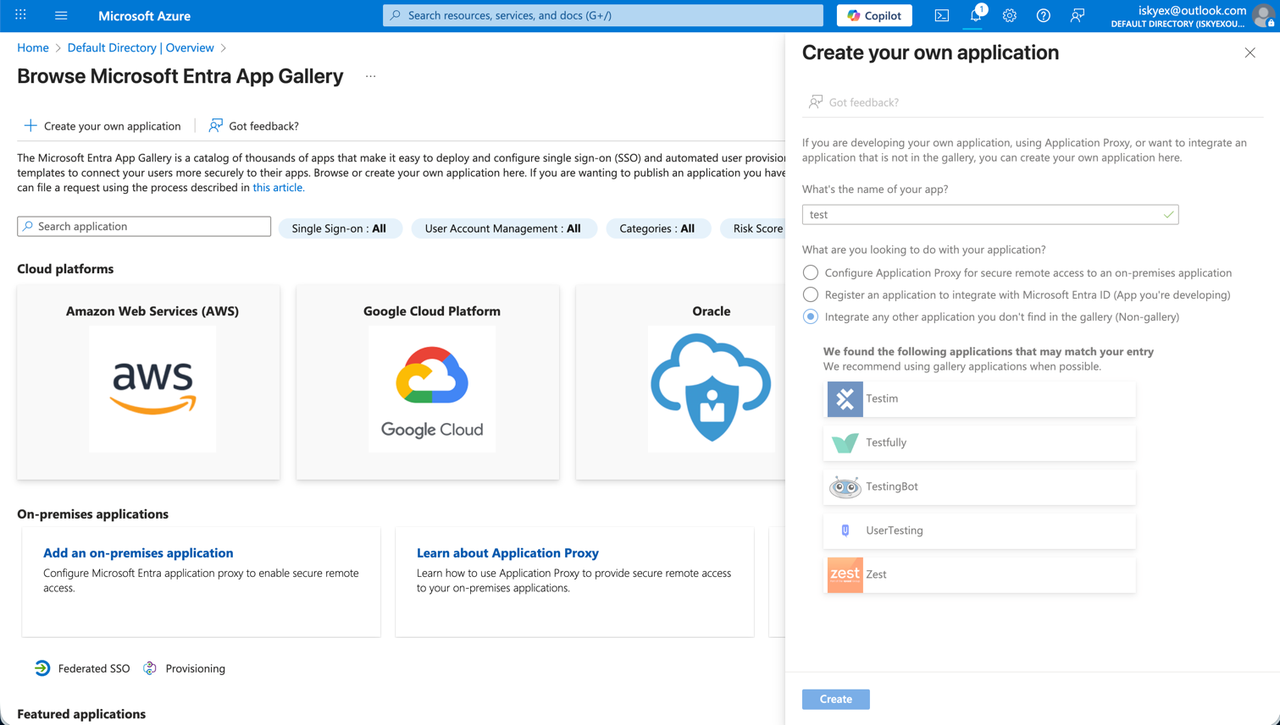
Log in to the Azure portal, go to the Enterprise applications service and create a new SAML application.
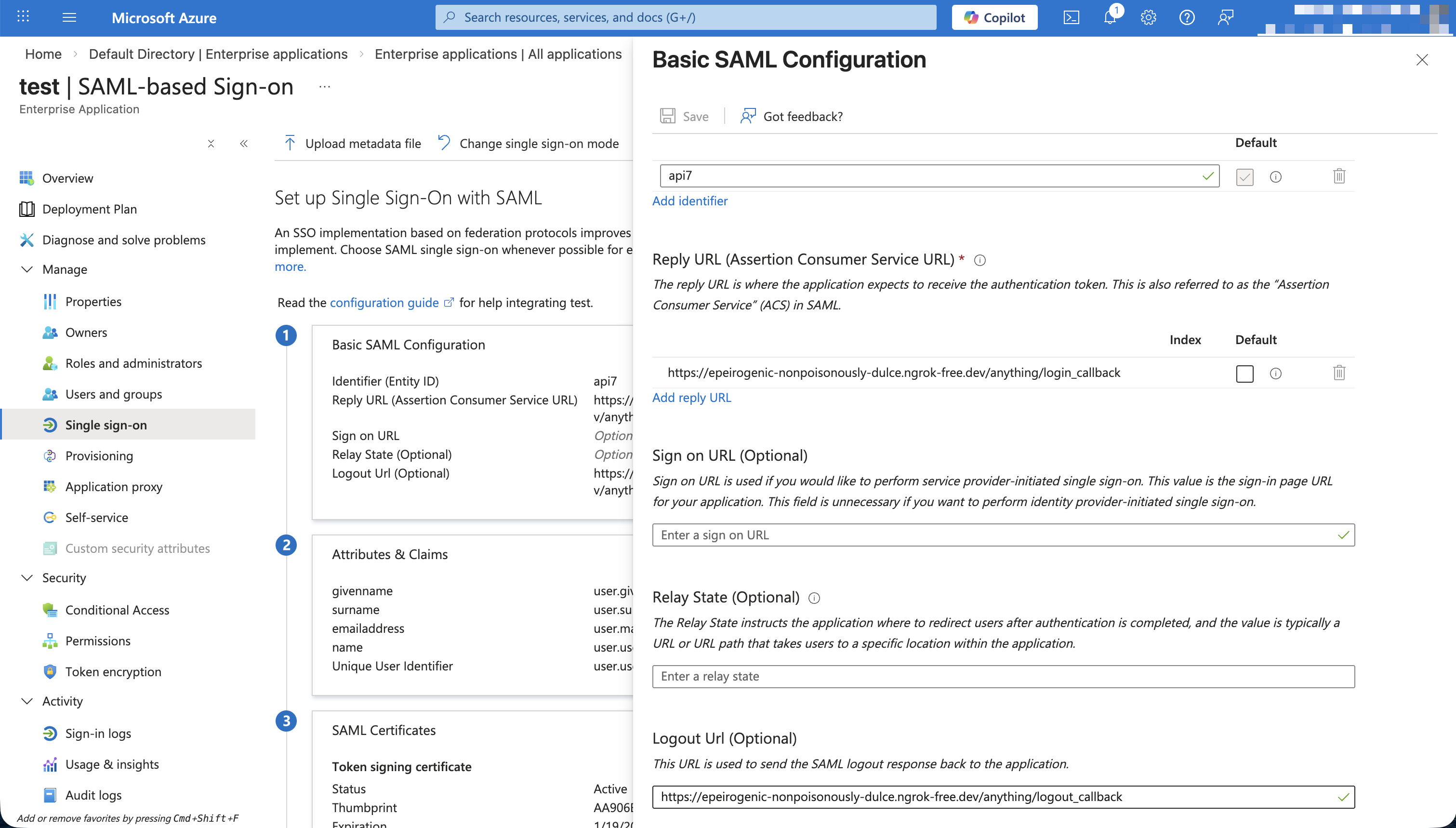
Configure the SAML application in the IdP:
Copy the IdP metadata and certificate information:
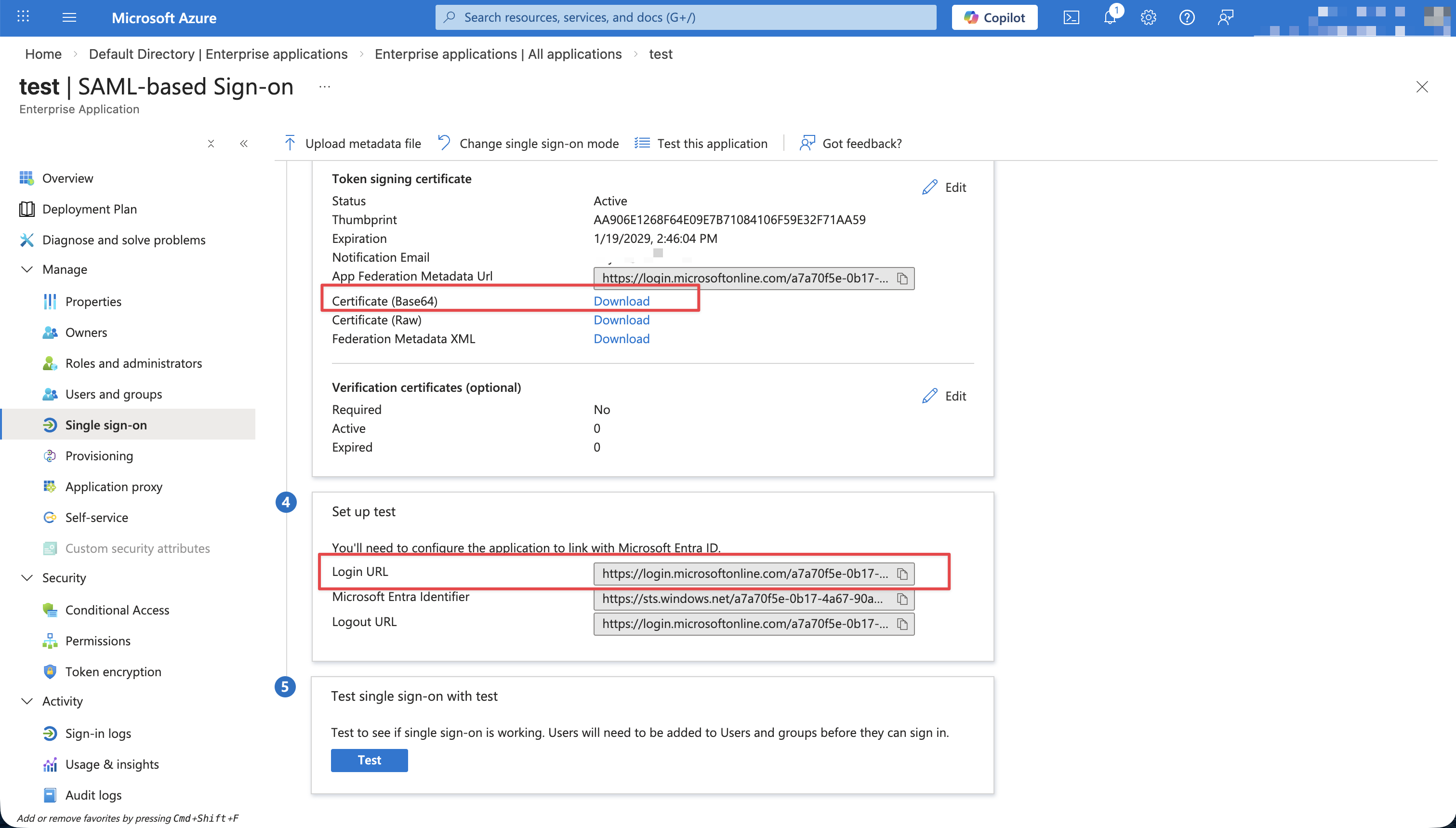
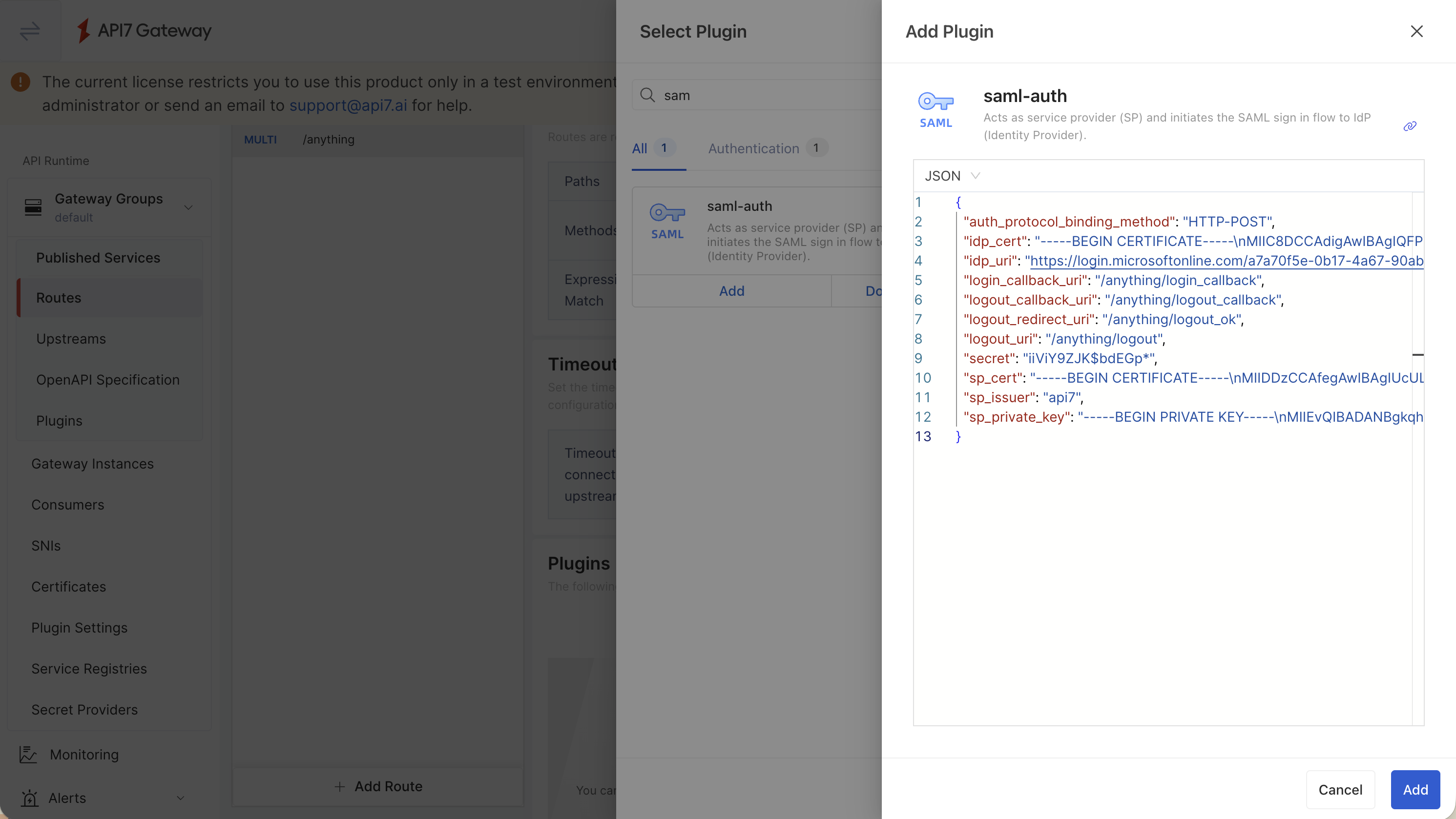
Configure the saml-auth plugin on the route. Replace the highlighted configuration with your values:
auth_protocol_binding_method: HTTP-POST
idp_cert: |-
  -----BEGIN CERTIFICATE-----
  MIIC8DCCAdigAwIBAgIQFP0SV5NUxJxBB6125kRy4zANBgkqhkiG9w0BAQsFADA0MTIwMAYDVQQD
  EylNaWNyb3NvZnQgQXp1cmUgRmVkZXJhdGVkIFNTTyBDZXJ0aWZpY2F0ZTAeFw0yNjAxMTkwNjQ2
  MDRaFw0yOTAxMTkwNjQ2MDRaMDQxMjAwBgNVBAMTKU1pY3Jvc29mdCBBenVyZSBGZWRlcmF0ZWQg
  U1NPIENlcnRpZmljYXRlMIIBIjANBgkqhkiG9w0BAQEFAAOCAQ8AMIIBCgKCAQEAvWTXi5qeU2oH
  ...
  io9oACxmTrSUJWyGQbPZtrwGUQIDAQABMA0GCSqGSIb3DQEBCwUAA4IBAQCAKT5abG4qxLpEraNU
  -----END CERTIFICATE-----

idp_uri: https://login.microsoftonline.com/a7a70f5e-0b17-4a67-90ab-9e85ff6d9f59/saml2
login_callback_uri: /anything/login_callback
logout_callback_uri: /anything/logout_callback
logout_redirect_uri: /anything/logout_ok
logout_uri: /anything/logout
secret: testsecret
sp_cert: |-
  -----BEGIN CERTIFICATE-----
  MIIDDzCCAfegAwIBAgIUcULAtArasoM/knVgg/RYEaJDq+IwDQYJKoZIhvcNAQEL
  ...
  5V60djI2y+XTkvDCz/o/1YftMw==
  -----END CERTIFICATE-----
sp_issuer: api7
sp_private_key: |-
  -----BEGIN PRIVATE KEY-----
  MIIEvQIBADANBgkqhkiG9w0BAQEFAASCBKcwggSjAgEAAoIBAQDiVOfSpH5xTz8d
  ...
  IwBDUu3iS4CcCX18UwwiSjE=
  -----END PRIVATE KEY-----
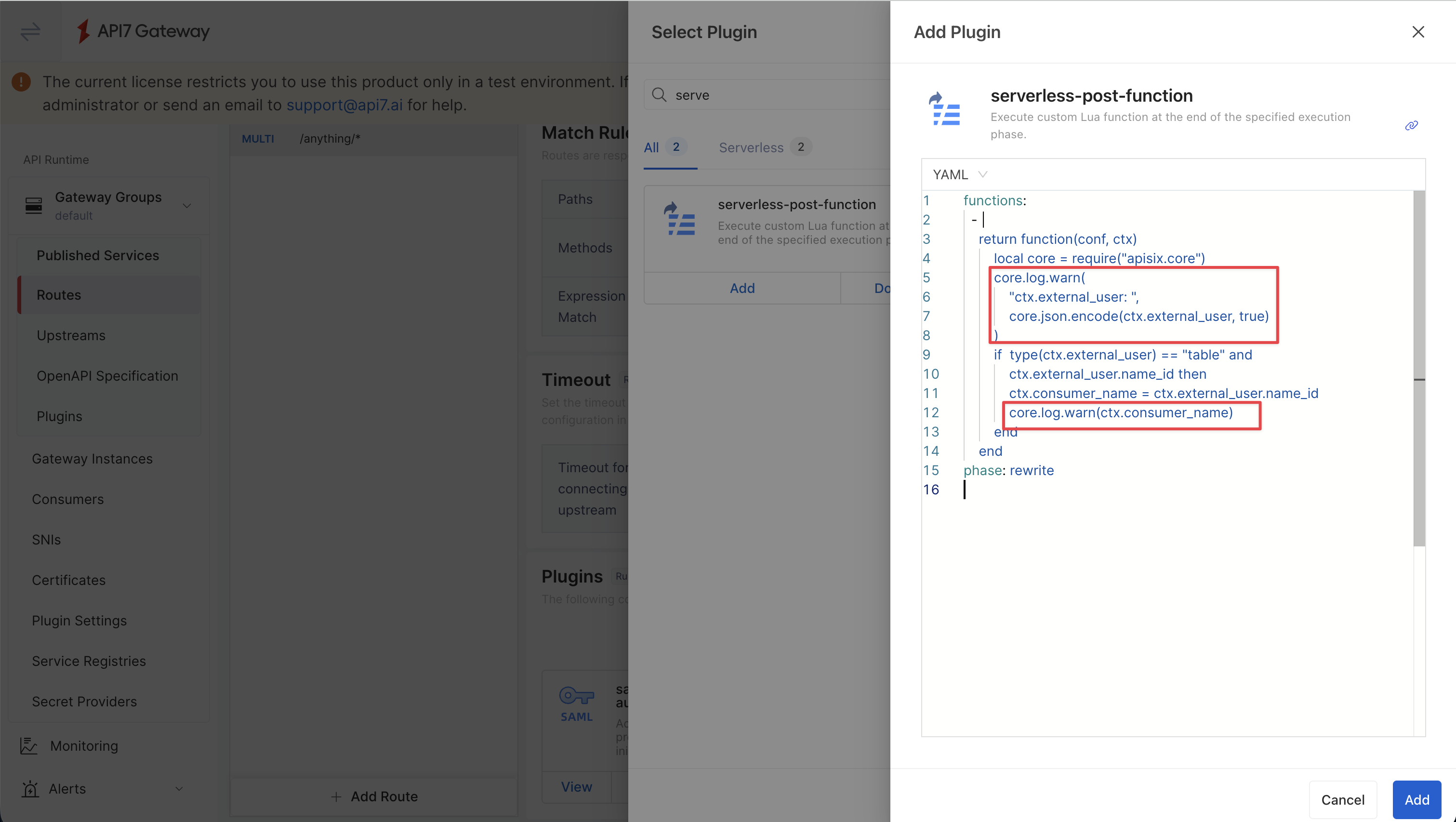
Set consumer_name with serverless-post-function
Use the resolved name_id in ctx.external_user to set the request consumer_name:
phase: rewrite
functions:
  - |
    return function(conf, ctx)
        local core = require("apisix.core")
        core.log.warn(
            "ctx.external_user: ",
            core.json.encode(ctx.external_user, true)
        )
        if type(ctx.external_user) == "table" and ctx.external_user.name_id then
            ctx.consumer_name = ctx.external_user.name_id
            core.log.warn("consumer_name: ", ctx.consumer_name)
        end
    end
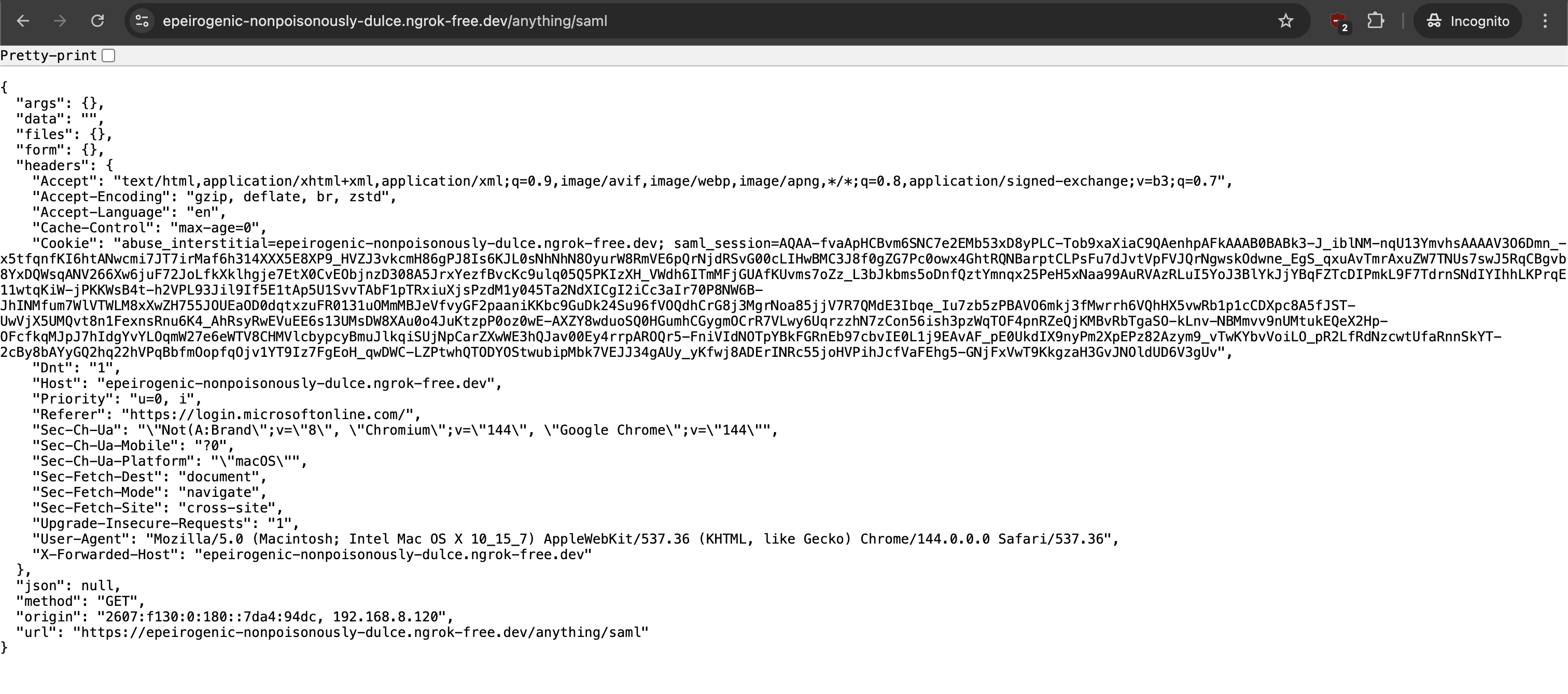
Verify
Visit the route in browser to complete SAML authentication:
Check the gateway access log to verify that consumer_name is set:

Forward User Information Headers to Upstream
Using OpenID Connect
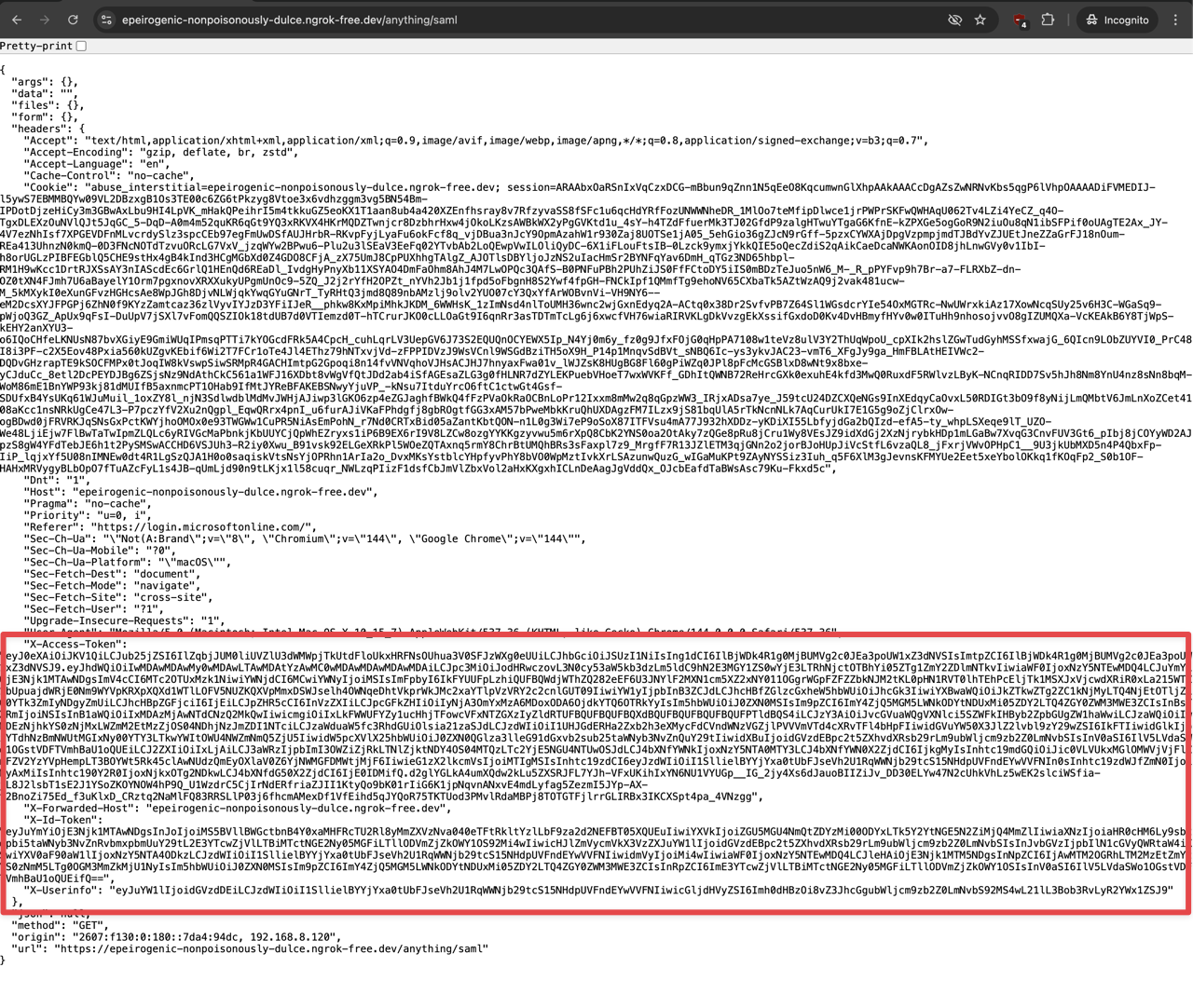
The openid-connect plugin has built-in support for forwarding user information to upstream services. No additional serverless-post-function configuration is needed for OpenID Connect user information forwarding.
Using SAML Auth
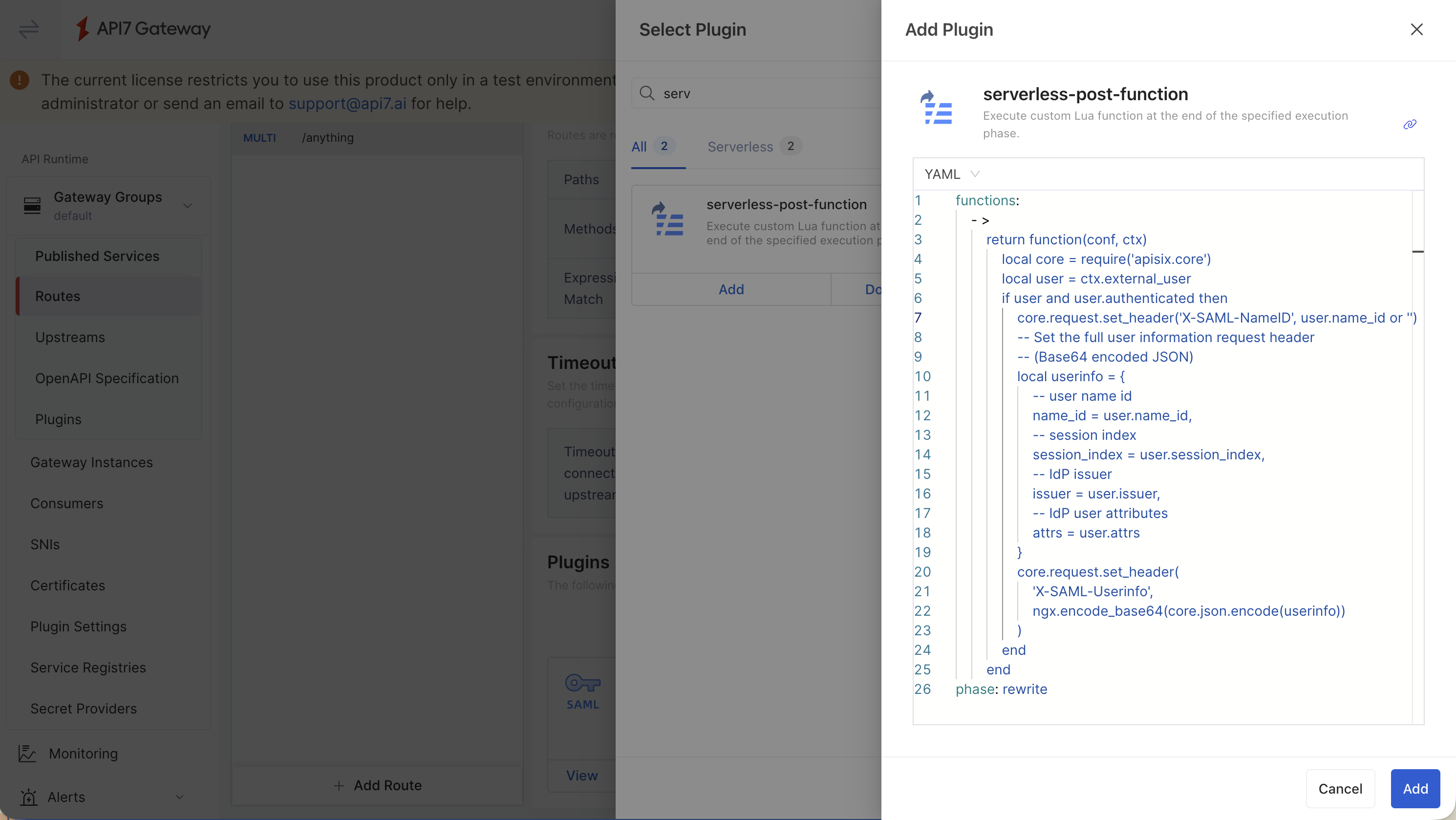
Use serverless-post-function to extract user information from ctx.external_user and set custom request headers.
phase: rewrite
functions:
  - |
    return function(conf, ctx)
        local core = require('apisix.core')
        local user = ctx.external_user
        if user and user.authenticated then
            core.request.set_header('X-SAML-NameID', user.name_id or '')
            -- Set the full user information request header
            -- (Base64 encoded JSON)
            local userinfo = {
                -- user name id
                name_id = user.name_id,
                -- session index
                session_index = user.session_index,
                -- IdP issuer
                issuer = user.issuer,
                -- IdP user attributes
                attrs = user.attrs
            }
            core.request.set_header(
                'X-SAML-Userinfo',
                ngx.encode_base64(core.json.encode(userinfo))
            )
        end
    end
Verify
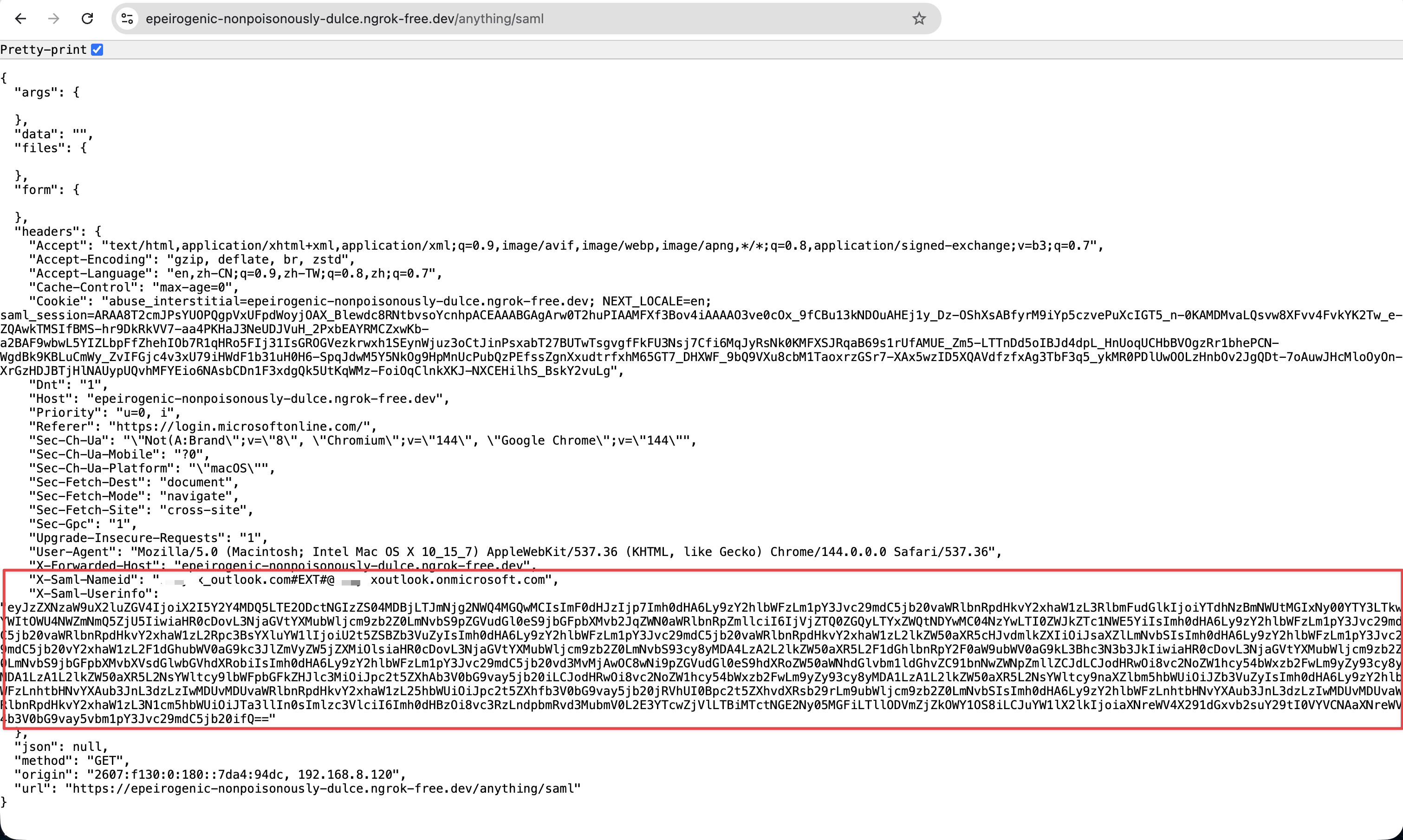
Send a request to the route after authenticating with the SAML identity provider. The upstream service should receive headers similar to:
X-SAML-NameID: xxxx
X-SAML-Userinfo: xxxx
Additional Resources
- Key Concepts
- Best Practices
- Plugin Hub