
Semantic Routing with TypeSafe Jev
A semantic router can decide in one of two ways. By default it compares an embedding of the request with each route's examples. With the TypeSafe jev decision backend, AISIX instead asks TypeSafe's hosted jev decision model which of the configured routes fits the request.
For each request, AISIX sends jev the latest user text and every route's name and description. See What the Router Classifies for how that text is chosen. Jev returns one route and a confidence score, so this mode needs no examples, embedding model, or similarity threshold.
After the decision, the selected route's target serves the request and the access log records the route. A request that no route serves uses the default model. Targets can be model groups, and session affinity avoids another jev call for a pinned session.
Before You Use It
Review these constraints before choosing this backend:
| Consideration | Behavior |
|---|---|
| Request path | Each unpinned request makes one synchronous call to TypeSafe before dispatch. The gateway needs outbound access, and TypeSafe receives the latest user text. |
| Language | Evaluate routing with representative prompts in every language the application serves. |
| Accounting | AISIX Enterprise and AISIX Cloud record the jev call as an internal call and bill it at the decision model's price. AISIX OSS records the call without calculating cost. TypeSafe bills the call separately. |
| Dashboard helpers | Test routing and Auto-detect thresholds support embedding-based routers only. |
Prerequisites
Before starting, prepare the following:
- A TypeSafe API key.
- In AISIX Enterprise or AISIX Cloud, a price for the decision model, if its decision calls should cost something.
- A default target and at least one route target. Each is a direct model or a model group.
- A caller API key that can call the semantic router alias.
- For AISIX Enterprise or AISIX Cloud, an environment with an attached gateway. Dashboard users need permission to manage provider keys, models, and caller API keys. AISIX Cloud Admin API users need a write-scoped admin token.
- For the open-source AISIX gateway, a running gateway and access to the declarative resources file.
- If you use the Admin API to configure AISIX Enterprise or AISIX Cloud, install
curlandjq.
Create a TypeSafe Provider Key and Decision Model
The jev call authenticates with a provider key whose provider is typesafe. Its secret is your TypeSafe API key, which AISIX sends as a bearer token. api_base is optional and defaults to https://api.typesafe.ai.
The same key can back direct decision models on /v1/systemone and /v1/decisions. The managed API does not allow it on an embedding model or delete it while a model or router still references it. A TypeSafe model cannot serve as a route, default, or failure target because semantic-router targets receive Chat Completions requests.
- AISIX Enterprise or Cloud
- AISIX OSS
Allow the provider key in the environment where the router will run.
- Dashboard
- Admin API
- Open Provider keys and select New provider key. Enter
typesafeas the Display name, choose the TypeSafe provider, and enter the secret in Upstream API key. - Leave API base empty to use
https://api.typesafe.ai, unless your deployment needs an override.
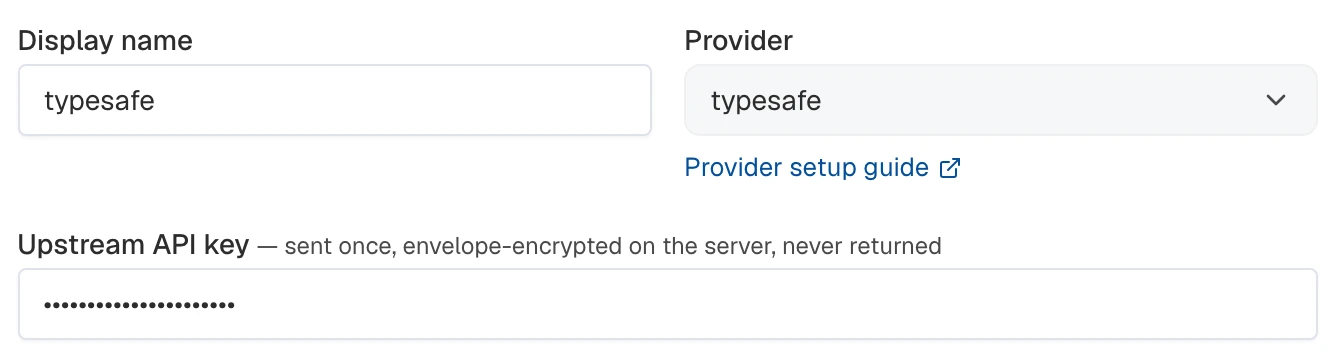
- Under Allowed environments, select the router's environment. Select Create provider key.

- Open the environment's Models page. Select Create model and choose Direct model.
- Set Display name to
jev, Upstream model id tojev-latest, and select the TypeSafe provider key.
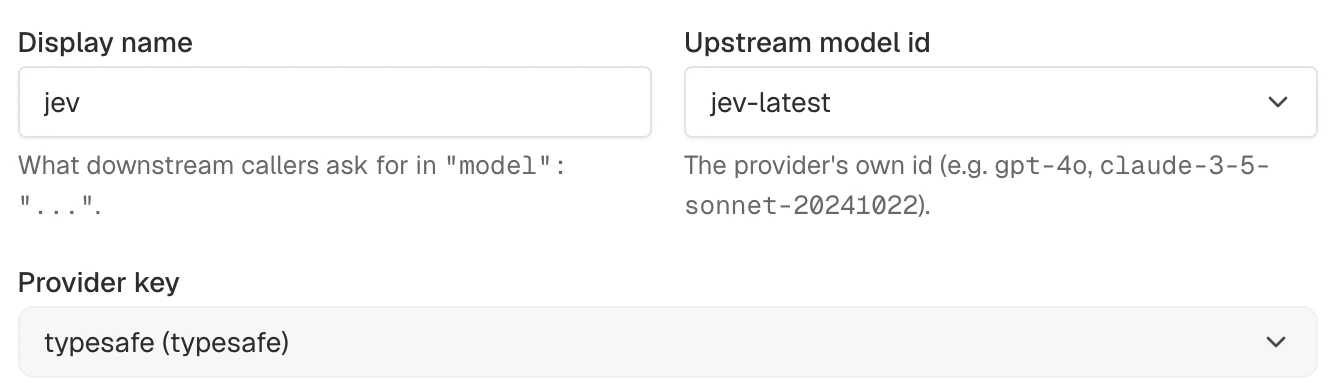
- Create the model. Its credential and upstream model name are used for classifier calls. Configure its price if those internal calls should be billed.
Export the control-plane connection details and your TypeSafe API key:
# AISIX_CP is the Admin API base URL; include /api and omit a trailing slash.
# The local AISIX Enterprise quickstart uses http://localhost:8080/api.
export AISIX_CP="YOUR_AISIX_CONTROL_PLANE_API_URL"
export AISIX_TOKEN="YOUR_ADMIN_TOKEN"
export ENV_ID="YOUR_ENVIRONMENT_ID"
export TYPESAFE_API_KEY="YOUR_TYPESAFE_API_KEY"
export API_KEY_ID="YOUR_CALLER_API_KEY_RESOURCE_ID"
Create the provider key, allow it in the environment, and capture its ID:
TYPESAFE_KEY_ID=$(curl -sS -X POST "$AISIX_CP/provider_keys" \
  -H "Authorization: Bearer $AISIX_TOKEN" \
  -H "Content-Type: application/json" \
  -d '{
    "display_name": "typesafe",
    "provider": "typesafe",
    "api_key": "'"$TYPESAFE_API_KEY"'",
    "allowed_environments": ["'"$ENV_ID"'"]
  }' | jq -r '.provider_key.id')
In AISIX Enterprise and AISIX Cloud, the router does not call the key directly. It references a direct model on the key, the decision model, and calls it the way a /v1/systemone request to that model is called. Create the decision model and capture its ID:
JEV_MODEL_ID=$(curl -sS -X POST "$AISIX_CP/environments/$ENV_ID/models" \
  -H "Authorization: Bearer $AISIX_TOKEN" \
  -H "Content-Type: application/json" \
  -d '{
    "display_name": "jev",
    "model_name": "jev-latest",
    "provider_key_id": "'"$TYPESAFE_KEY_ID"'"
  }' | jq -r '.model.id')
jev-latest is TypeSafe's alias for its most recent stable, official release. The decision model's price is the price of the router's decision calls; see Decision Models for how to set it. The router's decision calls do not need the model in a caller API key's allowed models.
Add the key to the provider_keys collection and supply the secret through an environment variable:
provider_keys:
  - id: 52cfff8d-2e5f-44fc-bb08-dfdfd9519c49
    display_name: typesafe
    provider: typesafe
    api_key: ${TYPESAFE_API_KEY}
Configure a Jev Router
Every route needs a name, a target, and a description. Write each description as a statement of which requests the route handles, because it is the only thing jev reads about the route. Routes take no examples and no threshold in this mode.
- AISIX Enterprise or Cloud
- AISIX OSS
Create the router using the prepared targets and TypeSafe configuration.
- Dashboard
- Admin API
Open the environment's Models page, select Create model, and choose Semantic router.
- Set Display name to
support-routerand Decision backend to TypeSafe jev classifier. - Select the
jevmodel under Decision model. Keep Minimum confidence at0.5and Timeout (ms) at3000.
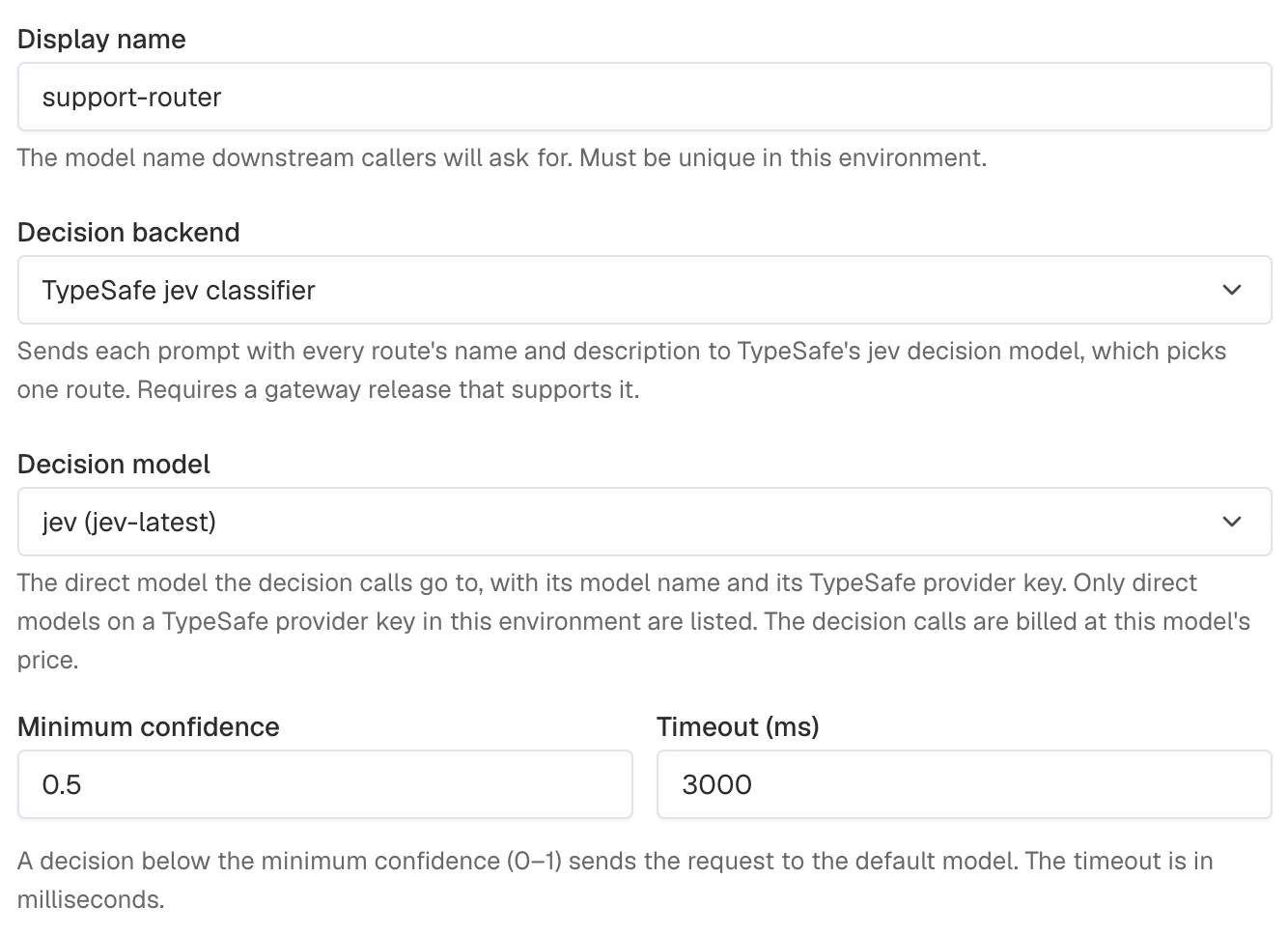
If the selected decision model has no price, the form links to Model pricing. Configure pricing there if its decision calls should be billed.
- Under Routes, add
billing, select the billing target, and enter its Description:
Questions about invoices, payments, refunds, and subscription plans
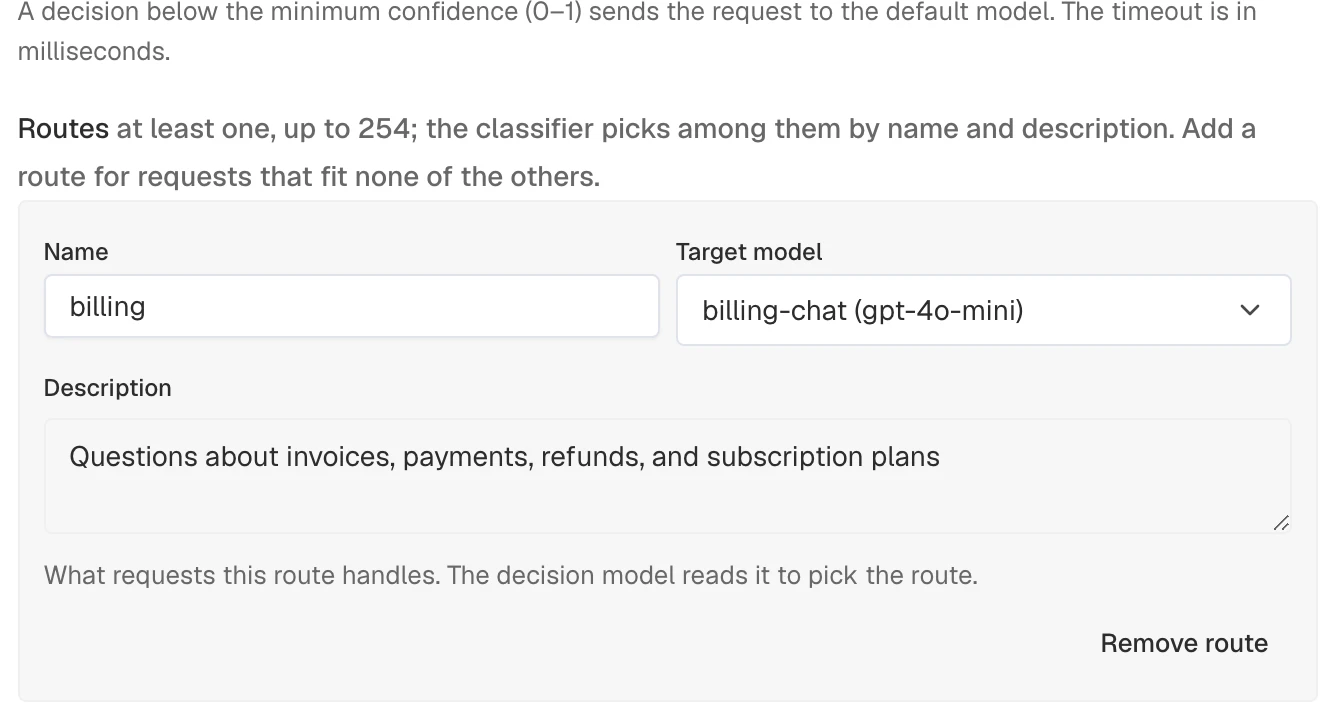
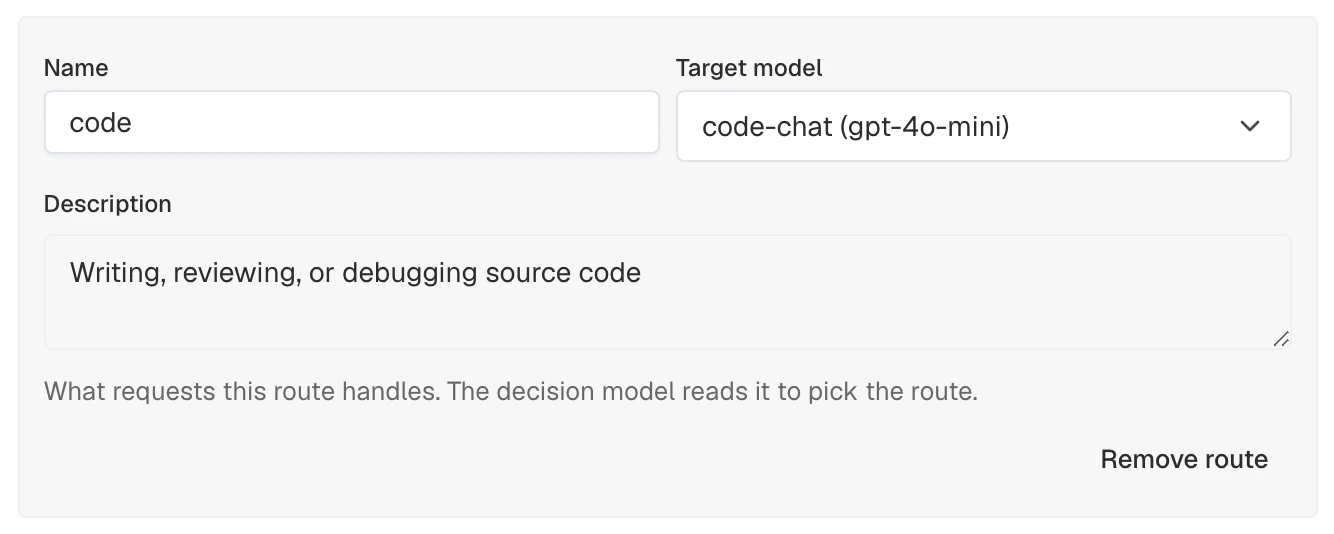
- Add
code, select the code target, and enter its description:
Writing, reviewing, or debugging source code
- Select the prepared default model. Keep On classifier failure set to fall back to that model for this example. This control is in the main form.
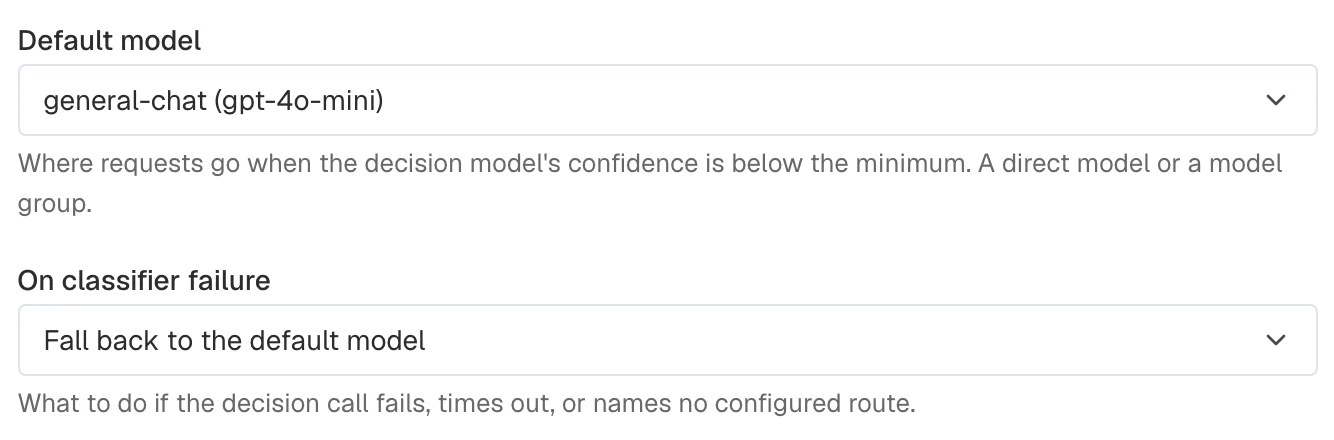
- Select Create semantic router and check the saved classifier backend and route count. Reopen Edit to inspect the route targets and default model.

An all-model caller key already grants the new alias. Otherwise, open API keys and edit a caller whose plaintext you saved, or create a new key. Keep Selected models, add support-router under Allowed models, and retain every model the caller still needs.

For an existing key, select Save changes. For a new key, select Create API key, copy its plaintext from One-time view, then select I've saved it.
The provider-key and router rows support Edit and Delete. To remove the setup, delete or update the router before deleting its decision model. Delete the TypeSafe provider key only after all referencing models and routers have been removed. Confirm deletion when removing the router.
Export the IDs of the target models. Each can be a direct model or a model group:
export DEFAULT_MODEL_ID="YOUR_DEFAULT_MODEL_ID"
export BILLING_MODEL_ID="YOUR_BILLING_MODEL_ID"
export CODE_MODEL_ID="YOUR_CODE_MODEL_ID"
Create the semantic router with a classifier block:
SEMANTIC_MODEL_ID=$(curl -sS -X POST "$AISIX_CP/environments/$ENV_ID/models" \
  -H "Authorization: Bearer $AISIX_TOKEN" \
  -H "Content-Type: application/json" \
  -d '{
    "kind": "semantic",
    "display_name": "support-router",
    "semantic": {
      "classifier": {
        "type": "jev",
        "model_id": "'"$JEV_MODEL_ID"'",
        "min_confidence": 0.5,
        "timeout_ms": 3000,
        "on_failure": {"mode": "default"}
      },
      "default_model_id": "'"$DEFAULT_MODEL_ID"'",
      "routes": [
        {
          "name": "billing",
          "target_model_id": "'"$BILLING_MODEL_ID"'",
          "description": "Questions about invoices, payments, refunds, and subscription plans"
        },
        {
          "name": "code",
          "target_model_id": "'"$CODE_MODEL_ID"'",
          "description": "Writing, reviewing, or debugging source code"
        }
      ]
    }
  }' | jq -r '.model.id')
If the caller key uses all-model access, it already grants the new router. Otherwise, read its current allowlist, append the router ID, and write the complete list back. The saved configuration is projected to attached gateways automatically:
curl -sS "$AISIX_CP/environments/$ENV_ID/api_keys" \
  -H "Authorization: Bearer $AISIX_TOKEN" \
  | jq -ec --arg key_id "$API_KEY_ID" --arg id "$SEMANTIC_MODEL_ID" '
      .data[] | select(.id == $key_id)
      | {allowed_models: ((.allowed_models // []) + [$id] | unique)}' \
  | curl -sS -X PATCH "$AISIX_CP/environments/$ENV_ID/api_keys/$API_KEY_ID" \
      -H "Authorization: Bearer $AISIX_TOKEN" \
      -H "Content-Type: application/json" \
      --data-binary @- | jq
The classifier block accepts these fields:
| Field | Required | Default | Description |
|---|---|---|---|
type | Yes | The decision model family. jev is the only value. | |
model_id | Yes | ID of the decision model: a direct model in the same environment, on a provider key whose provider is typesafe, and not a wildcard alias. The decision calls use its model_name and its provider key's API key, api_base, request overrides, and request headers. | |
min_confidence | No | 0.5 | Lowest confidence, from 0 to 1, at which the picked route is used. A pick below it sends the request to the default model. |
timeout_ms | No | 3000 | Deadline for the jev call, in milliseconds. At least 1. |
on_failure | No | {"mode": "default"} | What to do when the call fails. See Handle Classifier Failures. |
The classifier also enforces these constraints:
| Area | Requirement |
|---|---|
| Router fields | Do not set embedding_model_id, threshold, embedding_timeout_ms, or on_embedding_failure. |
| Route fields | Each route requires a non-empty description and must not set examples or threshold. |
| Route set | Names must be unique; at most 254 routes are accepted. |
| Decision model reference | model_id is required. The managed API rejects legacy provider_key_id and model fields with 400. |
Add the direct decision model and semantic router to the models collection. The classifier references the decision model by ID; route targets and the default model use display names:
models:
  - id: 6b4b2655-1c76-4fc6-af0b-7be0547f227c
    display_name: jev
    provider: typesafe
    model_name: jev-latest
    provider_key_id: 52cfff8d-2e5f-44fc-bb08-dfdfd9519c49
  - id: 0067f34d-5ffb-43ad-826f-ebfc506b3609
    display_name: support-router
    semantic:
      classifier:
        type: jev
        model_id: 6b4b2655-1c76-4fc6-af0b-7be0547f227c
        min_confidence: 0.5
        timeout_ms: 3000
        on_failure: default
      default: general-chat
      routes:
        - name: billing
          target: billing-chat
          description: Questions about invoices, payments, refunds, and subscription plans
        - name: code
          target: code-chat
          description: Writing, reviewing, or debugging source code
The resources-file classifier follows these rules:
| Area | Behavior |
|---|---|
| Decision model | model_id takes precedence. The gateway resolves it to a direct model on a typesafe provider key when the request arrives. An invalid reference invokes on_failure. |
| Legacy reference | Without model_id, use provider_key_id and an optional model; the model defaults to jev-latest. |
| Router fields | Do not set embedding_model, embedding_model_id, embedding_timeout_ms, on_embedding_failure, or match. |
| Route fields | Do not set examples or threshold. |
| Export | aisix export preserves the stored classifier fields and reports a model_id with no exported model as a dangling reference. |
The complete file must also contain the TypeSafe provider key and all referenced target models. Add the router alias to the caller key's allowlist, then validate and reload the file.
Verify Route Selection
Export the gateway connection values:
# AISIX_PROXY is the gateway origin without a trailing slash or endpoint path.
# The local quickstarts use http://127.0.0.1:3000.
export AISIX_PROXY="YOUR_AISIX_GATEWAY_URL"
export AISIX_API_KEY="YOUR_CALLER_API_KEY"
Send a prompt that should match the code route:
curl -sSi -X POST "$AISIX_PROXY/v1/chat/completions" \
  -H "Authorization: Bearer $AISIX_API_KEY" \
  -H "Content-Type: application/json" \
  -d '{
    "model": "support-router",
    "messages": [
      {"role": "user", "content": "Help me debug a null pointer exception."}
    ]
  }'
Use the x-aisix-request-id response header to find the request's access-log line. Confirm these signals:
| Signal | Expected result |
|---|---|
| Access log | semantic_route="code"; semantic_score contains the classifier's confidence |
| Debug response header | x-aisix-route: code when proxy.expose_debug_headers is enabled |
Use semantic_score to tune min_confidence. If the classifier's confidence is too low, the access log records semantic_fallback="low_confidence" and preserves the score that fell short.
Reference the Decision Model
In AISIX Enterprise and AISIX Cloud, the classifier references its decision model by model_id. Keeping the reference has these effects:
- A decision model cannot be deleted while a router's classifier uses it. The deletion returns
409MODEL_IN_USEnaming the router. Point the router's classifier at another model, or delete the router, first. - A decision model cannot move to a provider key whose provider is not
typesafe, or be renamed into a wildcard alias, while a router's classifier uses it. Changing its provider key ormodel_nametakes effect on every router that uses it.
Older routers can reference the TypeSafe key and jev model directly. They read back with classifier.provider_key_id and classifier.model and keep routing, but their decision calls are not billed. The dashboard identifies this legacy configuration and requires a decision model before saving changes.
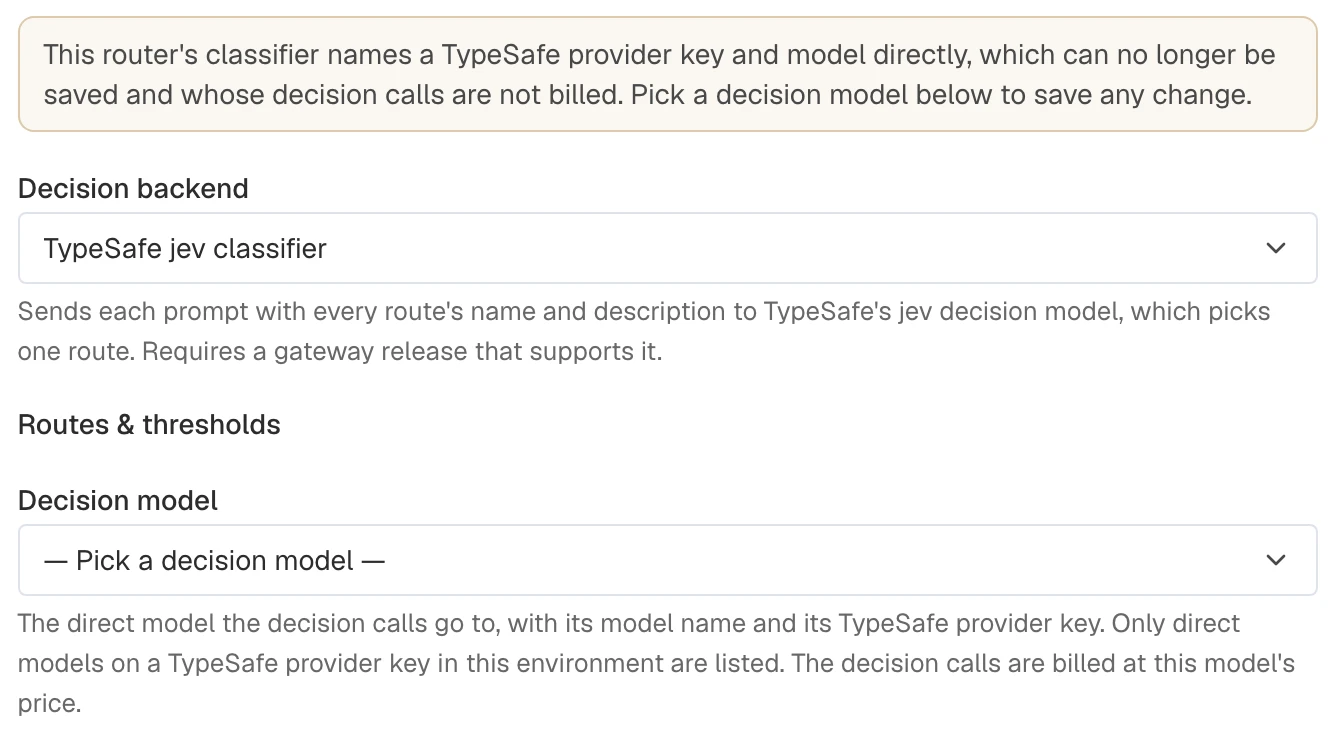
Updates that retain a jev classifier return HTTP 400 until the same request sets classifier.model_id, even when changing only the name, routes, or thresholds. The error identifies the legacy provider-key and model reference.
To convert the router in the dashboard:
- Create a decision model on its TypeSafe provider key, using the same upstream model name.
- Edit the router and select that Decision model.
- Save the changes.
For API automation, send the complete semantic block with classifier.model_id set. Omit the legacy provider_key_id and model fields from the classifier.
The control plane still writes the decision model's provider key and model name to the gateway beside model_id. A gateway released before 1.11.0 reads only those, so it calls the same model with the same key but does not report the decision calls for billing.
Route Requests That Fit No Route
Jev always chooses among the routes you configure. AISIX adds no "none of the above" option, so a request unrelated to every route still goes to whichever route jev finds closest, unless jev's confidence is below min_confidence.
To send unrelated requests somewhere specific, add a catch-all route of your own with a description such as "The request does not fit any of the other routes":
For AISIX Enterprise or AISIX Cloud, reference the target by model ID:
{
  "name": "other",
  "target_model_id": "YOUR_GENERAL_MODEL_ID",
  "description": "The request does not fit any of the other routes"
}
For AISIX OSS, reference the target by its display_name:
{
  "name": "other",
  "target": "general-chat",
  "description": "The request does not fit any of the other routes"
}
When writing descriptions:
- Keep each description specific. A broadly written description, such as "General questions", absorbs requests that belong nowhere else.
- Write descriptions in the same language as the traffic they route.
Handle Classifier Failures
on_failure applies when the jev call fails, times out after timeout_ms, or names no configured route. It also applies when the gateway cannot resolve the classifier's model_id to a direct model on a typesafe provider key. It takes the same values as an embedding router's on_embedding_failure, and defaults to the router's default model.
- AISIX Enterprise or Cloud
- AISIX OSS
- Dashboard
- Admin API
Edit the router and choose the required On classifier failure behavior. To use a specific fallback, select the specific-model option and its target, then save the router.
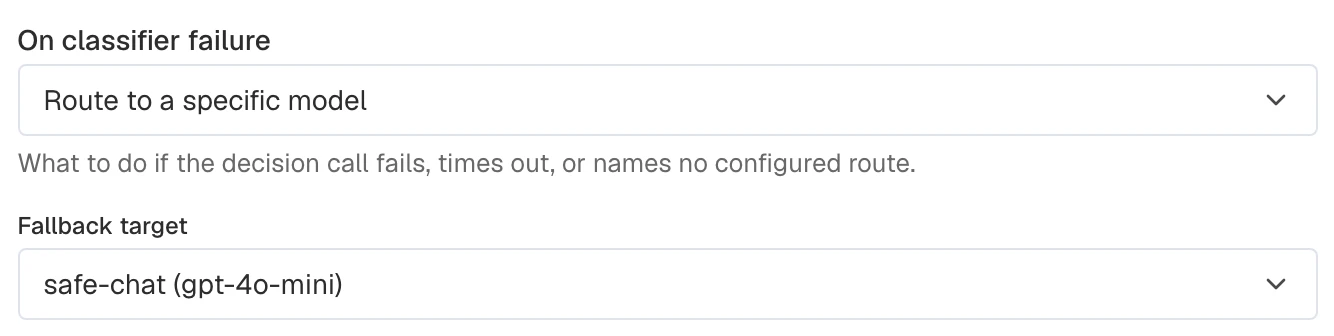
In AISIX Enterprise and AISIX Cloud, on_failure is an object. Set mode to default to use the default model, to fail to reject the request with 503, or to target with a target_model_id to use another direct model or a model group:
{
  "classifier": {
    "type": "jev",
    "model_id": "YOUR_DECISION_MODEL_ID",
    "on_failure": {
      "mode": "target",
      "target_model_id": "YOUR_SAFE_MODEL_ID"
    }
  }
}
In the open-source resources file, use default, fail, or an object that names a direct model or a model group:
classifier:
  type: jev
  provider_key_id: 52cfff8d-2e5f-44fc-bb08-dfdfd9519c49
  on_failure:
    target: safe-chat
With fail, the 503 carries error.code semantic_routing_failed and a message naming the router and the reason, such as classifier_timeout or classifier_invalid_response. The access-log line records semantic_fallback="decision_failed" and error_class="semantic_decision_failed". See Semantic Routing Failures for the reasons.
A request with no user text to classify goes to the default model without a jev call, unless its session is pinned to a route.
Next Steps
- Semantic Routing — the embedding-based backend and the behavior both backends share.
- TypeSafe Jev Guardrails — screen requests with the same decision model through a custom script guardrail.
- TypeSafe API Reference — the decision model's own documentation.