
Custom Plugins
Custom plugins are essential in scenarios where existing plugins cannot fully meet specific requirements. On the one hand, they allow the API gateway to connect to proprietary systems, legacy infrastructure, or non-standard protocols that cannot be addressed with off-the-shelf solutions. On the other hand, using custom plugins, users can enable the customization and extension of the API gateway to address unique business needs accordingly.
However, custom plugins have inherent security risks, especially when executing user-written code. Because custom plugins run with gateway runtime access, you should review plugin code carefully and validate it in a non-production environment before deployment.
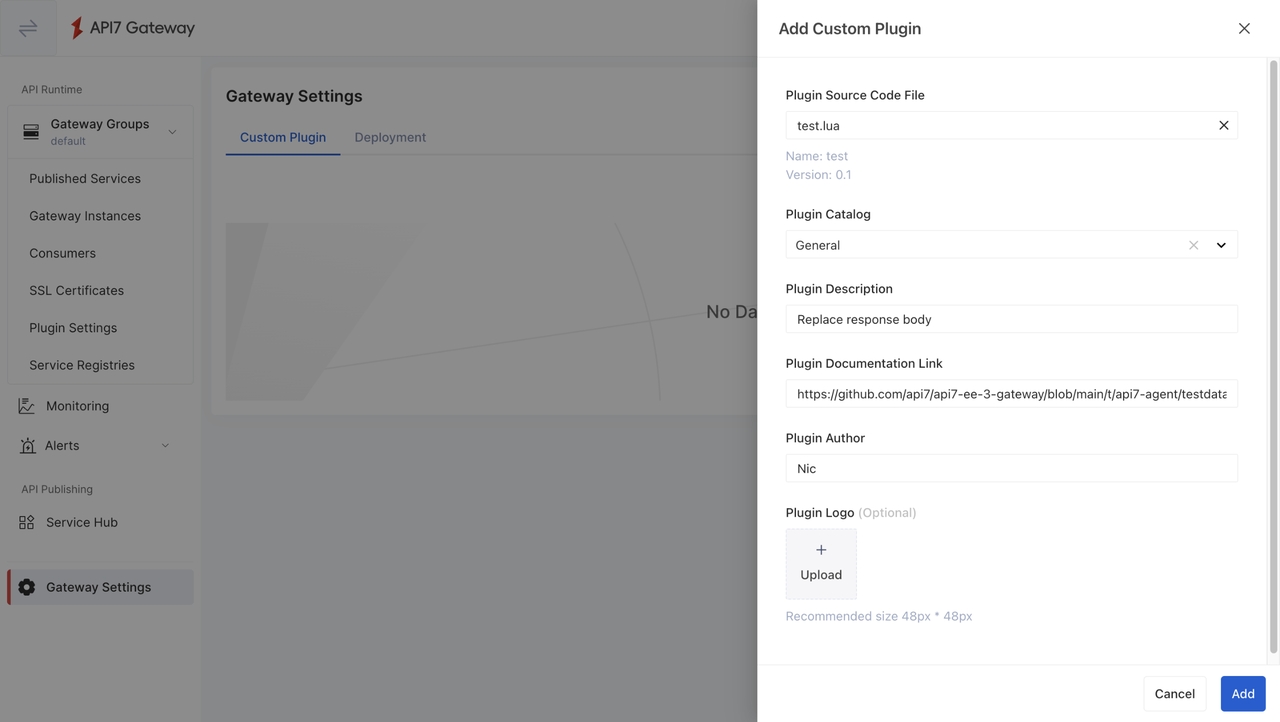
To use a custom plugin in API7 Gateway, users upload the plugin file to a gateway group. They then select the appropriate catalog for the organization, provide the plugin's usage description and author information, and optionally upload a logo. The plugin can then be referenced by the routes, services, and consumers of that gateway group. Its name must remain unique within the group to avoid conflicts.
A custom plugin belongs to the gateway group it was uploaded to, so each gateway group runs the code you gave it. Uploading a new version to a staging gateway group leaves production running the version it already has. A plugin can therefore be validated in one environment before it reaches another, without renaming it or editing the resources that reference it. Available in API7 Enterprise from version 3.10.6.
Key Features
- Support Lua for custom plugin development exclusively to ensure consistency with the core of API7 Gateway while maintaining lightweight and high-performance operation.
- Custom plugins can be used as other built-in plugins, which can be applied directly to routes or services, enabling flexible and targeted API traffic management.
- Custom plugins are scoped to a gateway group, so each environment runs the version uploaded to it. A new version reaches production only when it is uploaded there.
- Custom plugins should be treated as privileged gateway extensions and reviewed with the same care as other runtime code.
Use Cases
Integrate with Legacy or Non-Standard Protocols
When enterprises need to integrate their API gateway with internal systems or legacy applications, they may need to tailor plugins suitable for their systems. In such cases, custom plugins are essential for organizations looking to maintain compatibility with their existing infrastructure while adopting modern API management practices.
Many legacy systems rely on proprietary protocols or data formats that are not natively supported by modern API management tools. Furthermore, standard plugins may not fully meet the requirements when dealing with non-standard protocols or data formats. To bridge this gap, custom plugins can be developed to handle unique business needs.
For instance, custom plugins can perform data transformations between proprietary formats and industry-standard formats. This ensures that the API gateway can effectively manage requests and responses between legacy or non-standard protocol services and new ones.
Tailor Extensive Features
Custom plugins offer a way to tailor the API gateway to meet the specific needs of an organization, especially when dealing with complex use cases. Custom plugins allow businesses to enhance their API gateways with highly specific functionalities that go beyond the capabilities of built-in features.
By extending the API gateway with custom plugins, businesses can not only preserve their existing infrastructure but also modernize and future-proof their systems. This approach allows businesses to stay agile and adapt to evolving technological demands, ensuring long-term scalability and flexibility.
Balance Flexibility and Security
In API7 Gateway, custom plugins extend gateway behavior with the same runtime context as other gateway plugins. This provides maximum flexibility, but it also means custom plugin code should be trusted, reviewed, and tested before rollout.
To reduce risk, limit who can upload or modify custom plugins, validate plugin behavior in a test environment, and follow your organization's code review and release controls before deploying to production.